
Alternatives to Video Watermark Remover AI
Explore the best alternatives and competitors to Video Watermark Remover AI.
Explore 20 alternatives to Video Watermark Remover AI. Compare features, pricing, and find the best fit for your needs.

Video Frame Extractor
Free online video frame extractor — extract frames in your browser, no upload.

The Kiss
Turn two photos into a cinematic AI kissing video. Pick one of 13 kiss video templates; 30 free credits on sign-up.

MoveFrame
Turn any photo into a 5 or 10 second AI video. Free daily credits, no sign-up, 9:16 for TikTok and Reels, MP4 download.

Dola AI
Create AI videos from text or images with Dola AI. Free sign-up credits, pick a video model, download your clips. Image generation also available.
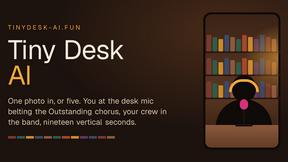
Tiny Desk AI
Make the viral Outstanding desk-concert meme from 1 to 5 photos: you sing lead, friends take keys, vocals and sax. 19s 9:16, $8.99.
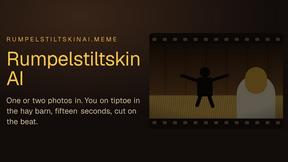
Rumpelstiltskin AI
Turn one or two photos into the tip toeing in my Jordans meme: play the imp, the girl in the straw, or both. 15s 16:9, $8.99 once.

Zombie Couple Video
Turn two photos into an AI zombie couple love story: a rainy standoff, then a golden hug. 15s 9:16 MP4 with music, $8.99 once.
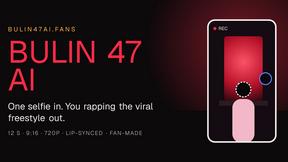
Bulin 47 AI
Turn one selfie into a 12-second 9:16 clip of you rapping the viral dembow freestyle, lips synced to the verse. $8.99 once.

My Hotel Lobby AI
Turn two photos into the viral Hotel Lobby video: one raps, one dances in the orange booth. 15s 16:9 MP4, $8.99 once.

Free Meme Video Generator
Make AI video memes from text, photos or clips, or use a trending template. Free credits to start.

Tiny Desk AI Video Generator
Turn 1–5 photos into a 19-second Tiny Desk-style AI band video. Choose singer, sax, keys and backing vocals, then download your performance.

RefVid
Upload a few photos of a product or a person once. RefVid keeps the label, the shape and the face the same in every AI video you generate.

Imoframe
Upload your listing photos and get a finished real estate video with music in 10–20 minutes. $9.99 per video, paid once, no subscription.

TinyDesk AI
Create a 19-second vertical concert parody from a portrait, with optional band roles and MP4 downloads with or without the template soundtrack.




AI Rap
AI rap generator that turns two portraits or one photo of two people into a short English duet rap video with original lyrics, vocals, and music.

Fix Pixelated Videos
AI that fixes pixelated, blocky and blurry videos. Free 15-second preview, no signup.
About Video Watermark Remover AI Alternatives
Video Watermark Remover AI is an online tool designed to eliminate unwanted watermarks, logos, and text from videos quickly and efficiently. As a powerful AI-driven solution, it appeals to a wide range of users, including content creators and marketers seeking to enhance their video quality. However, users often look for alternatives due to factors like pricing, specific feature sets, or compatibility with different platforms. When searching for an alternative, it’s essential to consider aspects such as ease of use, processing speed, video format support, and the overall quality of the output to ensure that your needs are met.
FAQs about Video Watermark Remover AI Alternatives
What is Video Watermark Remover AI?
Video Watermark Remover AI is an online tool that uses advanced artificial intelligence to remove watermarks, logos, and text from videos quickly and without compromising quality.
Who is Video Watermark Remover AI for?
This tool is designed for content creators, marketers, social media managers, educators, and anyone who regularly works with video content.
Is Video Watermark Remover AI free?
The product details do not specify if it is free; users should check the pricing information on the official website.
What are the main features of Video Watermark Remover AI?
Key features include advanced AI-powered processing for precise watermark removal, a user-friendly interface for quick operations, and support for multiple video formats.