
Alternatives to VideoSnap
Explore the best alternatives and competitors to VideoSnap.
Explore 20 alternatives to VideoSnap. Compare features, pricing, and find the best fit for your needs.

Reword Image
Change the text already printed inside a photo, screenshot or poster, without the original design file.

Artcraft AI
AI image and video studio in your browser: generate and edit images, turn photos into videos, edit clips by sentence.

FreeVideoGenerator
Free AI video generator that turns text prompts and photos into video clips using Sora 2, Veo 3.1, Wan and more. Free starter credits.

ViewMax Studio
AI video generator that turns one prompt into shorts, UGC-style ads and faceless videos, with script, voiceover and captions.

Dola AI
Dola AI video generator online: make Seedance 2.5 videos from text or a photo in your browser. No app, no watermark, free credits.


ToonBee AI
ToonBee AI turns a script or a one-line idea into a narrated cartoon video, keeping the same character in every scene. 10+ styles, 16:9 or 9:16.

sakuttoAI
A free suite of online tools for everyday tasks like PDF compression, image conversion, text diff and CSV to Excel.

Ozil AI
Put yourself in the viral Ozil goal video from one photo. Silent 9:16 720p MP4, no watermark, from $6.99.


Genjutsu AI Video Editor
Edit existing videos with AI: swap characters, outfits, objects or scenes while using the source clip to guide motion and camera framing.

imgtxtapp.laviolab.com
imgtxtapp.laviolab.com is a Telegram-based image-to-text converter that turns photos, screenshots, scanned documents into editable text

Bulin 47 Video Generator
AI Video Bulin47 lets you put yourself in the viral Bulin47 video trend with AI. Upload your photo, create a personalized Bulin47 video, and share it

Bulin 47 AI Freestyle Video Generator
Upload any photo and get your own Bulin 47 AI Freestyle video
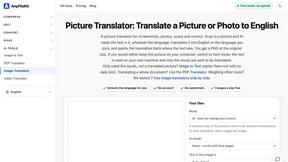
AnyFileKit Image Translator
Translate the text in screenshots, photos and manga, with the translation drawn back over the original image.

PXDMD
Free AI image editor: remove backgrounds, erase objects and watermarks, and color-grade photos in seconds.
AFFLIGO
AFFLIGO is a free online toolkit for everyday file tasks. Easily edit PDFs, compress images, convert file formats, and get things done.

SightRadar
Face recognition API, a drop-in replacement for AWS Rekognition. Index, search, compare and detect faces, billed per photo with no subscription.
AI Face Swap Video
Swap any face into any video online with AI in minutes. Upload a clip and a photo, get natural lighting and expressions. Free credits on sign-up.

Restore Old Photos - Retrocap
AI photo restoration app for iPhone and Android: repair scratches and tears, colorize black-and-white photos, sharpen faces and animate old portraits.
About VideoSnap Alternatives
VideoSnap is a free online video and image converter that operates entirely within your browser, allowing users to convert various file formats such as MP4, WebM, MKV, MOV, JPG, PNG, and WebP without the need for uploads or watermarks. This tool is designed for both casual users and frequent creators, offering a simple and efficient way to compress videos, resize images, and extract audio for a variety of content needs. With its emphasis on privacy, speed, and ease of use, VideoSnap fits well within the design tools category, particularly for those focused on multimedia projects. Users often seek alternatives to VideoSnap for various reasons, including the search for different features, platform compatibility, or pricing models that may better suit their needs. Some may require advanced editing capabilities, while others might prefer tools that offer a more extensive range of supported formats. When exploring alternatives, it’s essential to consider factors like user experience, processing speed, privacy policies, and the specific features that align with your content creation requirements. Ultimately, the right choice will depend on individual preferences and project demands.
FAQs about VideoSnap Alternatives
What is VideoSnap?
VideoSnap is a free online tool that allows users to convert videos and images directly in their browser without requiring uploads or watermarks. It supports a variety of formats including MP4, WebM, MKV, MOV for videos, and JPG, PNG, WebP for images. Designed for both beginners and experienced creators, VideoSnap streamlines the conversion process, making it accessible and efficient.
Who is VideoSnap for?
VideoSnap is designed for anyone who needs a fast and straightforward way to convert video and image files. This includes casual users looking to resize photos for social media or educators needing to extract audio from videos. Its ease of use also appeals to frequent content creators who want a reliable tool without the hassle of account setups or fees.
Is VideoSnap free?
Yes, VideoSnap is completely free to use. There are no hidden fees or subscription models, allowing users to access all features without any financial commitment. This makes it an attractive option for those looking for budget-friendly solutions for their media conversion needs.
What are the main features of VideoSnap?
VideoSnap offers several key features that enhance the user experience, including the ability to compress videos, resize or crop images, convert various formats, and extract audio. All processing is done locally in the browser, ensuring privacy and security. The tool is designed to be user-friendly, making it easy for beginners while still being efficient for more experienced creators.