
Alternatives to Vizro
Explore the best alternatives and competitors to Vizro.
Explore 20 alternatives to Vizro. Compare features, pricing, and find the best fit for your needs.
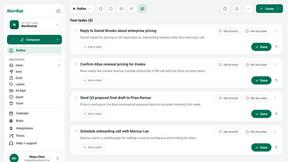
this+that
An AI agent that reads every email and chat message your team gets, turns requests into tasks, and does what they ask.
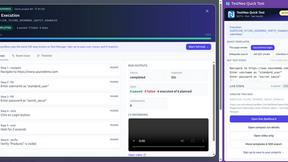
TestNeo
TestNeo.ai is an AI-native engineering and release assurance platform that helps teams automate web and API testing using natural language.
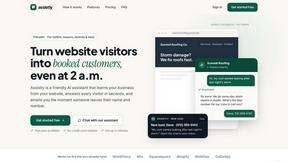
Assistly
An AI receptionist on your website that answers visitors 24/7 from your own content and captures every lead.

Vedic AstroGPT
explore your vedic birth chart, check compatibility and ask ai-assisted astrology questions with free tools and optional paid credits.

VideoAnalyzerAI
Generate recreation image and video prompts for an AI Video or generate creation prompts for an AI Video Idea you have.

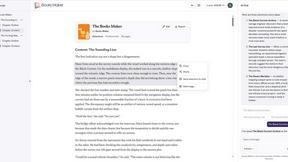
Booksmaker.ai
Books Maker AI is the AI-powered platform that turns your idea into a professional book.

Toolara Music
Describe a song in plain text and get a complete track — vocals or instrumental, custom lyrics, up to 120 seconds, MP3 download

LinkIntel
MCP server giving your AI assistant your X post results and X’s ranking weights, with sources.

Ask Versa AI
AI verdicts for any two Amazon products, in seconds. Live specs plus real buyer reviews, scored 0-100, one clear winner. Free, no account.


TryThatTool
Discover AI tools worth trying. Compare options, explore practical reviews, and build your own AI stack based on your goals and budget.

TimeLoop
TimeLoop: AI Day Planner is a free AI productivity tool that helps you turn a simple description of what you need to do into a more organized daily pl
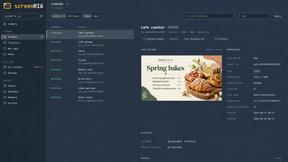
screenRIG
Signage and kiosk infrastructure for AI agents. Your agent publishes images, video, streams, web pages and apps to screens via one plugin.screenRIG is
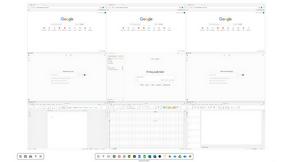
Novastart
Novastart brings apps and files onto an infinite canvas where people and AI agents can work together.


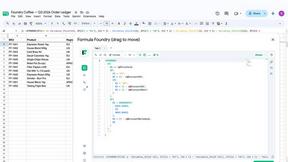

About Vizro Alternatives
Vizro is a user-friendly AI assistant designed for anyone who works with spreadsheet data but doesn’t want to learn complex analytics tools like Power BI, Tableau, or SQL. It falls into the AI Assistants category, focusing on making data analysis as simple as uploading an Excel or CSV file to get instant answers, visualizations, and dashboards. People often look for alternatives to Vizro for a few common reasons: they might need a tool that integrates with a specific platform they already use, require more advanced statistical modeling, or are seeking a different pricing model that fits their budget. When choosing an alternative, it’s important to consider how easy it is to upload and query your data, whether the tool supports natural language questions, and if it offers the ability to share dashboards with your team. You should also evaluate if the alternative provides the level of insight depth you need, from simple trend tracking to more complex performance analysis, all while keeping your data secure and accessible. The key is to find a solution that bridges the gap between raw spreadsheets and actionable decisions without adding unnecessary complexity. Look for tools that prioritize plain English interaction, automatic chart generation, and collaborative features, as these are the core benefits that make Vizro appealing. Avoid platforms that require a steep learning curve or force you into rigid reporting structures. Instead, focus on alternatives that let you ask questions freely, discover trends, and track performance in a way that matches how you naturally think about your business or project data. Whether you are analyzing sales, finances, or operations, the best alternative will turn your spreadsheets into decisions with minimal friction.
FAQs about Vizro Alternatives
What is Vizro?
Vizro is an AI-powered analytics tool that lets you upload Excel or CSV files to instantly uncover insights hidden in your data. It automatically generates interactive dashboards, visualizations, and answers to your questions without requiring you to learn complex tools like Power BI, Tableau, or SQL. You can ask questions in plain English and get results immediately.
Who is Vizro for?
Vizro is designed for anyone who works with spreadsheet data but does not have the time or desire to learn traditional analytics platforms. It is ideal for professionals analyzing sales, projects, finances, staffing, operations, or business performance. Whether you are a manager, analyst, or small business owner, Vizro helps turn your spreadsheets into decisions without a steep learning curve.
What are the main features of Vizro?
Vizro offers the ability to upload Excel and CSV files and automatically generate interactive dashboards, visualizations, and insights. You can ask questions in plain English to discover trends, track performance, and share dashboards with your team. It eliminates the need for complex reporting tools by providing instant answers from your spreadsheet data.
Is Vizro secure?
While the provided content does not detail specific security certifications, Vizro handles user-uploaded spreadsheet data and generates insights from it. For detailed security practices, such as data encryption, storage policies, and compliance standards, you should review Vizro’s official privacy policy or contact their support team directly.