
AI Formatter vs HeyVid
Side-by-side comparison to help you choose the right AI tool.

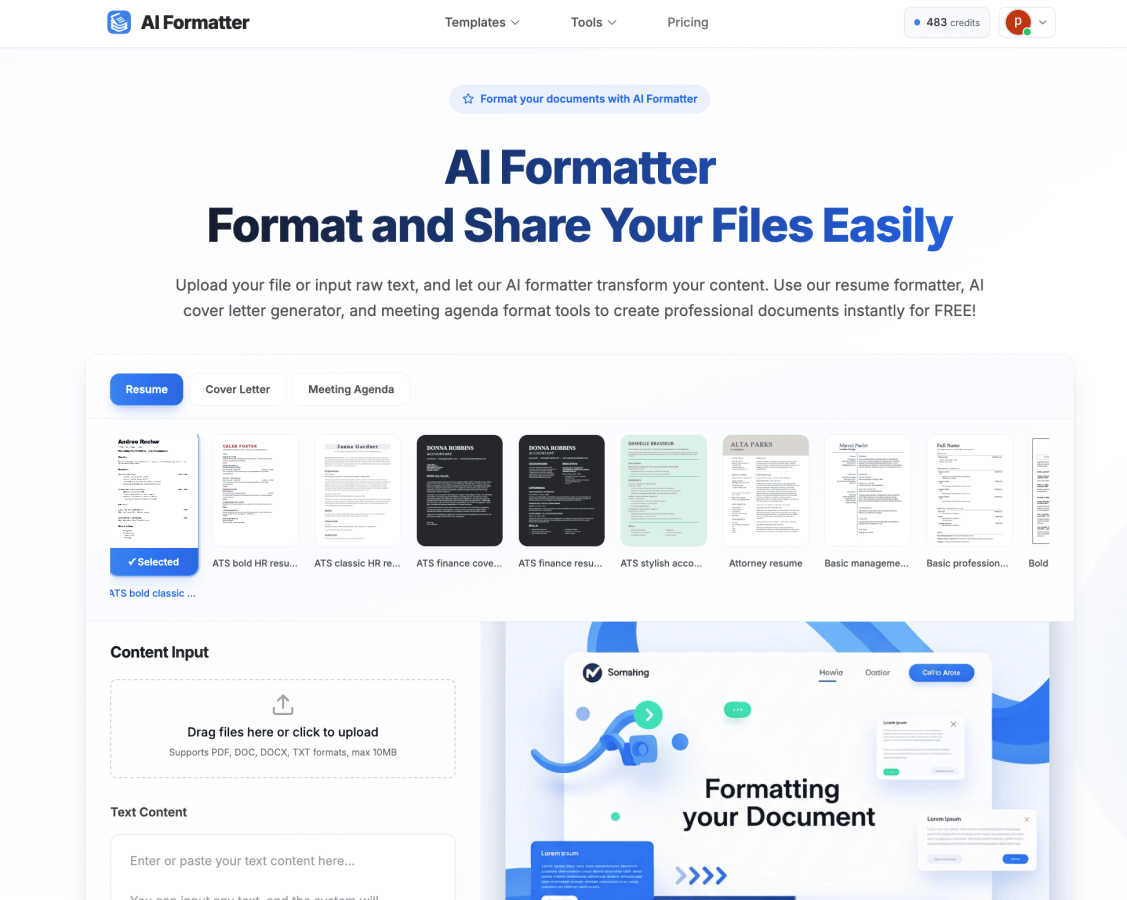
AI Formatter instantly creates professional documents from your raw text using 1000+ templates.
Last updated: March 1, 2026

HeyVid AI is your go-to platform for effortlessly creating stunning videos and images using advanced AI technology.
Last updated: April 4, 2026
Visual Comparison
AI Formatter
HeyVid

Feature Comparison
AI Formatter
Intelligent One-Click Formatting
Simply upload your existing document (PDF, DOC, DOCX, TXT) or paste raw text into the input box. With one click, our AI analyzes your content, understands its context—whether it's a resume, cover letter, or agenda—and automatically applies perfect formatting. It intelligently structures headings, bullet points, and spacing, transforming a basic draft into a professionally polished document in seconds, saving you hours of manual work.
Extensive Template Library
Choose from a vast collection of over 162 professional, industry-specific templates. Each template is designed not just for visual appeal but for practical success, such as being optimized to achieve a 95%+ pass rate on Applicant Tracking Systems (ATS) for resumes. Whether you need a modern resume, a formal cover letter, a clear meeting agenda, or a business invoice, you’ll find a professionally designed starting point for any document.
Integrated AI Content Tools
AI Formatter goes beyond just styling text. It includes powerful built-in generators like the AI Cover Letter Generator and Resume Formatter. These tools can help you create compelling, personalized content from scratch or enhance your existing drafts. You can input a job description and your experience, and the AI will help draft a targeted cover letter or optimize your resume's wording and structure for maximum impact.
Flexible Editor & Multi-Format Export
After the AI works its formatting magic, you retain full control. Use the intuitive online editor to make adjustments, customize fonts and colors, or tweak any content. Once perfect, download your document in the format you need, including Word (DOCX), PDF, and more. You can also share documents directly from the platform, making collaboration and distribution effortless.
HeyVid
Text to Video
This feature allows users to easily convert written text into engaging videos. Simply input your script, and HeyVid automatically generates a video that visually represents your content, complete with relevant imagery and transitions.
Image to Video
With the Image to Video feature, users can transform static images into dynamic video content. This tool animates your visuals, adding movement and effects that breathe life into your images, making them more captivating for viewers.
AI Image Refiner & Stylizer
HeyVid's AI Image Refiner & Stylizer enhances your images with advanced AI algorithms. It allows you to adjust styles, colors, and details to create visually stunning graphics that align perfectly with your brand aesthetic.
One-Click Video Maker
The One-Click Video Maker simplifies the video creation process. Users can generate professional-quality videos in just a few clicks, making it an ideal tool for content creators looking to produce high-quality work quickly and efficiently.
Use Cases
AI Formatter
Job Seekers & Career Changers
For anyone applying for jobs, AI Formatter is a game-changer. Upload your existing resume or paste your work history. The platform's ATS-optimized resume formatter ensures your document is parsed correctly by automated screening software, dramatically increasing your chances of getting an interview. Pair it with the AI cover letter generator to create a personalized, polished letter for each application in minutes.
Busy Professionals & Managers
Professionals who frequently organize meetings can instantly transform scattered notes into a clear, structured meeting agenda. Simply input your bullet points or upload a rough draft, select a professional meeting agenda template, and let the AI format it. This ensures every meeting has a clear purpose, agenda, and action items, projecting competence and saving preparation time.
Freelancers & Small Businesses
Creating consistent, branded business documents like invoices, proposals, and receipts is essential but time-consuming. With AI Formatter, freelancers and small business owners can input client and project details and generate polished, professional invoices instantly. This standardization looks professional, gets you paid faster, and eliminates the hassle of designing documents from scratch.
Students & Academics
Students can use AI Formatter to ensure their reports, essays, and project submissions meet strict formatting guidelines. By inputting their text and choosing an appropriate academic or formal template, they can achieve a clean, readable structure with proper headings and citations formatting, allowing them to focus on content quality rather than layout struggles.
HeyVid
Marketing Campaigns
Marketers can utilize HeyVid to create eye-catching videos for advertising campaigns. The platform's diverse features allow for the development of promotional content that effectively communicates brand messages and drives engagement.
Educational Content
Educators can enhance their teaching materials by creating informative videos and tutorials using HeyVid. This tool enables the production of engaging lectures and presentations that help students grasp complex concepts more easily.
Social Media Content
HeyVid is perfect for creators looking to boost their social media presence. With its quick video generation capabilities, users can create short-form videos and thumbnail images that attract attention and increase follower engagement.
Product Launches
Businesses can leverage HeyVid to generate exciting launch videos for their new products. By showcasing features and benefits through visually appealing content, companies can create buzz and anticipation around their offerings.
Overview
About AI Formatter
AI Formatter is your intelligent, cloud-based partner for creating polished and professional documents in seconds. It’s designed to take the tedious work out of document formatting, using advanced artificial intelligence to transform your raw text or uploaded files into beautifully structured documents tailored for success. The core promise is simple: you provide the content, and our AI handles the complex design, layout, and structuring.
Whether you're a job seeker aiming to craft a resume that sails past automated Applicant Tracking Systems (ATS), a busy professional needing a crisp meeting agenda in minutes, or a small business owner looking to standardize invoices and receipts, AI Formatter is built for you. It empowers anyone, regardless of design skill, to produce industry-specific, visually appealing documents. With a library of over 100 ready-to-use, ATS-optimized templates and a powerful online editor, you can generate resumes, cover letters, business communications, and more. The platform is committed to accessibility, offering free credits to get started, so you can experience the time-saving magic of handing your formatting worries over to a capable AI.
About HeyVid
HeyVid is an innovative AI-powered platform designed to simplify the creation of high-quality videos and images, making it accessible for everyone from beginners to professionals. With its intuitive interface and powerful tools, users can effortlessly transform ideas into stunning visual content. Whether you are a marketer, educator, developer, or entrepreneur, HeyVid provides you with the resources to create engaging videos and images in a matter of moments. The platform supports a variety of content types, including text-to-video, image-to-video, and AI-generated music, making it a comprehensive solution for all your creative needs. Its main value proposition lies in its ability to streamline the entire content creation process, allowing users to focus on their message while HeyVid handles the technical details. With HeyVid, you can elevate your storytelling, enhance brand visibility, and engage your audience like never before.
Frequently Asked Questions
AI Formatter FAQ
What file formats can I upload to AI Formatter?
AI Formatter supports a wide range of common document formats for upload, including PDF, DOC, DOCX, and plain text files (TXT). This flexibility allows you to start from almost any existing document you have. The maximum file size for uploads is 10MB.
How does the AI ensure my resume passes ATS systems?
Our resume templates are specifically designed and tested for ATS compatibility. The AI formatter applies clean, machine-readable formatting, uses standard section headings, and avoids elements like complex tables or graphics that can confuse ATS software. This structured approach is engineered to achieve a high pass rate, helping your resume get seen by a human recruiter.
Is AI Formatter free to use?
Yes, you can start using AI Formatter for free! The platform offers free credits upon sign-up, allowing you to try out the core formatting features, explore templates, and generate your first documents without any cost. This lets you experience the value before deciding if a premium plan with more advanced features and higher usage limits is right for you.
Can I edit my document after the AI formats it?
Absolutely! The AI provides the first draft of your perfectly formatted document, but you have the final say. The platform includes a powerful yet intuitive online editor. You can easily change text, adjust formatting, swap fonts, and customize any element to your exact liking before downloading or sharing the final version.
HeyVid FAQ
What types of content can I create with HeyVid?
You can create a variety of content, including videos from text, images into videos, and even AI-generated music. The platform supports multiple content formats to cater to diverse creative needs.
Is HeyVid suitable for beginners?
Absolutely! HeyVid is designed with an intuitive interface that is user-friendly, making it accessible for beginners. The one-click features and guided tools help users of all skill levels create professional content.
How fast can I generate content using HeyVid?
HeyVid allows for quick generation of content, often producing high-quality videos and images in just minutes. This efficiency enables users to focus on creativity rather than technical details.
Can I customize my videos and images?
Yes, HeyVid offers extensive customization options. You can adjust styles, visuals, and even add personalized touches to match your brand identity, ensuring your content is unique and impactful.
Alternatives
AI Formatter Alternatives
AI Formatter is a cloud-based productivity tool that uses artificial intelligence to instantly transform your raw text into professionally formatted documents. It belongs to the productivity and management software category, helping users save time on manual formatting for resumes, business communications, and more. Users often explore alternatives for various reasons. Some may be looking for different pricing models, such as a one-time purchase versus a subscription. Others might need specific features not offered, like integration with certain platforms or a different style of template library. It's also common to seek software that aligns better with a particular workflow or device preference. When evaluating other options, consider what matters most for your needs. Key factors include the quality and variety of templates, the ease of the editing process, and how well the tool handles document optimization for systems like Applicant Tracking Systems (ATS). Also, assess the overall value based on cost, security of your data, and the flexibility to customize the final output to your liking.
HeyVid Alternatives
HeyVid is an innovative AI-driven tool designed for generating high-quality videos and images with ease. It falls into the Productivity & Management category, catering to users who seek a streamlined approach to visual content creation. Despite its robust features, users often find themselves exploring alternatives for various reasons, such as pricing constraints, specific feature requirements, or compatibility with their existing workflow and platforms. When searching for alternatives to HeyVid, it's essential to consider factors such as ease of use, the quality of generated content, and the range of features offered. Additionally, look for options that align with your budget and provide the necessary integrations with other tools you rely on. The right alternative should not only meet your immediate needs but also offer room for growth as your content creation demands evolve.