
AIWriteBook vs Graph Maker
Side-by-side comparison to help you choose the right AI tool.

AIWriteBook
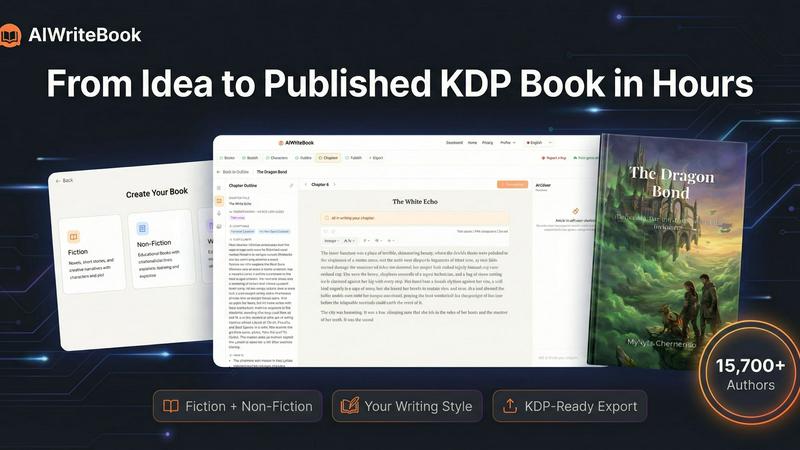
AIWriteBook helps you effortlessly create, design, and publish your book from concept to KDP in just hours.
Last updated: April 4, 2026

Graph Maker
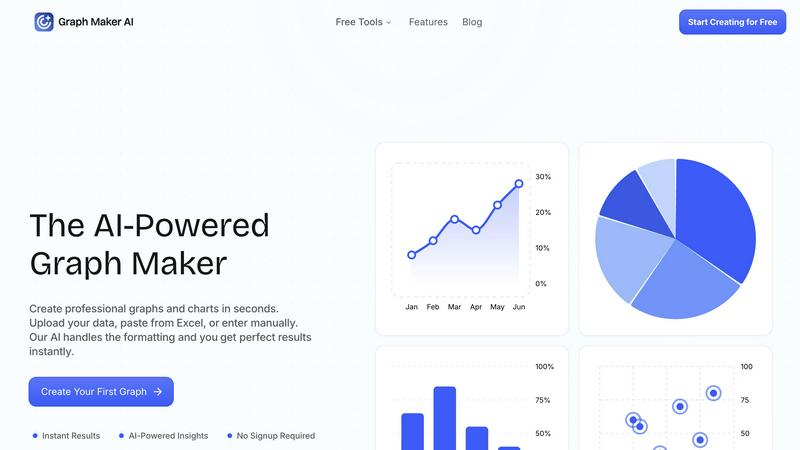
Effortlessly create and customize stunning graphs and charts from your data in seconds with our AI-powered Graph Maker.
Last updated: February 26, 2026
Visual Comparison
AIWriteBook
Graph Maker
Feature Comparison
AIWriteBook
AI Outline Generation
AIWriteBook generates comprehensive outlines tailored to your specific needs, whether you are crafting a fiction narrative with character arcs and plot twists or structuring a non-fiction book with organized chapters and key takeaways. This feature saves time and provides a clear roadmap for your writing journey.
Character Builder
The character builder feature allows fiction authors to create dynamic characters complete with distinct personalities, motivations, and development arcs. This tool ensures that each character drives the narrative forward, enhancing the overall storytelling experience.
Voice-Matched Chapter Writing
With the ability to upload previous works, AIWriteBook learns your writing style and produces chapters that reflect your unique voice. This feature allows for seamless integration of your personal touch, ensuring that the final product feels authentic and genuine.
Integrated Editing and Audiobook Generation
The built-in editor facilitates real-time editing with AI assistance, including a diff view for tracking changes. Additionally, AIWriteBook offers audiobook narration capabilities, generating professional-quality audio formats in over 30 languages, making your book accessible to a wider audience.
Graph Maker
Instant Graph Generation
With Graph Maker, simply paste your data and click "Generate." The AI-powered tool creates your graph in seconds, eliminating the need for time-consuming setup or configuration. This feature allows users to visualize data instantly without the hassle.
Fully Editable Graphs
Customize every aspect of your graphs, from themes and colors to labels and legends. This feature ensures that your visualizations can be tailored to meet specific presentation needs or personal preferences, making it easy to achieve the perfect look for your data.
Automatic AI Insights
Graph Maker doesn’t just create graphs; it also generates clear insights from your data. The AI analyzes trends, proportions, distributions, and correlations, helping you tell a meaningful story with your charts rather than just presenting numbers.
Multiple Graph Types
Choose from a variety of graph types, including line graphs, pie charts, bar graphs, and scatter plots. Each option is powered by AI, making it effortless to select the visualization that best fits your data and your goals.
Use Cases
AIWriteBook
Fiction Authors
Fiction writers can leverage AIWriteBook to develop intricate plots and multi-dimensional characters. By utilizing the character builder and voice-matched writing features, authors can craft compelling stories that captivate readers from the first chapter to the last.
Non-Fiction Authors
Non-fiction authors can benefit from the structured outlines and reference integration capabilities, allowing them to create informative and engaging content that includes learning outcomes and practical exercises for their audience.
Self-Publishing Enthusiasts
For those looking to self-publish, AIWriteBook provides a streamlined process to generate KDP-ready EPUBs and print PDFs, simplifying the path from manuscript to market and enabling authors to reach platforms like Amazon and Barnes & Noble with ease.
Illustrators and Audiobook Creators
Illustrators can use the image generation feature to enhance their storytelling visually, while authors can create audiobooks directly within the platform, offering a multi-faceted approach to reaching and engaging with their readers.
Graph Maker
Students and Educators
Students can leverage Graph Maker for homework, science projects, and presentations, while educators can create engaging graphs for lessons and classroom materials. The tool's simplicity allows users to focus on learning rather than struggling with complex software.
Marketers and Content Creators
Marketing teams utilize Graph Maker to visualize campaign data, create social media graphics, and generate client reports. By turning spreadsheets into shareable visuals quickly, they enhance their storytelling and communication efforts.
Business Analysts and Data Professionals
Data professionals can streamline their workflow by using Graph Maker to replace tedious Excel tasks. The tool allows for quick visualizations, enabling analysts to focus on extracting insights rather than formatting data.
Researchers and Scientists
Researchers can use Graph Maker to visualize their findings in a professional manner. Whether presenting statistical analysis or displaying experimental data, the tool makes it easy to create compelling graphs that enhance the impact of their research.
Overview
About AIWriteBook
AIWriteBook is an innovative, all-in-one AI book creation platform designed to empower authors of all genres, enabling them to transform their ideas into published books in a fraction of the time it traditionally takes. With a user-friendly interface, AIWriteBook caters to over 15,700 authors worldwide, allowing them to create books up to 500 pages long. Whether you are starting from scratch or looking to enhance an existing manuscript, AIWriteBook's intelligent system learns your unique writing style, generating chapters that resonate with your voice. For fiction writers, the tool provides detailed character development and intricate plot outlines, while non-fiction authors can benefit from structured frameworks, complete with citations and exercises. The integrated editing and publishing features streamline the entire process, enabling authors to publish across major platforms like Amazon KDP, Apple Books, and Google Play, all from a single dashboard.
About Graph Maker
Graph Maker is an innovative AI-powered tool that revolutionizes the way you create professional graphs and charts. Designed for users of all backgrounds—from students and educators to marketers and business analysts—Graph Maker simplifies the data visualization process. You can easily upload your data, paste it from Excel, or input it manually, and the tool's advanced AI takes care of the formatting and design aspects, delivering perfect results in seconds. The primary value proposition of Graph Maker is its ability to save you time and effort; with no signup required, you can start creating visually appealing graphs immediately. Whether you need to illustrate trends, compare data, or present insights, Graph Maker provides an accessible solution that turns your raw data into clear, engaging visuals in no time.
Frequently Asked Questions
AIWriteBook FAQ
How does AIWriteBook learn my writing style?
AIWriteBook learns your writing style by allowing you to upload previous works. The AI analyzes your text and adapts its writing to reflect your voice, ensuring that generated content aligns with your unique style.
Can I publish my book directly from AIWriteBook?
Yes, AIWriteBook enables you to publish your book directly to major platforms such as Amazon KDP, Apple Books, and Google Play, simplifying the publishing process and allowing you to reach your audience quickly.
What formats can I export my book in?
You can export your book in various formats including KDP-ready EPUB, print PDF (in multiple trim sizes), and DOCX, ensuring compatibility with different publishing platforms and print requirements.
Is my content secure and do I retain ownership?
Absolutely! All content you create using AIWriteBook is yours. You retain full commercial rights and ownership, allowing you to use your work however you choose without any restrictions.
Graph Maker FAQ
How does Graph Maker handle data formatting?
Graph Maker's AI automatically cleans and formats your data upon input. This means you can spend less time on data preparation and more time on analyzing and understanding your results.
Do I need to create an account to use Graph Maker?
No, there is no signup required to use Graph Maker. You can start creating your graphs immediately, making it a hassle-free experience for all users.
Can I customize the graphs I create?
Absolutely! Graph Maker allows you to customize various elements of your graphs, including themes, labels, and legends, ensuring that your visualizations meet your specific needs.
What types of graphs can I create with Graph Maker?
Graph Maker offers a wide range of graph types, including line graphs, pie charts, bar graphs, and scatter plots. You can choose the type that best represents your data and insights.
Alternatives
AIWriteBook Alternatives
AIWriteBook is a comprehensive AI-powered platform designed to assist authors in writing, designing, and publishing their books quickly and efficiently. This tool falls under the category of AI Assistants and Writing, catering to both fiction and non-fiction authors by streamlining the book creation process from concept to publication in a fraction of the time it typically takes. Users often seek alternatives to AIWriteBook for various reasons, including budget constraints, the need for specific features, or compatibility with different platforms. When choosing an alternative, it’s essential to consider factors such as ease of use, the range of features offered, customer support, and whether the tool aligns with your writing style and publishing goals.
Graph Maker Alternatives
Graph Maker is an innovative AI-powered tool that enables users to create professional graphs and charts in just seconds. It falls under the categories of AI Assistants, Analytics & Data, Business Intelligence, and Data Visualization. Users often seek alternatives to Graph Maker due to various reasons such as pricing, specific feature requirements, or compatibility with different platforms. Selecting the right alternative involves considering aspects like user-friendliness, customization options, data handling capabilities, and overall performance to ensure that it meets your unique graphing needs. When exploring alternatives, it's essential to evaluate how well the tool integrates with your existing workflows and whether it can handle the types of data you typically work with. Additionally, consider the level of support and resources available for users, as well as any trial periods that allow you to test the software before committing. This way, you can find a solution that best fits your requirements and enhances your data visualization experience.