
AnyToURL vs HeyVid
Side-by-side comparison to help you choose the right AI tool.

AnyToURL
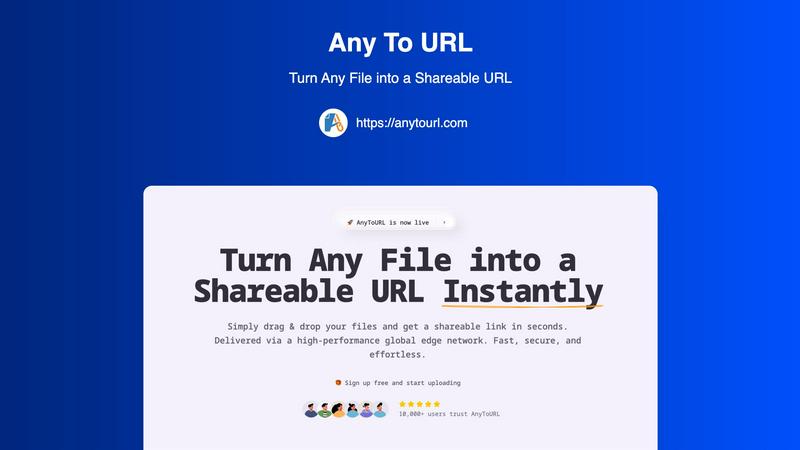
AnyToURL instantly turns your files into shareable links for quick and easy online sharing.
Last updated: February 28, 2026

HeyVid AI is your go-to platform for effortlessly creating stunning videos and images using advanced AI technology.
Last updated: April 4, 2026
Visual Comparison
AnyToURL
HeyVid

Feature Comparison
AnyToURL
Drag & Drop Simplicity
Uploading files couldn't be easier. Simply drag your file from your computer and drop it onto the AnyToURL webpage. There are no complicated forms to fill out or confusing menus to navigate. This intuitive process gets your file ready for sharing in an instant, saving you valuable time and effort, especially when you're sharing quick screenshots or documents on the fly.
Instant Shareable Links
The moment your upload is complete, AnyToURL generates a short, clean URL for your file. There's no waiting. You can immediately copy this link with a single click and paste it into an email, a chat message (like Slack or Teams), a social media post, or even embed it on a website. This instant link generation is the heart of making file sharing fast and effortless.
Smart File Preview
Recipients of your link will enjoy a seamless viewing experience. Instead of being forced to download a file to see its contents, common file types like images, PDFs, and documents preview directly within their web browser. This allows for quick reviews, feedback, and collaboration without cluttering up anyone's downloads folder, making it perfect for sharing design mockups or draft documents.
Global Edge CDN & Security
Your files are delivered via a high-performance global edge network, ensuring anyone in the world can access them with minimal delay. On the security front, AnyToURL offers password protection for sensitive files, giving you control over who can view your content. The platform also emphasizes strict file isolation and has a zero-tolerance policy for malware, keeping your data safe.
HeyVid
Text to Video
This feature allows users to easily convert written text into engaging videos. Simply input your script, and HeyVid automatically generates a video that visually represents your content, complete with relevant imagery and transitions.
Image to Video
With the Image to Video feature, users can transform static images into dynamic video content. This tool animates your visuals, adding movement and effects that breathe life into your images, making them more captivating for viewers.
AI Image Refiner & Stylizer
HeyVid's AI Image Refiner & Stylizer enhances your images with advanced AI algorithms. It allows you to adjust styles, colors, and details to create visually stunning graphics that align perfectly with your brand aesthetic.
One-Click Video Maker
The One-Click Video Maker simplifies the video creation process. Users can generate professional-quality videos in just a few clicks, making it an ideal tool for content creators looking to produce high-quality work quickly and efficiently.
Use Cases
AnyToURL
Designers Sharing Mockups
UX and graphic designers can instantly share design mockups, wireframes, and prototypes with clients or team members. The smart preview feature allows stakeholders to view the designs directly in their browser for quick feedback, speeding up the review cycle and streamlining the collaboration process without needing specialized software.
Marketing Teams Distributing Assets
Marketing professionals can use AnyToURL to quickly distribute campaign assets, brand guidelines, high-resolution images, or press kits to internal teams, external agencies, or partners. The fast global delivery ensures everyone gets the files quickly, and the preview function lets recipients check content without having to download large files first.
Product Managers Sharing Documentation
Product managers and teams can effortlessly share product specifications, requirement documents, roadmaps, and other resources with distributed team members or stakeholders. The secure, link-based sharing is perfect for ensuring everyone has the latest version, and the global CDN guarantees fast access for team members in different geographical locations.
Individuals Sharing Personal Media
Anyone can use AnyToURL for everyday sharing, like sending a batch of vacation photos to family, sharing a video clip with a friend, or distributing a PDF invitation for a party. It eliminates the file size restrictions often found in email and avoids the need for both parties to be on the same cloud storage platform or messaging app.
HeyVid
Marketing Campaigns
Marketers can utilize HeyVid to create eye-catching videos for advertising campaigns. The platform's diverse features allow for the development of promotional content that effectively communicates brand messages and drives engagement.
Educational Content
Educators can enhance their teaching materials by creating informative videos and tutorials using HeyVid. This tool enables the production of engaging lectures and presentations that help students grasp complex concepts more easily.
Social Media Content
HeyVid is perfect for creators looking to boost their social media presence. With its quick video generation capabilities, users can create short-form videos and thumbnail images that attract attention and increase follower engagement.
Product Launches
Businesses can leverage HeyVid to generate exciting launch videos for their new products. By showcasing features and benefits through visually appealing content, companies can create buzz and anticipation around their offerings.
Overview
About AnyToURL
AnyToURL is your go-to solution for sharing files online without the usual hassle. It's a brilliantly simple platform that transforms any file—be it a screenshot, a video, a PDF, or a code snippet—into a direct, shareable web link in just seconds. Think of it as creating an instant, temporary home for your file on the web, where anyone with the link can access it. It's designed for anyone who needs to share digital content quickly, from professionals collaborating on projects to friends sharing a batch of photos. The core value proposition is effortless speed and security. By leveraging a high-performance global edge network (powered by Cloudflare), AnyToURL ensures your files are delivered at lightning speed to anyone, anywhere. With a focus on a seamless user experience through drag-and-drop uploading and thoughtful features like password protection and in-browser previews, it removes the friction from file sharing, making collaboration straightforward and efficient.
About HeyVid
HeyVid is an innovative AI-powered platform designed to simplify the creation of high-quality videos and images, making it accessible for everyone from beginners to professionals. With its intuitive interface and powerful tools, users can effortlessly transform ideas into stunning visual content. Whether you are a marketer, educator, developer, or entrepreneur, HeyVid provides you with the resources to create engaging videos and images in a matter of moments. The platform supports a variety of content types, including text-to-video, image-to-video, and AI-generated music, making it a comprehensive solution for all your creative needs. Its main value proposition lies in its ability to streamline the entire content creation process, allowing users to focus on their message while HeyVid handles the technical details. With HeyVid, you can elevate your storytelling, enhance brand visibility, and engage your audience like never before.
Frequently Asked Questions
AnyToURL FAQ
What file types does AnyToURL support?
AnyToURL supports a wide range of over 50 common file types. This includes images (like JPG, PNG, GIF), documents (PDF, DOCX, PPTX), code files (TXT, JS, PY), and various archive formats. You can confidently upload most files you need to share for work or personal use.
How long do my files stay available?
For users on the free tier, uploaded files are available for 24 hours before they expire and are deleted from the system. This is perfect for temporary sharing needs. If you require permanent storage, you can upgrade to a paid plan which allows you to keep your files accessible indefinitely.
Is there a file size limit?
Yes. Free users can upload files up to 50MB in size, which is sufficient for many documents, high-quality images, and short videos. Paid plans offer significantly higher limits, extending up to 10GB per file, catering to users who need to share very large videos, datasets, or project archives.
How does the password protection work?
When you upload a file, you have the option to set a password for it. Once enabled, anyone who clicks the shareable link will be prompted to enter the exact password you set before they can view or download the file. This adds a crucial layer of security for sensitive or confidential documents.
HeyVid FAQ
What types of content can I create with HeyVid?
You can create a variety of content, including videos from text, images into videos, and even AI-generated music. The platform supports multiple content formats to cater to diverse creative needs.
Is HeyVid suitable for beginners?
Absolutely! HeyVid is designed with an intuitive interface that is user-friendly, making it accessible for beginners. The one-click features and guided tools help users of all skill levels create professional content.
How fast can I generate content using HeyVid?
HeyVid allows for quick generation of content, often producing high-quality videos and images in just minutes. This efficiency enables users to focus on creativity rather than technical details.
Can I customize my videos and images?
Yes, HeyVid offers extensive customization options. You can adjust styles, visuals, and even add personalized touches to match your brand identity, ensuring your content is unique and impactful.
Alternatives
AnyToURL Alternatives
AnyToURL is a file sharing service that falls into the category of instant link generators. It's designed to take any file you have and turn it into a web link you can share with anyone, making collaboration and distribution incredibly fast and simple. People often look for alternatives to tools like this for a variety of reasons. Maybe they need a different pricing model, specific features like advanced team permissions, or a platform that integrates directly with other apps they use. It's also common to explore options to find a service that better matches a particular workflow or security requirement. When you're evaluating other options, it's smart to consider a few key areas. Look at the upload limits and file type support, the speed and reliability of the service, and what security features like password protection are offered. The overall ease of use and how quickly you can get a shareable link are also crucial factors for a smooth experience.
HeyVid Alternatives
HeyVid is an innovative AI-driven tool designed for generating high-quality videos and images with ease. It falls into the Productivity & Management category, catering to users who seek a streamlined approach to visual content creation. Despite its robust features, users often find themselves exploring alternatives for various reasons, such as pricing constraints, specific feature requirements, or compatibility with their existing workflow and platforms. When searching for alternatives to HeyVid, it's essential to consider factors such as ease of use, the quality of generated content, and the range of features offered. Additionally, look for options that align with your budget and provide the necessary integrations with other tools you rely on. The right alternative should not only meet your immediate needs but also offer room for growth as your content creation demands evolve.