
AnyToURL vs ToolPortal
Side-by-side comparison to help you choose the right AI tool.

AnyToURL
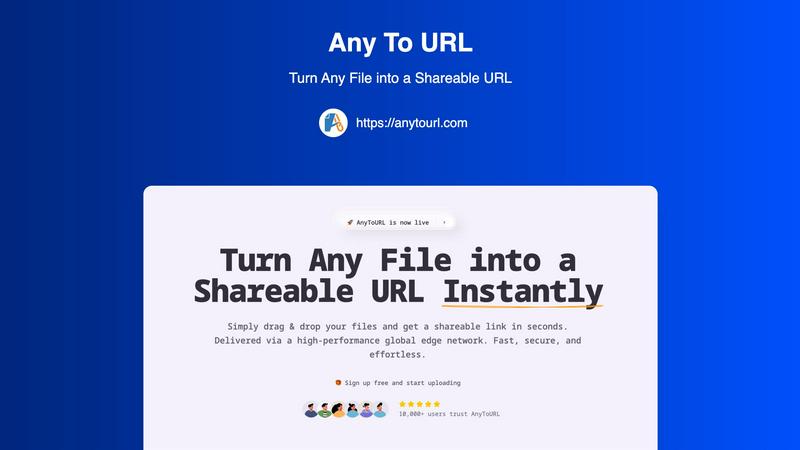
AnyToURL instantly turns your files into shareable links for quick and easy online sharing.
Last updated: February 28, 2026

ToolPortal
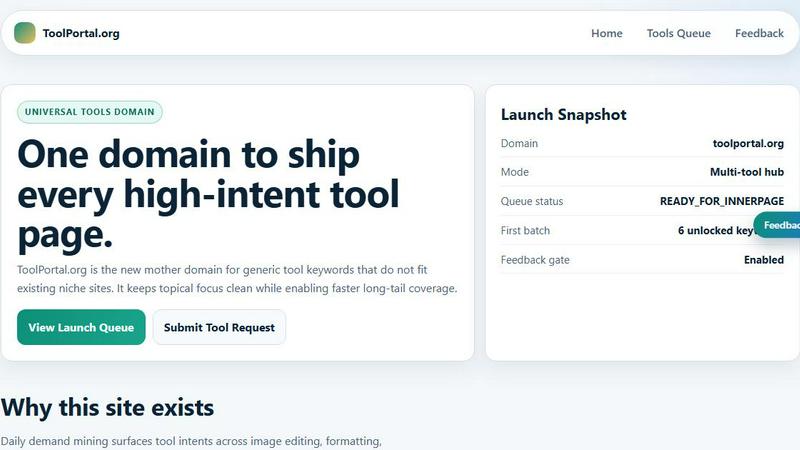
ToolPortal is your go-to online directory with over 300 free tools for developers, designers, and content creators to streamline their tasks.
Last updated: April 4, 2026
Visual Comparison
AnyToURL
ToolPortal
Feature Comparison
AnyToURL
Drag & Drop Simplicity
Uploading files couldn't be easier. Simply drag your file from your computer and drop it onto the AnyToURL webpage. There are no complicated forms to fill out or confusing menus to navigate. This intuitive process gets your file ready for sharing in an instant, saving you valuable time and effort, especially when you're sharing quick screenshots or documents on the fly.
Instant Shareable Links
The moment your upload is complete, AnyToURL generates a short, clean URL for your file. There's no waiting. You can immediately copy this link with a single click and paste it into an email, a chat message (like Slack or Teams), a social media post, or even embed it on a website. This instant link generation is the heart of making file sharing fast and effortless.
Smart File Preview
Recipients of your link will enjoy a seamless viewing experience. Instead of being forced to download a file to see its contents, common file types like images, PDFs, and documents preview directly within their web browser. This allows for quick reviews, feedback, and collaboration without cluttering up anyone's downloads folder, making it perfect for sharing design mockups or draft documents.
Global Edge CDN & Security
Your files are delivered via a high-performance global edge network, ensuring anyone in the world can access them with minimal delay. On the security front, AnyToURL offers password protection for sensitive files, giving you control over who can view your content. The platform also emphasizes strict file isolation and has a zero-tolerance policy for malware, keeping your data safe.
ToolPortal
Comprehensive Tool Index
ToolPortal features a dense index of 261 live tools organized into specific categories, including generators, checkers, converters, formatters, and image editing tools. This organization allows users to quickly navigate to the tools they need without unnecessary friction.
Dual Search Modes
Users can choose between two search methods: a direct keyword search for when they know the exact tool name or a task description mode that suggests tools based on the stated job. This flexibility caters to both experienced users and those who may be unsure of what they need.
Daily Refresh Cycle
ToolPortal is committed to continuous improvement, with new pages and UI updates being rolled out daily. This ensures that users always have access to the latest tools and features, enhancing the overall experience and keeping the content fresh and relevant.
Instant Access Without Login
One of the standout features of ToolPortal is that it requires no login or account creation. Users can open any tool page and run it immediately, eliminating barriers to access and allowing for a seamless workflow.
Use Cases
AnyToURL
Designers Sharing Mockups
UX and graphic designers can instantly share design mockups, wireframes, and prototypes with clients or team members. The smart preview feature allows stakeholders to view the designs directly in their browser for quick feedback, speeding up the review cycle and streamlining the collaboration process without needing specialized software.
Marketing Teams Distributing Assets
Marketing professionals can use AnyToURL to quickly distribute campaign assets, brand guidelines, high-resolution images, or press kits to internal teams, external agencies, or partners. The fast global delivery ensures everyone gets the files quickly, and the preview function lets recipients check content without having to download large files first.
Product Managers Sharing Documentation
Product managers and teams can effortlessly share product specifications, requirement documents, roadmaps, and other resources with distributed team members or stakeholders. The secure, link-based sharing is perfect for ensuring everyone has the latest version, and the global CDN guarantees fast access for team members in different geographical locations.
Individuals Sharing Personal Media
Anyone can use AnyToURL for everyday sharing, like sending a batch of vacation photos to family, sharing a video clip with a friend, or distributing a PDF invitation for a party. It eliminates the file size restrictions often found in email and avoids the need for both parties to be on the same cloud storage platform or messaging app.
ToolPortal
Social Media Content Creation
Content creators can utilize the text styling tools available in ToolPortal, such as glitch or gothic text generators, to produce eye-catching social media posts. This allows for enhanced engagement and unique branding.
Quick Image Editing
Marketers and designers can use the image tools to crop photos, remove backgrounds, and prepare assets for various platforms in a matter of minutes. This efficiency is crucial for meeting tight deadlines in the fast-paced digital landscape.
Validation and Quality Checks
Developers can rely on the validation tools for tasks such as checking DMARC records or running speed tests to ensure their projects meet quality standards before publishing. This helps maintain a high level of professionalism.
Format Conversion
Students and professionals alike can benefit from the conversion tools offered by ToolPortal, which allow for quick and easy transformation of units, time, and text formats. This is particularly useful for those working on reports or data analysis.
Overview
About AnyToURL
AnyToURL is your go-to solution for sharing files online without the usual hassle. It's a brilliantly simple platform that transforms any file—be it a screenshot, a video, a PDF, or a code snippet—into a direct, shareable web link in just seconds. Think of it as creating an instant, temporary home for your file on the web, where anyone with the link can access it. It's designed for anyone who needs to share digital content quickly, from professionals collaborating on projects to friends sharing a batch of photos. The core value proposition is effortless speed and security. By leveraging a high-performance global edge network (powered by Cloudflare), AnyToURL ensures your files are delivered at lightning speed to anyone, anywhere. With a focus on a seamless user experience through drag-and-drop uploading and thoughtful features like password protection and in-browser previews, it removes the friction from file sharing, making collaboration straightforward and efficient.
About ToolPortal
ToolPortal is a robust online directory offering over 300 free, browser-based tools designed to cater to a wide range of needs. Whether you're looking to convert text formats, validate JSON code, edit images, or perform SEO checks, ToolPortal has something for everyone. It serves as a one-stop-shop for developers, marketers, writers, and anyone who needs quick access to practical online utilities without the hassle of installation or sign-up. The intuitive interface allows users to search for tools by keyword or describe their task in plain language, making it easy to find the right tool in seconds. With a focus on user experience, ToolPortal ensures that all tools are live and ready to use immediately, streamlining workflows and enhancing productivity.
Frequently Asked Questions
AnyToURL FAQ
What file types does AnyToURL support?
AnyToURL supports a wide range of over 50 common file types. This includes images (like JPG, PNG, GIF), documents (PDF, DOCX, PPTX), code files (TXT, JS, PY), and various archive formats. You can confidently upload most files you need to share for work or personal use.
How long do my files stay available?
For users on the free tier, uploaded files are available for 24 hours before they expire and are deleted from the system. This is perfect for temporary sharing needs. If you require permanent storage, you can upgrade to a paid plan which allows you to keep your files accessible indefinitely.
Is there a file size limit?
Yes. Free users can upload files up to 50MB in size, which is sufficient for many documents, high-quality images, and short videos. Paid plans offer significantly higher limits, extending up to 10GB per file, catering to users who need to share very large videos, datasets, or project archives.
How does the password protection work?
When you upload a file, you have the option to set a password for it. Once enabled, anyone who clicks the shareable link will be prompted to enter the exact password you set before they can view or download the file. This adds a crucial layer of security for sensitive or confidential documents.
ToolPortal FAQ
What types of tools does ToolPortal offer?
ToolPortal offers a wide variety of tools across categories such as generators, checkers, converters, formatters, and image editing utilities. This diversity ensures that users can find tools for nearly any online task.
Do I need to create an account to use ToolPortal?
No, ToolPortal does not require any account creation or login. Users can access and run tools directly in their browser without any barriers, making it quick and easy to get started.
How often are new tools added to ToolPortal?
ToolPortal features a daily refresh cycle, meaning new tools and updates are continually being integrated into the platform. This commitment to freshness ensures users have access to the latest tools available.
Can I search for tools without knowing their names?
Absolutely! ToolPortal allows users to describe their tasks in plain language, and it will suggest the best-fit tools based on that description. This user-friendly feature helps those who may not be familiar with specific tool names.
Alternatives
AnyToURL Alternatives
AnyToURL is a file sharing service that falls into the category of instant link generators. It's designed to take any file you have and turn it into a web link you can share with anyone, making collaboration and distribution incredibly fast and simple. People often look for alternatives to tools like this for a variety of reasons. Maybe they need a different pricing model, specific features like advanced team permissions, or a platform that integrates directly with other apps they use. It's also common to explore options to find a service that better matches a particular workflow or security requirement. When you're evaluating other options, it's smart to consider a few key areas. Look at the upload limits and file type support, the speed and reliability of the service, and what security features like password protection are offered. The overall ease of use and how quickly you can get a shareable link are also crucial factors for a smooth experience.
ToolPortal Alternatives
ToolPortal is a robust online tools directory designed specifically for developers, designers, SEO professionals, and content creators. With over 300 free browser-based tools, it offers a wealth of resources across various categories, including productivity, web development, and SEO. Users often seek alternatives to ToolPortal for several reasons, such as varying feature sets, user interface preferences, or specific platform needs that might not be met by ToolPortal. When looking for an alternative, consider factors like the types of tools offered, ease of navigation, user experience, and whether the platform requires any installation or sign-up. It's also essential to assess the reliability and support provided, as well as how frequently the tools are updated to meet current industry standards.