
Blur Image Online vs Supermachine
Side-by-side comparison to help you choose the right AI tool.

Blur Image Online
Blur faces and text online for free with our fast, browser-based AI tools.
Last updated: February 28, 2026

Supermachine
Supermachine helps creators generate stunning, commercial-ready AI images and videos quickly with over 60 models.
Last updated: March 11, 2026
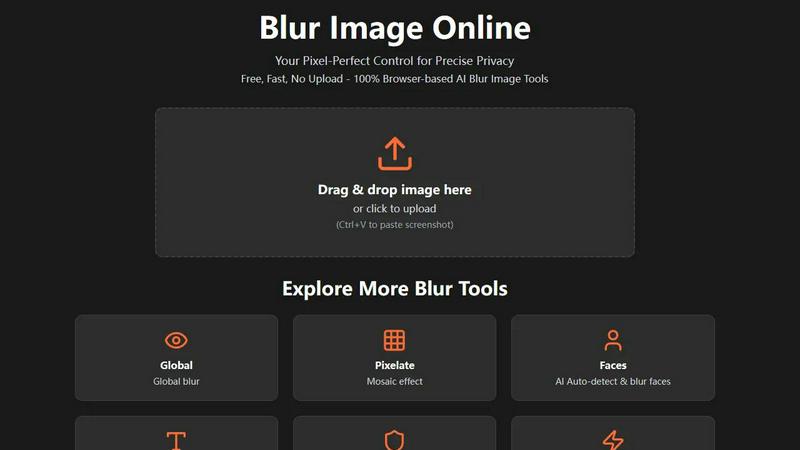
Visual Comparison
Blur Image Online
Supermachine

Feature Comparison
Blur Image Online
Selective Blur
The Selective Blur tool puts you in the driver's seat. Using an intuitive brush, you can manually paint blur exactly where you need it. This is perfect for tasks like hiding a specific object in a room, creating a beautiful background blur (bokeh effect) to make a subject pop, or carefully obscuring a single piece of information in a screenshot. You have full control over the brush size and blur strength for meticulous, professional-grade edits.
AI Blur Faces
Protect identities in group photos or public shots effortlessly. Our AI Blur Faces tool automatically detects every face in your image and applies a blur with one click. For ultimate precision, you can switch to Manual Drawing Mode to add more blur to certain areas or use the eraser to restore clarity to faces you don't want to hide, giving you a perfect blend of automation and hands-on control.
AI Blur Text
Safely share images of documents, receipts, or screenshots. The AI Blur Text tool scans your image and automatically identifies and blurs all text elements. You can choose from different blur styles (like a smooth Gaussian blur or a pixelated look) to suit your needs. After the AI does its job, you can refine the results with manual brush and eraser tools to ensure no sensitive word or number is visible.
Motion Blur
Unleash your creativity with the Motion Blur tool. This feature lets you simulate movement by adding directional blur to any part of your image. By adjusting the angle and distance, you can create effects ranging from a subtle sense of speed for a moving car to dramatic light trails for artistic shots. It's an easy way to add dynamic energy and a professional touch to static photographs.
Supermachine
Curated AI Model Library
Supermachine provides access to a carefully selected suite of over 60 AI models for image and video generation. The team doesn't just add every new model; they wait for ones that demonstrate clear improvements in quality, speed, and real-world utility. This means you get a reliable toolkit of high-performing models, not just a confusing list of the latest trends. It ensures consistency and professional results, whether you're generating photorealistic images, anime art, or digital paintings.
Advanced Creative Control Tools
Move beyond simple text prompts with a suite of advanced editing tools. Features like ControlNet allow for precise pose and composition control, while the Instruct-based editing model lets you modify existing images with simple text commands (e.g., "add a hat," "change the background to a beach"). This level of control transforms Supermachine from a basic generator into a powerful creative partner, giving you the flexibility to refine your vision from the initial idea to the final, polished asset.
AI-Powered Video Generation
Expand your creativity into motion with Supermachine's video generation capabilities. You can create short-form videos, perfect for social media reels, ads, or presentations, directly from text prompts or images. This feature opens up dynamic content creation without requiring expensive software or video editing expertise, allowing you to produce engaging animated visuals as quickly as you can generate still images.
Professional Post-Processing Suite
Polish your creations to perfection with built-in professional enhancement tools. Supermachine includes an AI upscaler to increase image resolution without losing detail, a face enhancement tool for perfect portraits, and the ability to generate assets in custom sizes for any platform. The AI Edit Image tool functions like a Photoshop AI assistant, enabling complex edits and alterations with ease, ensuring your final assets are ready for publication.
Use Cases
Blur Image Online
Protecting Privacy on Social Media
Before posting a photo of a fun public event or your new home, use Blur Image Online to obscure faces of strangers, your license plate, or your house number. This simple step helps you share life's moments on platforms like Instagram or Facebook without compromising your own or others' privacy, giving you peace of mind.
Securing Sensitive Documents
Need to share a proof of address, a contract snippet, or a receipt online for verification? Use the AI Blur Text or Blur Sensitive Info tool to automatically find and obscure all personal details like account numbers, addresses, and names. This allows you to share the necessary document securely without exposing confidential information.
Enhancing Professional Photography
Photographers can use the Selective and Global Blur tools to create stunning depth-of-field effects, drawing the viewer's eye to the main subject by artistically blurring the background. It's a quick way to achieve a professional, polished look similar to high-aperture lens effects, directly in the browser without complex software.
Creating Engaging Content
Bloggers, educators, and content creators can use the Pixelate and Motion Blur tools to censor information in tutorials or create visually engaging graphics. For example, pixelate a competitor's logo in a comparison video thumbnail or add motion blur to a product image to suggest speed and innovation, making your content more dynamic and visually appealing.
Supermachine
Social Media & Marketing Content Creation
Create a constant stream of fresh, eye-catching visuals for Instagram posts, Facebook ads, YouTube thumbnails, and TikTok videos in minutes. Marketers and social media managers can quickly generate branded illustrations, promotional graphics, and ad variations to test, dramatically speeding up campaign production and keeping content calendars full without a hefty budget for stock photos or designers.
Concept Art & Brainstorming
Artists, writers, and product designers can use Supermachine as a powerful brainstorming partner. Quickly visualize characters, environments, product concepts, or story scenes from descriptive text. The image-to-image and instruct-based editing features allow for rapid iteration on these concepts, helping to flesh out ideas and communicate visions before committing to final illustrations or prototypes.
Small Business Branding & Assets
Small business owners and entrepreneurs can develop a complete visual identity without hiring a design agency. Generate a unique logo concept, create custom product mockups, design professional website banners and blog graphics, and produce short explainer videos. This empowers businesses to maintain a high-quality, consistent brand presence across all customer touchpoints independently and affordably.
NFT & Digital Art Projects
Digital artists and creators entering the Web3 space can leverage Supermachine to generate unique art collections, character variations, and thematic assets for NFT projects. The platform's diverse model library and editing tools allow for the creation of cohesive yet distinct pieces, streamlining the often time-consuming process of building a large set of digital artworks.
Overview
About Blur Image Online
Welcome to Blur Image Online, your go-to, browser-based solution for protecting privacy and adding creative flair to your photos. In today's digital world, sharing an image can accidentally reveal sensitive details like faces, license plates, addresses, or confidential documents. Our tool is designed for anyone who values privacy and simplicity—from social media users and bloggers to professionals in photography, real estate, and business. The core value proposition is powerful: you get professional-grade, AI-powered blurring effects without ever needing to upload your images to a server. Everything happens securely in your own web browser, ensuring your data stays 100% private on your device. With seven specialized tools, we offer unparalleled control, allowing you to selectively blur specific areas, apply artistic effects, or let our smart AI automatically find and obscure sensitive content like text and faces. It's completely free, requires no registration, and delivers fast, pixel-perfect results for anyone looking to share images confidently and creatively.
About Supermachine
Supermachine is your all-in-one creative studio, powered by artificial intelligence. Designed for creators of all skill levels, it simplifies the process of generating professional-quality images and videos. Whether you're a social media manager needing daily content, a marketer crafting campaign visuals, an artist exploring digital mediums, or a small business owner creating ads, Supermachine puts powerful AI tools at your fingertips. Its core value proposition is speed and simplicity: you can create stunning stock photos, illustrations, thumbnails, NFTs, and short-form videos in under 15 seconds, without needing to be an expert in complex prompt engineering. Trusted by over 100,000 creators who generate a million images weekly, Supermachine stands out by offering a curated selection of over 60 high-performing AI models. Instead of chasing every new release, the platform selectively integrates models that prove to be genuinely useful, ensuring reliability and top-tier results for your projects every time.
Frequently Asked Questions
Blur Image Online FAQ
Is Blur Image Online really free to use?
Yes, absolutely! Blur Image Online is completely free. You can access all seven of our blur tools—including the AI-powered features for faces and text—without any cost, registration, or hidden fees. We believe in providing powerful privacy tools accessible to everyone.
Are my images kept private and secure?
Your privacy is our top priority. Our tool is 100% browser-based, meaning your images are processed directly on your own device and are never uploaded to our servers. Additionally, we automatically strip EXIF data (which can contain location and camera info) from your images, providing two strong layers of privacy protection.
Can I undo the blur effect after applying it?
Within your editing session, you can absolutely undo and redo actions using the controls provided. The non-destructive editing workflow allows you to adjust blur strength and use the eraser tool to restore areas. However, once you export and save the final image, the blur is permanently applied and cannot be reversed by AI, which is intentional for security.
What image formats are supported?
Blur Image Online supports all common image formats, including JPG, PNG, WebP, and BMP. You can upload images in these formats, edit them, and then download your final blurred image in a high-quality format suitable for web use or printing.
Supermachine FAQ
Do I need experience with AI to use Supermachine?
Not at all! Supermachine is built specifically for creators of all levels. You don't need to know complex prompt engineering. The platform's intuitive interface and curated models are designed to deliver great results from simple descriptions. Advanced tools are there if you want more control, but you can start creating beautiful images and videos immediately.
What makes Supermachine different from other AI image generators?
The key differentiator is Supermachine's focus on a curated, reliable model library over sheer quantity. While others flood you with endless, often unstable new models, Supermachine only adds models that prove to be genuinely better in quality and usefulness. This approach, combined with its full suite of editing and video tools, makes it a more consistent and powerful all-in-one creative platform.
Can I edit or modify images I generate?
Absolutely. Supermachine excels with its advanced editing features. You can use the AI Edit Image tool for Photoshop-like edits, apply Instruct-based changes with text commands (e.g., "make him smile," "add a tree"), or use ControlNet for structural adjustments. You can also upscale images and enhance faces, giving you full control to perfect your creation.
What kind of support or resources are available?
Supermachine offers a comprehensive Help Center to answer common questions and guide you through features. For users looking to compare capabilities, there are versus guides. The platform also fosters a community of over 100,000 creators, and for those needing integrated workflows, a powerful API is available for developers and teams.
Alternatives
Blur Image Online Alternatives
Blur Image Online is a fantastic, free tool in the image editing and design space. It lets you quickly blur sensitive details like faces or text directly in your browser, with no software to install. It's a go-to for anyone needing a fast, private way to protect privacy in photos. People often look for other options for different reasons. Some might need more advanced editing features, prefer a downloadable desktop application, or require tools that integrate with other software they use. It's all about finding the right fit for your specific project and workflow. When exploring other tools, consider what matters most to you. Think about the level of control you need, whether you want automatic AI features or manual precision, and how important data security and privacy are for your images. The best choice is the one that makes your editing process smooth and effective.
Supermachine Alternatives
Supermachine is a leading AI-powered design tool that specializes in generating high-quality images and videos quickly. It's part of a vibrant category of creative software that helps professionals and creators bring their visual ideas to life with the power of artificial intelligence. Users often explore alternatives for a variety of reasons. This could be due to budget considerations, a need for different or more specialized features, or simply a preference for a different user interface and workflow. The specific demands of a project or a creator's unique style can also lead them to look at other options in the market. When evaluating other platforms, it's wise to consider a few key factors. Look at the quality and consistency of the visual output, the range of available AI models and editing tools, and the licensing terms for commercial use. Also, consider the overall speed, ease of use, and how well the platform integrates into your existing creative process.