
Blur Image Online vs ThumbnailMaker
Side-by-side comparison to help you choose the right AI tool.

Blur Image Online
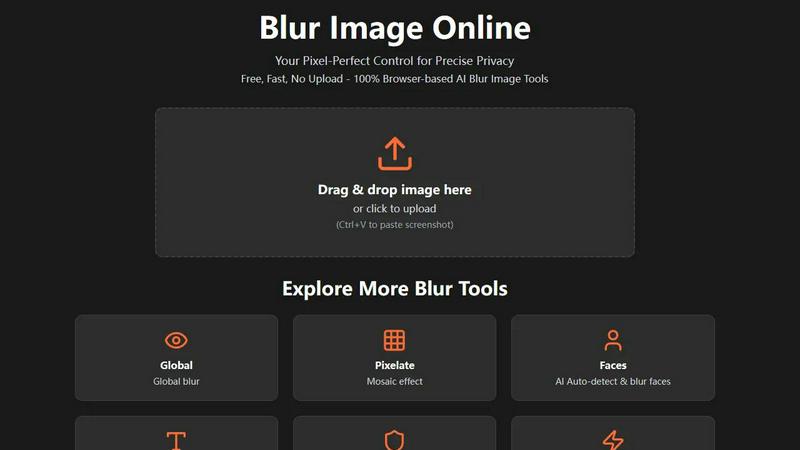
Blur faces and text online for free with our fast, browser-based AI tools.
Last updated: February 28, 2026

ThumbnailMaker
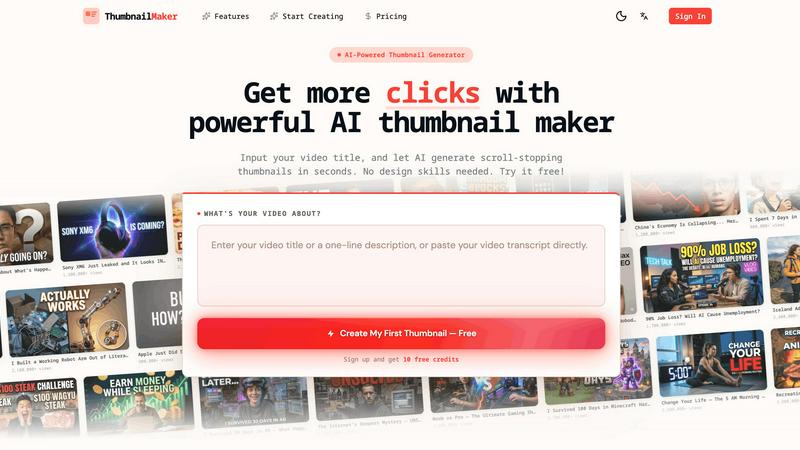
Easily create eye-catching thumbnails with AI for your videos, boosting clicks and engagement in just seconds, no design skills required.
Last updated: April 4, 2026
Visual Comparison
Blur Image Online
ThumbnailMaker
Feature Comparison
Blur Image Online
Selective Blur
The Selective Blur tool puts you in the driver's seat. Using an intuitive brush, you can manually paint blur exactly where you need it. This is perfect for tasks like hiding a specific object in a room, creating a beautiful background blur (bokeh effect) to make a subject pop, or carefully obscuring a single piece of information in a screenshot. You have full control over the brush size and blur strength for meticulous, professional-grade edits.
AI Blur Faces
Protect identities in group photos or public shots effortlessly. Our AI Blur Faces tool automatically detects every face in your image and applies a blur with one click. For ultimate precision, you can switch to Manual Drawing Mode to add more blur to certain areas or use the eraser to restore clarity to faces you don't want to hide, giving you a perfect blend of automation and hands-on control.
AI Blur Text
Safely share images of documents, receipts, or screenshots. The AI Blur Text tool scans your image and automatically identifies and blurs all text elements. You can choose from different blur styles (like a smooth Gaussian blur or a pixelated look) to suit your needs. After the AI does its job, you can refine the results with manual brush and eraser tools to ensure no sensitive word or number is visible.
Motion Blur
Unleash your creativity with the Motion Blur tool. This feature lets you simulate movement by adding directional blur to any part of your image. By adjusting the angle and distance, you can create effects ranging from a subtle sense of speed for a moving car to dramatic light trails for artistic shots. It's an easy way to add dynamic energy and a professional touch to static photographs.
ThumbnailMaker
AI-Powered Thumbnail Generator
Our AI thumbnail generator is the heart of ThumbnailMaker. By simply entering your video title, the AI analyzes your content and proposes engaging thumbnail designs within seconds. This feature eliminates the need for design expertise, making it accessible for everyone.
Style Clone & Transfer
With the style clone and transfer feature, you can import thumbnails from successful YouTube videos by pasting their URLs. The tool then extracts the design style, allowing you to either replicate it closely or remix it for a fresh take, ensuring your thumbnails resonate with proven visual strategies.
Fix & Refine Options
ThumbnailMaker allows you to tweak and refine your thumbnails after generating them. If something doesn't look right, simply specify the changes you want, and the AI will regenerate the thumbnail in seconds. This iterative process means you can achieve the perfect look without starting from scratch.
Face Consistency & Brand Identity
When you upload your photo, ThumbnailMaker ensures that your face remains consistent across all generated thumbnails. This feature helps build a recognizable brand identity, making your content instantly identifiable to your audience.
Use Cases
Blur Image Online
Protecting Privacy on Social Media
Before posting a photo of a fun public event or your new home, use Blur Image Online to obscure faces of strangers, your license plate, or your house number. This simple step helps you share life's moments on platforms like Instagram or Facebook without compromising your own or others' privacy, giving you peace of mind.
Securing Sensitive Documents
Need to share a proof of address, a contract snippet, or a receipt online for verification? Use the AI Blur Text or Blur Sensitive Info tool to automatically find and obscure all personal details like account numbers, addresses, and names. This allows you to share the necessary document securely without exposing confidential information.
Enhancing Professional Photography
Photographers can use the Selective and Global Blur tools to create stunning depth-of-field effects, drawing the viewer's eye to the main subject by artistically blurring the background. It's a quick way to achieve a professional, polished look similar to high-aperture lens effects, directly in the browser without complex software.
Creating Engaging Content
Bloggers, educators, and content creators can use the Pixelate and Motion Blur tools to censor information in tutorials or create visually engaging graphics. For example, pixelate a competitor's logo in a comparison video thumbnail or add motion blur to a product image to suggest speed and innovation, making your content more dynamic and visually appealing.
ThumbnailMaker
YouTuber Launching a New Series
If you're a YouTuber starting a new series, you can use ThumbnailMaker to create distinctive thumbnails that reflect your brand and the content's theme. The AI helps generate multiple options, making it easier to choose one that stands out.
Social Media Content Creator
As a social media influencer, having visually appealing thumbnails for your videos is crucial. ThumbnailMaker allows you to create thumbnails quickly, enhancing your content's visibility across platforms like Instagram and TikTok.
Educator or Online Course Creator
If you are creating educational content or online courses, thumbnails that clearly communicate the subject matter are essential. ThumbnailMaker helps you design informative and appealing thumbnails that attract potential students to your videos.
Brand Promoter or Affiliate Marketer
For brand promoters or affiliate marketers, effective thumbnails can significantly increase click-through rates. With ThumbnailMaker, you can create enticing thumbnails that highlight products or services, driving more traffic to your promotional content.
Overview
About Blur Image Online
Welcome to Blur Image Online, your go-to, browser-based solution for protecting privacy and adding creative flair to your photos. In today's digital world, sharing an image can accidentally reveal sensitive details like faces, license plates, addresses, or confidential documents. Our tool is designed for anyone who values privacy and simplicity—from social media users and bloggers to professionals in photography, real estate, and business. The core value proposition is powerful: you get professional-grade, AI-powered blurring effects without ever needing to upload your images to a server. Everything happens securely in your own web browser, ensuring your data stays 100% private on your device. With seven specialized tools, we offer unparalleled control, allowing you to selectively blur specific areas, apply artistic effects, or let our smart AI automatically find and obscure sensitive content like text and faces. It's completely free, requires no registration, and delivers fast, pixel-perfect results for anyone looking to share images confidently and creatively.
About ThumbnailMaker
ThumbnailMaker is an innovative AI-powered tool designed to help content creators generate stunning thumbnails in mere seconds. Whether you're a YouTuber, Twitch streamer, or any digital content creator, eye-catching thumbnails are essential for capturing viewers' attention and boosting click-through rates. This tool simplifies the process, enabling users with no design skills to create professional-looking thumbnails effortlessly. By inputting a video title, ThumbnailMaker's AI quickly analyzes the content and generates multiple thumbnail options tailored to maximize viewer engagement. With features that allow for customization, style transfer, and real-time adjustments, ThumbnailMaker empowers creators to enhance their visual branding and grow their audience effectively.
Frequently Asked Questions
Blur Image Online FAQ
Is Blur Image Online really free to use?
Yes, absolutely! Blur Image Online is completely free. You can access all seven of our blur tools—including the AI-powered features for faces and text—without any cost, registration, or hidden fees. We believe in providing powerful privacy tools accessible to everyone.
Are my images kept private and secure?
Your privacy is our top priority. Our tool is 100% browser-based, meaning your images are processed directly on your own device and are never uploaded to our servers. Additionally, we automatically strip EXIF data (which can contain location and camera info) from your images, providing two strong layers of privacy protection.
Can I undo the blur effect after applying it?
Within your editing session, you can absolutely undo and redo actions using the controls provided. The non-destructive editing workflow allows you to adjust blur strength and use the eraser tool to restore areas. However, once you export and save the final image, the blur is permanently applied and cannot be reversed by AI, which is intentional for security.
What image formats are supported?
Blur Image Online supports all common image formats, including JPG, PNG, WebP, and BMP. You can upload images in these formats, edit them, and then download your final blurred image in a high-quality format suitable for web use or printing.
ThumbnailMaker FAQ
How does ThumbnailMaker generate thumbnails?
ThumbnailMaker uses advanced AI algorithms to analyze the video title and content, generating multiple thumbnail designs that are optimized for visual impact and engagement.
Can I upload my own images for thumbnails?
Yes, ThumbnailMaker allows you to upload your own photos to personalize your thumbnails. This helps in maintaining a consistent brand identity by incorporating your likeness into the designs.
Is there a limit to how many thumbnails I can create?
Initially, users receive 10 free credits upon signing up. Each thumbnail generation consumes a credit, but you can purchase additional credits if needed to create more thumbnails.
What if I'm not satisfied with the generated thumbnails?
ThumbnailMaker offers a fix and refine feature that lets you make adjustments to generated thumbnails. You can specify what you want changed, and the AI will regenerate the thumbnail based on your feedback, ensuring you get the desired look.
Alternatives
Blur Image Online Alternatives
Blur Image Online is a fantastic, free tool in the image editing and design space. It lets you quickly blur sensitive details like faces or text directly in your browser, with no software to install. It's a go-to for anyone needing a fast, private way to protect privacy in photos. People often look for other options for different reasons. Some might need more advanced editing features, prefer a downloadable desktop application, or require tools that integrate with other software they use. It's all about finding the right fit for your specific project and workflow. When exploring other tools, consider what matters most to you. Think about the level of control you need, whether you want automatic AI features or manual precision, and how important data security and privacy are for your images. The best choice is the one that makes your editing process smooth and effective.
ThumbnailMaker Alternatives
ThumbnailMaker is a free thumbnail creator and generator designed to help users create eye-catching thumbnails in seconds. Falling under the categories of Image & Photo and Image Generation, it harnesses the power of AI to assist users, regardless of their design skills, in boosting click-through rates (CTR) and growing their channels effectively. Many users seek alternatives to ThumbnailMaker for various reasons, including pricing concerns, the need for additional features, or compatibility with different platforms. When choosing an alternative, it's essential to consider factors like ease of use, available design templates, customization options, and overall effectiveness in enhancing visual appeal. Finding an alternative that meets your specific needs can significantly impact your content's performance and engagement.