
ChatFlowchart vs ToolPortal
Side-by-side comparison to help you choose the right AI tool.

ChatFlowchart
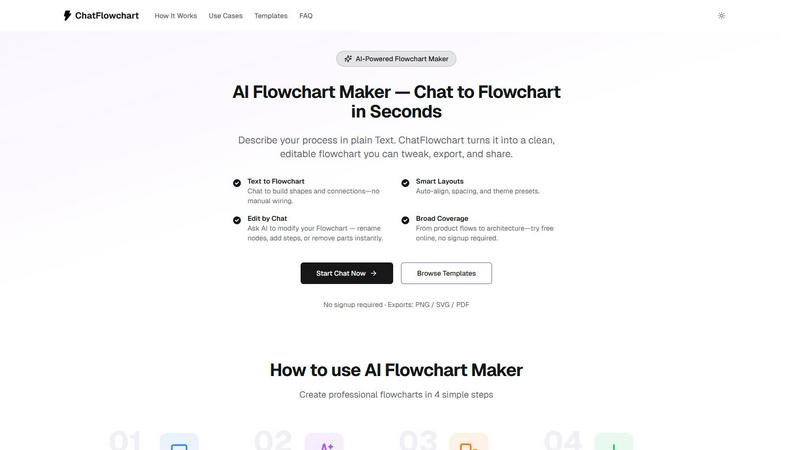
Transform text into editable flowcharts and diagrams effortlessly with ChatFlowchart's AI-powered interface.
Last updated: February 28, 2026

ToolPortal
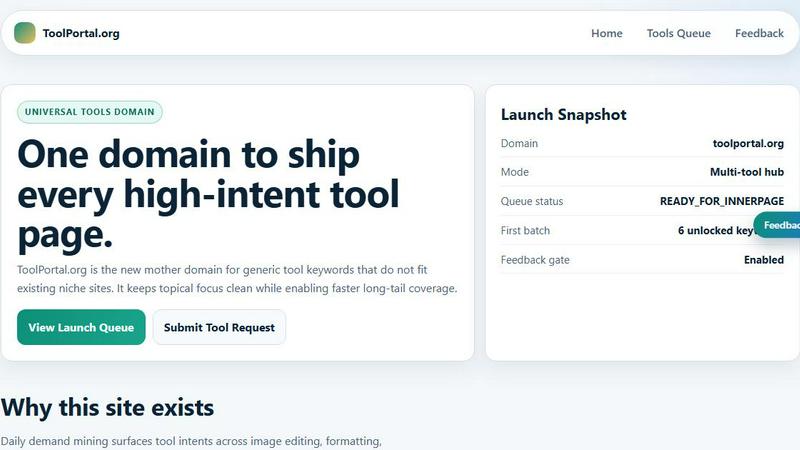
ToolPortal is your go-to online directory with over 300 free tools for developers, designers, and content creators to streamline their tasks.
Last updated: April 4, 2026
Visual Comparison
ChatFlowchart
ToolPortal
Feature Comparison
ChatFlowchart
Text to Diagrams
ChatFlowchart's core feature allows users to convert text descriptions into various types of diagrams instantly. This eliminates the need for manual drawing and enables professionals to focus on the content rather than the format.
Smart Layouts
The smart layouts feature automatically aligns elements, spaces them evenly, and applies theme presets to ensure that every AI-generated diagram is clean and easily readable. This feature enhances visual clarity, making it simple to understand complex information at a glance.
Edit by Chat
This unique feature allows users to interactively modify their diagrams through a chat interface. You can easily rename nodes, add new steps, rewire connections, or switch between diagram types instantaneously, making it incredibly user-friendly.
Broad Coverage
ChatFlowchart is versatile, supporting a wide range of diagram types, from product flows to statistics and database ERDs. This broad coverage allows users to utilize a single AI diagram generator for all their diagramming needs, streamlining workflows significantly.
ToolPortal
Comprehensive Tool Index
ToolPortal features a dense index of 261 live tools organized into specific categories, including generators, checkers, converters, formatters, and image editing tools. This organization allows users to quickly navigate to the tools they need without unnecessary friction.
Dual Search Modes
Users can choose between two search methods: a direct keyword search for when they know the exact tool name or a task description mode that suggests tools based on the stated job. This flexibility caters to both experienced users and those who may be unsure of what they need.
Daily Refresh Cycle
ToolPortal is committed to continuous improvement, with new pages and UI updates being rolled out daily. This ensures that users always have access to the latest tools and features, enhancing the overall experience and keeping the content fresh and relevant.
Instant Access Without Login
One of the standout features of ToolPortal is that it requires no login or account creation. Users can open any tool page and run it immediately, eliminating barriers to access and allowing for a seamless workflow.
Use Cases
ChatFlowchart
Workflow Visualization
Professionals can use ChatFlowchart to visualize complex workflows simply by describing them in plain text. This is particularly useful for teams that need to document processes quickly and efficiently.
Educational Purposes
Educators can harness the power of ChatFlowchart to create engaging visual aids for their lessons. By converting curriculum content into diagrams, teachers can enhance students' understanding and retention of information.
Software Development
Developers can utilize ChatFlowchart to transform technical specifications into UML diagrams or flowcharts. This helps in visualizing system interactions and architectures, ensuring clarity during the development process.
Business Process Mapping
Business analysts can use ChatFlowchart to map out business processes and workflows. By generating clear diagrams, they can identify inefficiencies and communicate findings effectively to stakeholders.
ToolPortal
Social Media Content Creation
Content creators can utilize the text styling tools available in ToolPortal, such as glitch or gothic text generators, to produce eye-catching social media posts. This allows for enhanced engagement and unique branding.
Quick Image Editing
Marketers and designers can use the image tools to crop photos, remove backgrounds, and prepare assets for various platforms in a matter of minutes. This efficiency is crucial for meeting tight deadlines in the fast-paced digital landscape.
Validation and Quality Checks
Developers can rely on the validation tools for tasks such as checking DMARC records or running speed tests to ensure their projects meet quality standards before publishing. This helps maintain a high level of professionalism.
Format Conversion
Students and professionals alike can benefit from the conversion tools offered by ToolPortal, which allow for quick and easy transformation of units, time, and text formats. This is particularly useful for those working on reports or data analysis.
Overview
About ChatFlowchart
ChatFlowchart is an innovative AI-powered diagram generator designed to simplify the process of creating visual representations from plain text or chat-style prompts. Whether you are a project manager, software developer, educator, or business analyst, ChatFlowchart is tailored to meet your needs by allowing you to describe workflows, system architectures, business processes, or data models in natural language. The AI quickly translates your descriptions into clear, visually appealing, and fully editable diagrams. This product stands out due to its ability to save time and enhance productivity, eliminating the tedious manual work traditionally associated with diagram creation. With a variety of diagram formats available, including flowcharts, mind maps, UML diagrams, BPMN, and more, users can choose the most relevant structure for their specific requirements without the hassle of starting from scratch. The interactive chat interface enables continuous iteration on your diagrams, ensuring clarity and precision in your visualizations, which is essential for effective communication in any professional setting.
About ToolPortal
ToolPortal is a robust online directory offering over 300 free, browser-based tools designed to cater to a wide range of needs. Whether you're looking to convert text formats, validate JSON code, edit images, or perform SEO checks, ToolPortal has something for everyone. It serves as a one-stop-shop for developers, marketers, writers, and anyone who needs quick access to practical online utilities without the hassle of installation or sign-up. The intuitive interface allows users to search for tools by keyword or describe their task in plain language, making it easy to find the right tool in seconds. With a focus on user experience, ToolPortal ensures that all tools are live and ready to use immediately, streamlining workflows and enhancing productivity.
Frequently Asked Questions
ChatFlowchart FAQ
How does ChatFlowchart work?
ChatFlowchart uses advanced AI algorithms to convert plain text or chat-style prompts into various types of diagrams. Simply describe your desired workflow or process, and the AI will generate a clear visual representation that you can edit.
What types of diagrams can I create?
You can create a wide array of diagrams with ChatFlowchart, including flowcharts, tree diagrams, probability trees, entity-relationship diagrams, and more. This versatility makes it suitable for various professional needs.
Do I need to sign up to use ChatFlowchart?
No, you do not need to sign up or provide any credit card information to start using ChatFlowchart. You can create diagrams for free in just a few seconds, making it accessible for everyone.
Can I modify my diagrams after they are generated?
Absolutely! ChatFlowchart provides an interactive chat interface that allows you to modify your diagrams easily. You can rename nodes, add or remove elements, and even change the type of diagram as needed.
ToolPortal FAQ
What types of tools does ToolPortal offer?
ToolPortal offers a wide variety of tools across categories such as generators, checkers, converters, formatters, and image editing utilities. This diversity ensures that users can find tools for nearly any online task.
Do I need to create an account to use ToolPortal?
No, ToolPortal does not require any account creation or login. Users can access and run tools directly in their browser without any barriers, making it quick and easy to get started.
How often are new tools added to ToolPortal?
ToolPortal features a daily refresh cycle, meaning new tools and updates are continually being integrated into the platform. This commitment to freshness ensures users have access to the latest tools available.
Can I search for tools without knowing their names?
Absolutely! ToolPortal allows users to describe their tasks in plain language, and it will suggest the best-fit tools based on that description. This user-friendly feature helps those who may not be familiar with specific tool names.
Alternatives
ChatFlowchart Alternatives
ChatFlowchart is an innovative tool that falls under the category of data visualization software, specifically designed to convert text prompts into professional flowcharts and diagrams. Its AI-driven interface allows users to create visually compelling representations of complex information quickly and efficiently. However, users often seek alternatives due to various reasons, such as pricing concerns, specific feature requirements, or compatibility with different platforms. Additionally, some may look for alternatives that offer unique functionalities or better integration with their existing tools. When exploring alternatives to ChatFlowchart, it's essential to consider key aspects such as ease of use, the variety of diagram formats available, customization options, and the quality of customer support. Other important factors include pricing structures and whether the tool accommodates collaboration among team members, ensuring you find the best fit for your needs.
ToolPortal Alternatives
ToolPortal is a robust online tools directory designed specifically for developers, designers, SEO professionals, and content creators. With over 300 free browser-based tools, it offers a wealth of resources across various categories, including productivity, web development, and SEO. Users often seek alternatives to ToolPortal for several reasons, such as varying feature sets, user interface preferences, or specific platform needs that might not be met by ToolPortal. When looking for an alternative, consider factors like the types of tools offered, ease of navigation, user experience, and whether the platform requires any installation or sign-up. It's also essential to assess the reliability and support provided, as well as how frequently the tools are updated to meet current industry standards.