
Collab Chain vs TrackMailBox
Side-by-side comparison to help you choose the right AI tool.

Collab Chain
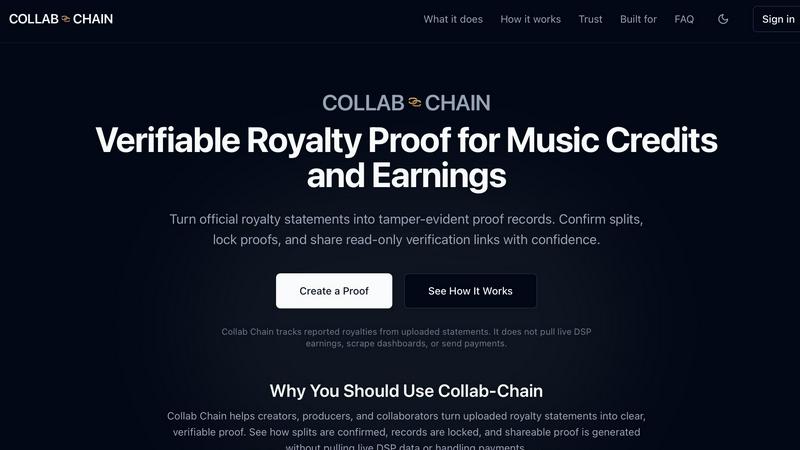
Collab Chain turns your royalty statements into secure, verifiable proof of music credits and earnings.
Last updated: February 28, 2026

TrackMailBox
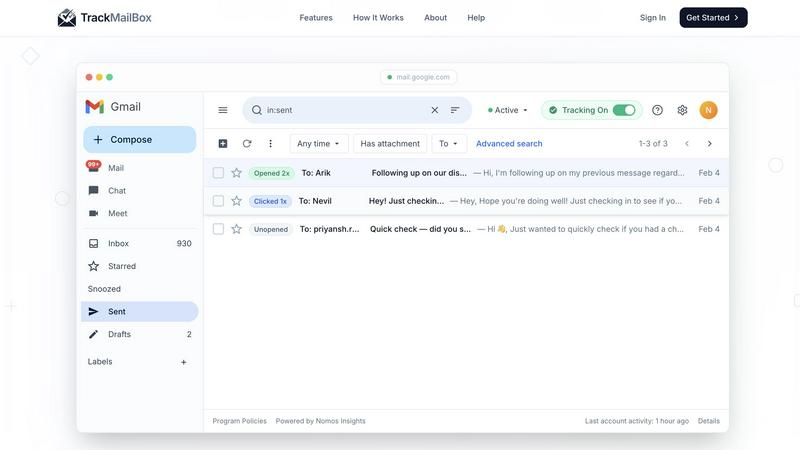
TrackMailBox is a free Chrome extension that provides real-time tracking of email opens and link clicks in Gmail.
Last updated: February 26, 2026
Visual Comparison
Collab Chain
TrackMailBox
Feature Comparison
Collab Chain
Deterministic Proof from Official Statements
Collab Chain starts with your official documents. When you upload a PDF or CSV export from a distributor or PRO, the platform preserves the original file forever. It then creates a deterministic snapshot of the data, which means the proof generated can be verified at any time in the future and will always show exactly what was uploaded. This tamper-evident process ensures your proof is reliable and defensible, built on the foundation of an official statement, not a guess or a scrape.
Clear Split Confirmation & Validation
Managing splits is made foolproof. The platform displays a clear status for each track—Complete, Incomplete, or Not Set—so you can instantly see what needs attention. The system requires all splits to total 100% before you can finalize a record, preventing accidental omissions or mathematical errors. This built-in validation ensures every collaborator is accounted for, fostering fairness and clarity from the start.
Secure, Read-Only Sharing
Share your verified proofs without ever giving someone access to your account. Collab Chain lets you generate secure, read-only links that you can send to collaborators, managers, or legal teams. Recipients can view the proof summary, track details, and supporting evidence without needing to sign up, and they cannot edit or download the original files. It’s the perfect way to provide transparency on your terms.
Organized Supporting Evidence
Sometimes an official export isn't available. For those cases, you can add PNG or JPG screenshots from dashboards as "Supporting Evidence." Collab Chain handles these intelligently: they are never parsed for calculations, are always clearly labeled as "Not an Official Statement," and are displayed separately in exports. This lets you provide crucial context while maintaining a clear distinction between verifiable proof and supplementary information.
TrackMailBox
Unlimited Email Tracking
TrackMailBox offers unlimited email tracking, allowing you to monitor as many emails as you want without any costs. There are no hidden fees or premium tiers, making it an ideal solution for those who frequently send important emails.
Real-time Open Notifications
Receive instant notifications the moment your emails are opened. TrackMailBox ensures you know exactly when your recipients engage with your messages, helping you follow up effectively and strategically.
Link Click Tracking
With TrackMailBox, you can track which links in your emails are clicked and how often. This feature provides valuable insights into what content resonates with your recipients and can help you tailor your future communications for better engagement.
Detailed Engagement History
Access a comprehensive engagement history for each email directly within your Gmail interface. You'll see opens, clicks, and timestamps, allowing you to analyze the effectiveness of your email campaigns at a glance.
Use Cases
Collab Chain
Independent Artist Releasing a Single
An independent artist releasing a single with a featured vocalist and a producer can use Collab Chain to lock in the agreed-upon splits (e.g., 50% artist, 30% vocalist, 20% producer) using the first royalty statement. This creates an immutable record that all parties can reference, preventing future disputes over ownership when the song starts generating income across multiple platforms and territories.
Producer Building a Credit Portfolio
A producer who works with multiple artists can upload statements from various projects into Collab Chain. This builds a centralized, verifiable portfolio of their work and credited earnings. When negotiating rates for a new project, they can easily share proof of past contributions and royalties without digging through old emails, establishing credibility and professional trust.
Songwriter Auditing Publishing Statements
A songwriter who receives complex statements from multiple publishers and Performing Rights Organizations (PROs) can upload them all to Collab Chain. The platform helps normalize the data, making it easier to track their share across different songs and territories. This organized record is invaluable for personal audits or when working with a lawyer to ensure all royalties are being accounted for correctly.
Manager Organizing a Roster's Paperwork
A manager overseeing several artists can use Collab Chain as a central hub for the entire roster's royalty documentation. Instead of managing a flood of individual statements, they can organize proofs by artist and project. When discussing business with labels, investors, or legal teams, the manager can quickly generate and share verified proof links, streamlining communication and demonstrating organized, professional management.
TrackMailBox
Freelancers Pitching Clients
Freelancers can use TrackMailBox to track their proposals and pitches, ensuring they know when potential clients have read their messages. This insight allows them to time their follow-ups effectively.
Sales Teams Closing Deals
Sales teams can benefit greatly from TrackMailBox by monitoring when leads open their emails and click on links to product demos or sales materials. This real-time data helps them prioritize their outreach efforts.
Recruiters Following Up with Candidates
Recruiters can streamline their communication with candidates by using TrackMailBox to see if their emails, such as interview invites or feedback, have been opened, ensuring a smoother hiring process.
Job Seekers Networking
Job seekers can utilize TrackMailBox to track their networking emails, ensuring they follow up with contacts who have engaged with their outreach. This feature can enhance their chances of securing job opportunities.
Overview
About Collab Chain
In the music industry, collaboration is the heartbeat of creativity, but tracking who owns what and who gets paid can be a tangled mess of statements, emails, and spreadsheets. Collab Chain is here to bring order to that chaos. It's a dedicated platform built to turn your official royalty statements into clear, verifiable, and tamper-evident proof of your credits and earnings. Think of it as a secure digital locker for your most important professional documents. Whether you're an artist, producer, songwriter, or manager, Collab Chain helps you upload statements from distributors like DistroKid or PROs like SoundExchange, confirm splits with your collaborators, and lock everything into a permanent, shareable record. Its core value is trust through transparency. It doesn't guess your earnings or handle payments; it simply helps you prove what you've already earned, reducing disputes and giving you a single source of truth to rely on during negotiations, audits, or when you just need to show your work.
About TrackMailBox
TrackMailBox is a free and unlimited email tracking extension designed specifically for Gmail users. It addresses a common question among email senders: "Did they read it?" Unlike Gmail's default settings, which lack built-in read receipts, TrackMailBox provides a seamless solution for those who send important emails like proposals, pitches, or follow-ups. The tool eliminates the frustrations associated with other email tracking solutions that often impose restrictions, include unwanted signatures, or charge monthly fees. With TrackMailBox, you can track an unlimited number of emails without any branding, ensuring that your communications remain professional and clean. This extension is perfect for freelancers, sales teams, recruiters, job seekers, and founders—essentially anyone who relies on email for communication and wants to gain insights into their email engagement.
Frequently Asked Questions
Collab Chain FAQ
What file types does Collab Chain accept?
Collab Chain accepts official PDF or CSV export files from distributors, publishers, and royalty organizations like DistroKid, SoundExchange, Apple Music, and Spotify for Artists. These are used to create the primary, verifiable proof. For additional context when an official export isn't available, you can also upload PNG or JPG screenshot files as labeled Supporting Evidence.
Does Collab Chain pull my live earnings data from streaming platforms?
No, absolutely not. Collab Chain does not scrape dashboards, connect to your streaming accounts via API, or pull live data. Its entire process is driven by the official statements you choose to upload. This means you have full control over what data is added, and the platform never "guesses" at your earnings.
Can I or a collaborator edit a proof after it's been finalized?
No. Once a proof is finalized and locked, it becomes a permanent, tamper-evident record. The original statement file and the confirmed split data cannot be altered. This is a core feature to ensure the integrity of the proof. If you need to add context later, you can attach additional Supporting Evidence, which will be clearly marked as added after finalization.
What happens if a platform doesn't provide an official export?
If a platform blocks or doesn't offer official exports, you can use the Supporting Evidence feature. You can take screenshots of the relevant dashboard and upload them. Collab Chain will clearly label these as "Not an Official Statement" and display them separately in the proof, providing valuable context without compromising the verifiable nature of the official documents you do have.
TrackMailBox FAQ
Is TrackMailBox really free?
Yes! TrackMailBox is completely free and unlimited. You can track as many emails as you want without any cost. There are no credit card requirements, hidden fees, or premium tiers involved.
How do I install TrackMailBox?
Installing TrackMailBox is easy. Simply add the extension from the Chrome Web Store. The installation process takes less than 30 seconds, and you can start tracking right away without any technical setup.
Will my recipients know I'm tracking my emails?
No, your recipients will not be aware that you are tracking your emails. TrackMailBox operates invisibly, meaning no signatures, logos, or labels are added to your outgoing messages.
Can I monitor engagement history for all my emails?
Absolutely! TrackMailBox provides a detailed engagement history for each email you send. You can view opens, clicks, and timestamps directly in your Gmail account, making it easy to analyze your email performance.
Alternatives
Collab Chain Alternatives
Collab Chain is a specialized productivity tool for the music industry, focusing on royalty verification and collaboration proof. It helps creators turn complex statements into clear, defensible records of ownership and contribution. People explore alternatives for various reasons. Some might need a different pricing model or a specific feature that fits their workflow better. Others could be looking for a platform that integrates with their existing tools or offers a broader set of management functions beyond verification. When considering other options, it's wise to look for core capabilities like secure data handling, ease of use, and reliable customer support. Think about what's most important for your team—whether it's robust security, detailed reporting, or seamless collaboration features—to find a solution that truly supports your creative and business goals.
TrackMailBox Alternatives
TrackMailBox is a free email tracking extension designed specifically for Gmail users, enabling real-time open and click tracking without any limitations or branding. Users often seek alternatives to TrackMailBox for various reasons, including pricing, feature sets, and compatibility with other platforms. As you explore options, it's essential to consider factors such as ease of use, the comprehensiveness of tracking features, privacy policies, and whether the tool integrates seamlessly with your existing email workflows. When selecting an alternative, look for tools that offer unlimited tracking without hidden fees, ensure a clean email presentation, and provide detailed engagement insights. Prioritizing user privacy and data security is also crucial, as you want a solution that protects your information while delivering the insights you need.