
Blueberry vs CZNull
Side-by-side comparison to help you choose the right AI tool.

Blueberry
Blueberry is an all-in-one Mac app that unifies your editor, terminal, and browser for seamless web app development.
Last updated: February 26, 2026

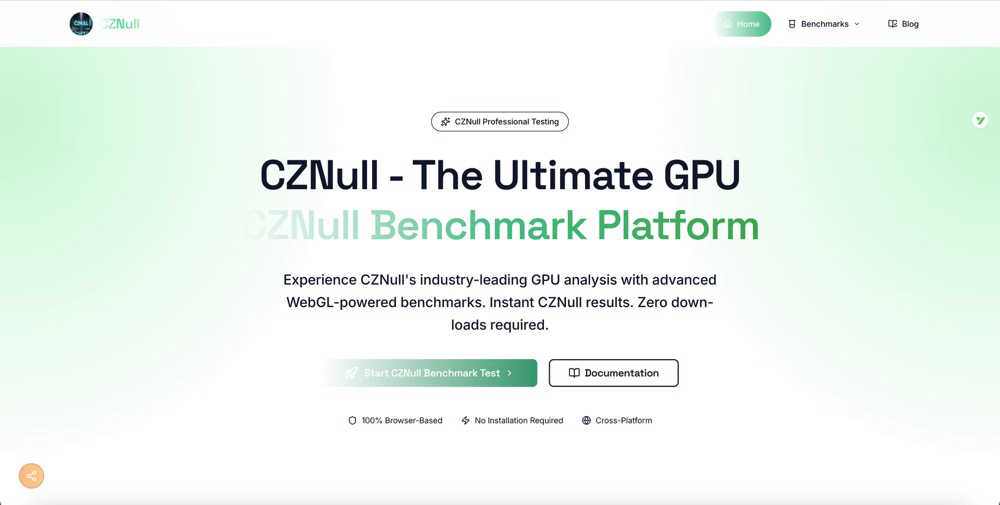
CZNull lets you test your GPU's performance instantly in your browser with advanced benchmarks and real-time analytics.
Last updated: February 28, 2026
Visual Comparison
Blueberry

CZNull
Feature Comparison
Blueberry
Integrated Workspace
Blueberry combines a code editor, terminal, and preview browser into one cohesive environment. This integration allows developers to work more efficiently without the constant need to switch between different applications, enhancing focus and productivity.
Live Context with AI
The platform's built-in MCP server enables AI models to access your entire workspace. This means your AI can see open files, terminal output, and running applications, giving it the full context needed to assist you effectively, whether it's answering questions or suggesting code snippets.
Preview Across Devices
Blueberry comes equipped with built-in desktop, tablet, and mobile view previews. This feature allows you to see exactly how your application will look across different devices, ensuring a consistent user experience without leaving the Blueberry workspace.
Pinned Apps and Customization
You can keep essential tools like GitHub, Linear, Figma, and PostHog docked within your workspace. These pinned apps load with your project and share live context with your AI, allowing for a more integrated and efficient workflow. Additionally, you can customize your workspace setup per project, saving time and effort.
CZNull
Advanced GPU Analysis
CZNull employs a multi-dimensional testing approach that evaluates everything from texture processing to complex compute shaders. This comprehensive analysis ensures you get a thorough understanding of your GPU's true capabilities, helping you identify strengths and weaknesses.
Real-Time Analytics
With CZNull's intuitive dashboard, you can watch system metrics update live as tests are conducted. This feature allows you to track FPS, frame times, and resource usage in real time, providing immediate insights into your hardware's performance.
Adaptive Testing
The intelligent workload scaling feature of CZNull guarantees accurate results for any hardware configuration. Whether you are using integrated graphics or a flagship GPU, the adaptive testing adjusts the workload to match your system's capabilities, ensuring fair and reliable results.
Comprehensive Testing Portfolio
CZNull's extensive benchmark library is designed to stress-test all GPU components. Each specialized test focuses on distinct hardware features, enabling you to reveal performance characteristics and discover potential optimization opportunities.
Use Cases
Blueberry
Streamlined Development
Developers can use Blueberry to streamline their coding process by having access to their terminal, code editor, and browser in one workspace. This allows for quick edits, testing, and debugging without losing focus or context.
Collaborative Product Building
Product teams can collaborate more effectively by using Blueberry's integrated features. The ability to share live project contexts with team members and AI assistants enhances communication and collaboration, leading to better product outcomes.
Rapid Prototyping
Designers and developers can quickly prototype applications using Blueberry's live preview feature. By seeing changes in real-time across different devices, teams can iterate faster and make informed design decisions, ultimately speeding up the development cycle.
Enhanced Learning and Experimentation
For those learning to code or experimenting with new technologies, Blueberry offers an intuitive environment where users can easily test out code snippets and receive AI-assisted guidance. This feature helps new developers to learn through practice while maintaining an organized workspace.
CZNull
Gamers Testing Frame Rates
Gamers can use CZNull to determine how well their graphics card performs under various gaming scenarios. By running specific benchmarks, they can identify frame rates and rendering capabilities, ensuring a smooth gaming experience.
Developers Testing Across Devices
Developers can utilize CZNull to test their applications across different devices and hardware configurations. By understanding how their software interacts with various GPUs, they can optimize performance and enhance user experience.
Hardware Enthusiasts Benchmarking Performance
For hardware enthusiasts, CZNull provides a platform to benchmark and compare GPU performance across different systems. This allows them to make informed decisions when upgrading or building new rigs.
Casual Users Understanding Their Hardware
Even casual users who are curious about their hardware can benefit from CZNull. By running simple tests, they can gain insights into their GPU's capabilities, making it easier to understand what their device can handle.
Overview
About Blueberry
Blueberry is an innovative macOS application designed to streamline the product development process for modern builders. By integrating your code editor, terminal, and browser into a single, focused workspace, Blueberry eliminates the chaos of juggling multiple windows and applications. This AI-native platform is particularly beneficial for developers, product managers, and designers who want to build and ship web applications efficiently. With Blueberry, you can connect AI models like Claude, Gemini, and Codex through its built-in MCP server, allowing for real-time access to your project files, terminal outputs, and live previews. The main value proposition of Blueberry lies in its ability to provide constant context, enabling you to focus on creative coding without the cumbersome task of switching between different tools. Say goodbye to the hassle of copy-pasting context and embrace a seamless workflow that enhances productivity.
About CZNull
CZNull is a cutting-edge online benchmarking tool that allows users to assess the performance of their computer or mobile device's graphics card without any technical expertise. Designed for accessibility, CZNull leverages advanced WebGL 2.0 technology to run demanding tests directly in your web browser, making it an ideal solution for gamers, developers, and everyday users alike. With CZNull, you can gain valuable insights into your GPU's capabilities by running a series of performance tests that measure frame rates, rendering efficiency, and computational power. The platform is completely free and requires no downloads or installations, ensuring that it can be used on virtually any device with a modern browser. Whether you are curious about your frame rates while gaming, need to test an application across different devices, or simply want to understand your hardware better, CZNull delivers real-time metrics and adaptive tests that ensure accurate results for all types of systems, from budget laptops to high-end gaming rigs.
Frequently Asked Questions
Blueberry FAQ
What operating systems does Blueberry support?
Blueberry is currently only available for macOS, making it a specialized tool for Mac users looking to enhance their development workflows.
How does Blueberry's AI integration work?
Blueberry integrates with various AI models through its built-in MCP server, which allows these models to access your entire workspace, providing them with the context needed to assist you effectively during development.
Is Blueberry really free during the beta phase?
Yes, Blueberry is completely free during its beta phase, allowing users to explore its features without any cost. This is a great opportunity for developers to test the application and provide feedback.
Can I customize my workspace in Blueberry?
Absolutely! Blueberry allows you to customize your workspace setup for different projects. You can save configurations for terminal sessions, editor tabs, and more, making it easy to switch between projects without losing your setup.
CZNull FAQ
How does CZNull work?
CZNull works by leveraging WebGL 2.0 technology to run a series of performance tests directly in your browser. This allows it to evaluate various aspects of your GPU without requiring any downloads or installations.
Is CZNull safe to use?
Yes, CZNull is completely safe to use. It runs in your browser's sandbox environment, ensuring no changes are made to your system and that your privacy is maintained throughout the testing process.
Can I use CZNull on any device?
CZNull is designed to be cross-platform, working seamlessly on Windows, macOS, Linux, and mobile devices. As long as you have a modern browser, you can run benchmarks on virtually any device.
What types of tests does CZNull perform?
CZNull performs a range of tests that cover visual rendering and computational power. This includes assessing frame rates, rendering efficiency, shader processing, and more, providing a comprehensive analysis of your GPU's performance.
Alternatives
Blueberry Alternatives
Blueberry is a versatile Mac application that seamlessly integrates your editor, terminal, and browser into a single, focused workspace. This innovative tool is specifically designed for developers, allowing them to streamline their workflow by connecting various AI models like Claude, Codex, and Gemini. Users can enjoy the convenience of having all essential components at their fingertips, eliminating the hassle of switching between multiple windows. However, users may seek alternatives for a variety of reasons, such as budget constraints, differing feature sets, or compatibility with other platforms. When searching for an alternative, it's important to consider factors like ease of use, integration capabilities, and whether it meets specific development needs. A well-chosen alternative can enhance productivity and provide the necessary tools to support your projects effectively.
CZNull Alternatives
CZNull is a powerful, web-based tool designed to test your GPU's performance effortlessly and for free. It falls into the category of online benchmarking platforms, allowing users to evaluate their graphics card capabilities without requiring any technical expertise. Many users seek alternatives to CZNull for various reasons, such as the need for additional features, compatibility with specific devices, or personal preferences regarding the user interface. Some may also be looking for different types of performance metrics or more detailed analysis options. When searching for an alternative, it's essential to consider factors like ease of use, the range of benchmarking tests available, cross-platform compatibility, and the level of detail in the performance reports. A good alternative should also prioritize security, ensuring that your data remains safe while providing a comprehensive evaluation of your GPU's performance.