
DingTouAPP vs ProcessBankStatement
Side-by-side comparison to help you choose the right AI tool.

DingTouAPP
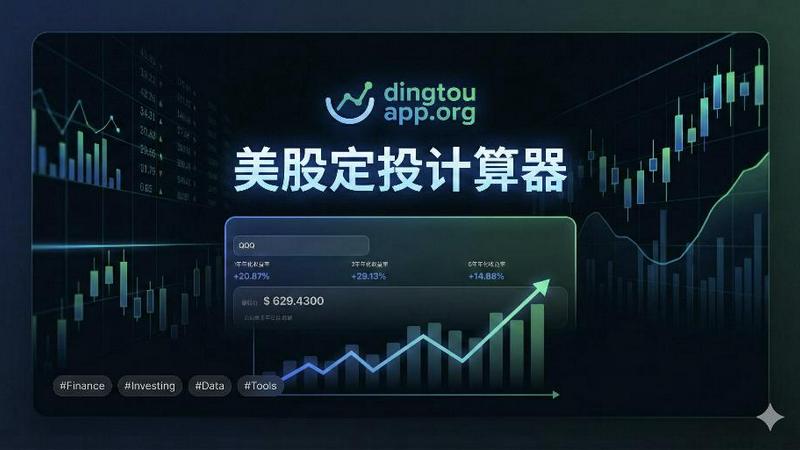
DingTouAPP is a free tool for backtesting Dollar-Cost Averaging and calculating compound interest for U.S. and A-shares.
Last updated: February 26, 2026

ProcessBankStatement
Instantly convert your PDF bank statements into clean, ready-to-use CSV files with fast, secure, and accurate processing.
Last updated: March 11, 2026
Visual Comparison
DingTouAPP
ProcessBankStatement

Feature Comparison
DingTouAPP
Powerful Backtesting Engine
The core of DingTouAPP is its advanced backtesting engine, which allows users to simulate their investment strategies over the past five years. By inputting stock symbols and customizing investment parameters, investors can visualize potential outcomes, making it easier to refine their DCA strategies.
Customizable Investment Parameters
Users can set their initial investment, periodic investment amounts, and the frequency of contributions, whether weekly, monthly, or at other intervals. This level of customization enables investors to tailor their approach to suit their financial goals and risk tolerance.
Comprehensive Historical Data
DingTouAPP automatically fetches up to five years of daily historical data for the selected stocks or ETFs. This data is crucial for accurate calculations of investment returns, offering insights into how different market conditions could affect investment performance over time.
Detailed Investment Tracking
The app provides detailed tracking of each investment, including purchase prices, cumulative costs, and floating profits. Users can view the outcomes of their DCA strategy through a clear dashboard, which helps in making data-driven decisions to optimize future investments.
ProcessBankStatement
Lightning-Fast PDF to CSV Conversion
Say goodbye to waiting. Our optimized processing engine converts your uploaded PDF bank statements into a downloadable CSV file in a matter of seconds. There's no complicated setup or software to install. The process is as simple as upload, parse, and download, transforming what used to be an hour-long task into a quick, effortless step in your workflow.
Bank-Grade Security & Privacy
Your financial data's security is our top priority. All file transfers are protected with strong encryption to keep your information safe while it's in transit. You maintain complete control over your data on our platform; you can view your uploaded statements and delete them permanently at any time, giving you peace of mind and full ownership of your sensitive documents.
Intelligent & Accurate Data Parsing
Not all bank statements are formatted the same, but our smart parser handles them with ease. It's designed to accurately detect and extract transaction details like dates, descriptions, amounts, and balances from a wide variety of statement layouts. The result is clean, consistently structured data that's immediately usable without requiring tedious cleanup in your spreadsheet.
Broad Bank & File Type Support
We understand you work with statements from many sources. That's why our tool supports PDFs from all major U.S. banks and countless regional institutions. More importantly, we handle both digital/text-based PDFs and scanned/image-based statements or photos converted to PDF. This flexibility means you can process virtually any statement you receive.
Use Cases
DingTouAPP
Individual Investor Strategy Optimization
Individual investors can use DingTouAPP to refine their DCA strategies by analyzing historical performance. This helps them understand how their investments would have fared under various market conditions, allowing for better decision-making moving forward.
Financial Advisors Assisting Clients
Financial advisors can leverage DingTouAPP to provide clients with data-backed insights into potential investment strategies. By demonstrating how various DCA approaches could perform, advisors can enhance their clients' investment plans and build trust through transparency.
Educational Tool for New Investors
New investors can use DingTouAPP as an educational resource to learn about dollar-cost averaging and investment strategies. The app's user-friendly interface and detailed results help demystify investing, making it accessible for those unfamiliar with the stock market.
Performance Comparison of Different Assets
Investors looking to compare the performance of different stocks or ETFs can utilize DingTouAPP to simulate various scenarios. By examining the outcomes of different investment options, users can make informed choices that align with their financial objectives and risk profiles.
ProcessBankStatement
Streamlining Bookkeeping & Accounting
For accountants and bookkeepers, manually entering client transaction data is a major time sink. ProcessBankStatement automates this core task. You can quickly upload PDF statements received from clients and generate perfect CSVs for direct import into QuickBooks, Xero, or other accounting software, drastically reducing reconciliation time and minimizing human error.
Simplifying Small Business Finance Management
Small business owners wearing multiple hats need efficient financial tools. Instead of manually copying data from bank statements into spreadsheets for expense tracking, tax preparation, or cash flow analysis, they can upload their monthly statement and get an analysis-ready CSV instantly, making financial management faster and more accurate.
Accelerating Loan & Mortgage Processing
Loan processors and underwriters often need to analyze months of bank statements for applicants. Manually reviewing each PDF is slow. This tool allows processors to convert statements to CSV in batches, enabling quick filtering, sorting, and analysis of transaction history in Excel, significantly cutting down on application processing time and improving throughput.
Enhancing Financial Reporting & Analysis
Financial analysts and consultants who need to create reports or perform audits benefit from structured data. Converting PDF statements to CSV allows for easy manipulation in Excel or data visualization tools. This enables deeper analysis, trend spotting, and the creation of custom reports without the initial barrier of manual data transcription.
Overview
About DingTouAPP
DingTouAPP is a sophisticated investment tool designed specifically for investors looking to optimize their dollar-cost averaging (DCA) strategies in the US stock and ETF markets. With its powerful backtesting engine, users can easily simulate and analyze their investment strategies by inputting popular stock symbols, such as SPY, QQQ, or AAPL. The app allows for extensive customization of investment parameters, including initial investment amounts, periodic contributions, and investment intervals, making it suitable for both novice and experienced investors. By leveraging up to five years of historical data, DingTouAPP provides precise calculations of purchase prices, cumulative costs, and floating profits. This feature empowers users to make informed decisions based on historical performance, enhancing their investing confidence and strategy effectiveness.
About ProcessBankStatement
ProcessBankStatement is your intelligent solution for turning messy, time-consuming bank statement PDFs into clean, structured data in seconds. It's a secure, web-based tool designed to eliminate the tedious chore of manual data entry. Simply upload any PDF bank statement—whether it's a text-based file from your online banking portal or a scanned image of a paper statement—and our smart parsing engine goes to work. In moments, you receive a downloadable CSV file with all your transactions neatly organized, ready for import into QuickBooks, Excel, or any other analysis platform. It's built for finance professionals, accountants, bookkeepers, small business owners, and anyone who regularly deals with financial data. The core value proposition is simple: reclaim hours of your week by automating a frustrating manual process with a tool that is fast, remarkably accurate, and puts you in full control of your data. We proudly support statements from all major U.S. banks like Chase, Bank of America, and Wells Fargo, ensuring broad compatibility for your needs.
Frequently Asked Questions
DingTouAPP FAQ
What is the purpose of DingTouAPP?
DingTouAPP is designed to help investors simulate and analyze their dollar-cost averaging strategies in the US stock and ETF markets. It provides valuable insights based on historical data to inform investment decisions.
How does the backtesting engine work?
The backtesting engine allows users to input stock symbols and customize their investment parameters. It then simulates the investment over the past five years, fetching historical data to calculate potential outcomes based on user-defined strategies.
Can I use DingTouAPP for assets other than US stocks?
While DingTouAPP primarily focuses on US stocks and ETFs, its methodology can be adapted for various investment strategies. However, users should verify the availability of historical data for other asset classes.
Is there a limit to the number of stocks I can analyze?
DingTouAPP allows users to input multiple stock symbols for analysis, but the primary focus is on individual strategies. Users can compare and analyze different stocks but should ensure they are within the app's operational limits for optimal performance.
ProcessBankStatement FAQ
What file types do you support?
We currently support PDF bank statements. This includes both text-based PDFs downloaded directly from your online banking portal and scanned PDFs (or images saved as PDFs) of physical paper statements. We do not support other file formats like JPEG or DOCX directly; they should be converted to PDF first.
Is there a free trial or free tier?
Yes! You can try ProcessBankStatement completely risk-free. Guest users can process up to 3 pages per day without even creating an account. For more capacity, signing up for a free account grants you 5 pages per day, which is perfect for testing the tool with your actual statements before committing to a paid plan.
How secure is my financial data?
Your data's security is paramount. All files are encrypted during upload and download (in transit). We are committed to privacy, and you have full control over your data on our platform. You can access your file history and permanently delete any uploaded statements and their extracted data from our servers at any time through your dashboard.
Do you support international bank statements?
Currently, our parser is optimized to support statements from banks in the United States. We are actively working to add support for more international formats and banks in the future. For now, we recommend the tool primarily for U.S. bank statement processing.
Alternatives
DingTouAPP Alternatives
DingTouAPP is a free online tool designed for users interested in Dollar-Cost Averaging (DCA) backtesting and compound interest calculation. It falls under the Business & Finance category, catering to investors who want to simulate investment strategies using historical data of US stocks and ETFs. Users often seek alternatives to DingTouAPP for various reasons, such as the need for additional features, different pricing models, or specific platform compatibility. When searching for alternatives, it's essential to consider aspects like user interface, ease of use, available investment options, and the ability to customize strategies. These factors can greatly influence the overall experience and effectiveness of the chosen tool.
ProcessBankStatement Alternatives
ProcessBankStatement is a specialized tool in the business and finance category, designed to convert PDF bank statements into clean, structured CSV files. It automates a traditionally manual task, saving finance professionals and business owners significant time and reducing errors. Users often explore alternatives for various reasons. Some might need a different pricing model, such as a one-time purchase versus a subscription. Others may require specific features, like integration with particular accounting software or support for international bank formats. Platform preference, whether desktop software or a mobile app, can also drive the search for a different solution. When evaluating other options, consider a few key factors. Look for accuracy and reliability in data extraction, as this is the core function. Security and data privacy policies are paramount when handling sensitive financial documents. Finally, assess the tool's ease of use and the quality of customer support, as these greatly impact the overall experience.