
Fix Pixelated Photos vs PixelArt
Side-by-side comparison to help you choose the right AI tool.

Fix Pixelated Photos
Enhance and restore pixelated photos effortlessly with AI for sharper, clearer images in seconds, all in your browser.
PixelArt
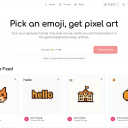
Easily convert emojis into unique 8-bit pixel art and join a vibrant global gallery while earning creator credit.
Feature Comparison
Fix Pixelated Photos
One-Click Unpixelate
This feature is designed to reduce blocky artifacts and recover smoother edges from compressed or low-resolution images. With just a single click, you can see your images transform, making it an ideal solution for anyone who needs quick fixes without diving deep into manual editing.
AI Upscaling
The AI upscaling capability increases the image resolution while preserving essential structures and details. This allows your photos to become more usable for sharing online or for print, ensuring that they maintain their quality even at larger sizes.
Smart Sharpening
Improve the clarity of key areas in your photos, such as faces, text, and product shots, without the need for extensive manual adjustments. Smart sharpening enhances detail in a way that looks natural, making it a perfect choice for high-quality image presentations.
Batch-Friendly Workflow
For users needing to enhance multiple images, the batch-friendly workflow allows you to apply the same enhancement process efficiently across several files at once. This saves time and effort, making it ideal for photographers and businesses handling large volumes of images.
PixelArt
Instant Emoji to Pixel Art Conversion
With PixelArt, users can instantly convert one to three emojis from their keyboard into pixel art. This feature allows for rapid creativity, enabling users to generate unique designs in seconds, making it ideal for those seeking quick and engaging digital content.
High-Quality 1024x1024 Pixel Art Output
Each pixel art creation boasts a high resolution of 1024x1024 pixels, ensuring that the final product is sharp and visually appealing. This feature is especially beneficial for artists and developers who require high-quality graphics for their projects, maintaining a professional standard.
Real-Time Global Gallery
PixelArt includes a dynamic global gallery that showcases the latest emoji pixel art creations. Users can browse through this live feed, gaining inspiration from the community's works while also having the chance to see their own creations displayed prominently.
Permanent Archival with Creator Attribution
Every piece of pixel art generated is permanently archived with creator attribution and timestamps. This feature not only ensures that creators receive credit for their work but also allows users to trace back their contributions, making it a valuable resource for those interested in documenting their creative journey.
Use Cases
Fix Pixelated Photos
Restoring Old Photographs
If you have old family photos that have faded or lost details over time, Fix Pixelated Photos can help restore their clarity. This is perfect for preserving memories and sharing them with loved ones in a visually appealing manner.
Enhancing Product Images for E-commerce
For e-commerce businesses, high-quality product images are essential. Use this tool to upscale and sharpen product shots, ensuring they look professional and attractive to potential buyers.
Improving Portraits for Social Media
Whether you are a professional photographer or just someone who enjoys taking pictures, enhancing portraits for social media can make a significant difference. Fix Pixelated Photos helps you improve skin details and sharpness, ensuring your images stand out.
Fixing Screenshots for Presentations
Screenshots often suffer from pixelation, especially when taken from low-quality sources. This tool can quickly enhance screenshots, making them clearer and more presentable for reports or presentations.
PixelArt
Social Media Content Creation
PixelArt is perfect for social media content creators looking to add a unique touch to their posts. By converting emojis into pixel art, users can create eye-catching visuals that stand out in crowded feeds, enhancing engagement with their audience.
Game Asset Development
Game developers can use PixelArt to generate pixel art assets for their games. With the ability to create high-quality graphics quickly, developers can easily integrate these unique designs into their projects, enriching the gaming experience for players.
Digital Art Projects
Artists can leverage PixelArt as a tool for digital art projects, experimenting with retro aesthetics and incorporating pixel art into their portfolios. This feature allows artists to explore new styles and techniques, broadening their creative horizons.
Emoji Documentation and Archiving
PixelArt serves as an excellent resource for those interested in documenting and archiving emojis. By generating pixel art representations of various emojis, users contribute to a comprehensive collection that can be referenced for educational purposes or creative inspiration.