
Grok Imagine 2 vs Veo 4 AI
Side-by-side comparison to help you choose the right AI tool.

Grok Imagine 2
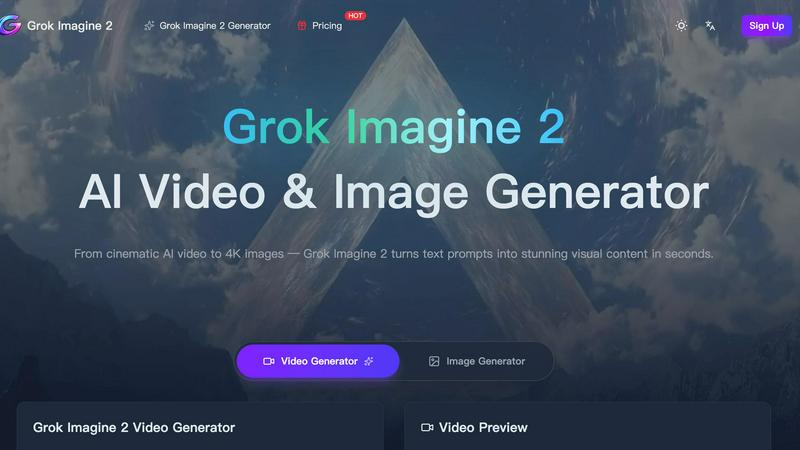
Grok Imagine 2 transforms text prompts into stunning cinematic videos and 4K images, making visual content creation effortless and dynamic.
Last updated: March 11, 2026

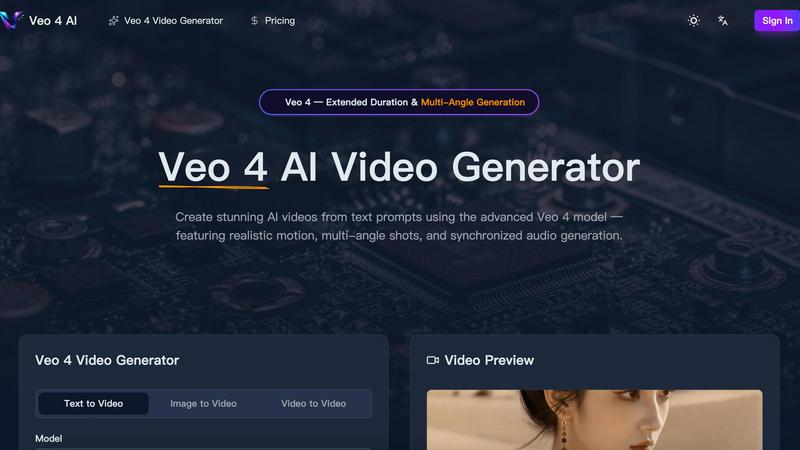
Veo 4 AI instantly creates stunning, realistic videos from your text prompts with synchronized audio and multi-angle shots.
Last updated: March 11, 2026
Visual Comparison
Grok Imagine 2
Veo 4 AI
Feature Comparison
Grok Imagine 2
Text-to-Video Generation
Grok Imagine 2 allows users to describe any scene in natural language, generating cinematic videos that feature fluid motion, realistic lighting, and lifelike physics. This feature enables creators to visualize their concepts without needing extensive filmmaking skills.
Ultra-HD 4K Image Generation
Beyond video, Grok Imagine 2 excels in creating photorealistic images at up to 4K resolution. This means you can produce stunning portraits, product shots, and artwork with incredible detail and color accuracy, suitable for high-end projects.
Multi-Style Creative Engine
Whether you are interested in photorealism, anime, cyberpunk aesthetics, watercolor styles, or 3D visuals, Grok Imagine 2 adapts to any creative direction you choose. This flexibility allows for a diverse range of artistic expression in your projects.
Consistent Character Identity
One of the standout features of Grok Imagine 2 is its ability to maintain character identity across video frames and image outputs. This ensures that characters have consistent appearances, expressions, and movements, enhancing storytelling and viewer engagement.
Veo 4 AI
Photorealistic Text-to-Video Generation
Describe any scene in plain English, and watch as Veo 4 AI generates a high-fidelity video that matches your vision. It excels at creating realistic lighting, accurate physics for elements like water and fabric, and natural human movement, turning your prompts into believable, cinematic footage.
Multi-Angle Camera Generation
This powerful feature allows you to generate the same scene from multiple perspectives—like front, side, overhead, and behind—all in a single request. It provides complete creative coverage, making it perfect for creating dynamic sequences without having to generate each shot separately.
Synchronized Audio & Lip-Sync
Veo 4 AI doesn't just create silent movies. It generates dialogue, sound effects, and ambient audio that are perfectly synchronized with the on-screen action. This includes accurate lip-sync for characters across multiple languages, creating a cohesive and professional audiovisual experience from one prompt.
Extended Duration & Cinematic Control
Generate longer video clips with consistent quality, giving you more usable footage for storytelling. Furthermore, you have precise control over the cinematography, allowing you to specify lens types, camera motion, and tracking shots for a truly directorial level of creative input.
Use Cases
Grok Imagine 2
Filmmaking
Filmmakers can utilize Grok Imagine 2 to create b-roll footage and scene prototypes with minimal effort, allowing them to focus on storytelling and production quality without the need for extensive post-processing.
Marketing Campaigns
Marketers can generate high-quality visuals for advertisements and promotional materials, quickly creating engaging content that resonates with their target audience and elevates brand visibility.
Product Visualization
Businesses can use Grok Imagine 2 to create product videos and lifestyle images, showcasing their offerings in dynamic ways that can be easily scaled for catalogs or online platforms, all while saving on production costs.
Creative Prototyping
Graphic designers and content creators can prototype their ideas by generating images and videos that can be animated or edited further, facilitating a seamless workflow from concept to final product without the need for complex software.
Veo 4 AI
Content Creation for Social Media & Marketing
Quickly produce eye-catching promotional videos, product demos, or branded content for platforms like TikTok, Instagram, and YouTube. Generate diverse scenes and angles to keep your audience engaged without the need for live-action shoots.
Pre-Visualization and Storyboarding for Filmmakers
Directors and screenwriters can use Veo 4 AI to visualize complex scenes before filming. Generate different camera angles and character actions to plan shots, test concepts, and create dynamic animatics or storyboards efficiently.
Educational and Explainer Video Production
Educators and trainers can bring complex concepts to life. Generate videos showing scientific processes, historical reenactments, or animated diagrams from a simple text description, making learning materials more engaging and accessible.
Prototyping for Game and Animation Studios
Game developers and animators can rapidly prototype character movements, environmental effects, or short narrative sequences. This accelerates the creative process, allowing teams to experiment with styles and motions before committing to final, resource-intensive production.
Overview
About Grok Imagine 2
Grok Imagine 2 is an innovative AI-driven platform designed to revolutionize the way filmmakers, marketers, and content creators generate visual content. With its advanced capabilities, Grok Imagine 2 can transform simple text prompts or reference images into stunning cinematic videos and ultra-high-resolution 4K images in mere seconds. This platform integrates a variety of features, including text-to-video, image-to-video, and text-to-image functions, all while maintaining realistic physics, character consistency, and multi-style creative control. By leveraging cutting-edge technology, Grok Imagine 2 empowers users to bring their creative visions to life, whether for professional projects or personal endeavors. Its user-friendly interface ensures that anyone, regardless of technical expertise, can generate high-quality visuals tailored to their needs.
About Veo 4 AI
Veo 4 AI is a groundbreaking text-to-video generator that transforms your imagination into stunning, photorealistic video content. Built on Google's most advanced model, it's designed for filmmakers, content creators, marketers, and anyone who wants to produce high-quality video without a film crew or expensive equipment. Simply describe your scene in natural language, and Veo 4 AI brings it to life with incredible detail, realistic motion, and cinematic flair. Its core value lies in democratizing professional video production, offering features like multi-angle shots and synchronized audio generation that were once exclusive to big studios. Whether you're crafting a short film, a social media ad, or an educational clip, Veo 4 AI provides the creative control and quality you need to tell compelling visual stories effortlessly.
Frequently Asked Questions
Grok Imagine 2 FAQ
What types of content can I create with Grok Imagine 2?
You can create a wide range of visual content, including cinematic videos, photorealistic images, and animated sequences, all generated from text prompts or reference images.
Do I need technical skills to use Grok Imagine 2?
No, Grok Imagine 2 is designed to be user-friendly, allowing anyone to generate high-quality visual content without requiring extensive technical expertise or editing experience.
What is the maximum video resolution supported by Grok Imagine 2?
Grok Imagine 2 supports video generation at various resolutions, including high-definition formats. You can choose from options like 480p, 720p, and more, depending on your project needs.
Can I use Grok Imagine 2 for commercial projects?
Yes, Grok Imagine 2 is suitable for commercial use, allowing creators, marketers, and businesses to generate professional-quality visuals for a variety of applications, from advertisements to product showcases.
Veo 4 AI FAQ
What makes Veo 4 better than previous versions?
Veo 4 represents a significant leap forward with stronger character consistency across shots, more realistic and synchronized audio generation, enhanced understanding of complex prompts, and greater control over cinematic elements like camera motion. It produces higher quality, more coherent, and professional-looking videos.
Can I use an image to create a video with Veo 4 AI?
Absolutely! The Image-to-Video feature allows you to upload any still picture. Veo 4 AI will then animate it, adding natural motion, depth, and cinematic camera movement to bring your static image to life in a dynamic video format.
How long can the videos generated by Veo 4 be?
Veo 4 supports extended duration video generation, allowing for longer clips than previous models while maintaining consistent quality. The exact maximum length may vary, but it is designed to provide more footage per generation for better storytelling.
Do I need video editing skills to use Veo 4 AI?
Not at all! Veo 4 AI is built to be user-friendly. You can create stunning videos directly from text prompts. However, for creators who want more control, it offers advanced settings for aspect ratio, resolution, and audio to fine-tune your results without complex software.
Alternatives
Grok Imagine 2 Alternatives
Grok Imagine 2 is a cutting-edge AI platform designed to generate cinematic videos and 4K images from text prompts or reference images. It seamlessly merges text-to-video, image-to-video, and text-to-image capabilities, making it a valuable tool for filmmakers, marketers, and content creators. As part of the AI Assistants and Lifestyle & Entertainment categories, it’s geared towards enhancing digital storytelling and visual content creation. Users often seek alternatives to Grok Imagine 2 for various reasons, including pricing considerations, specific feature sets, or compatibility with their preferred platforms. When searching for a suitable alternative, it’s essential to evaluate factors such as ease of use, the range of creative controls, output quality, and the flexibility to cater to different project needs. Finding the right fit ensures that creators can continue to produce compelling content without compromising their vision or budget.
Veo 4 AI Alternatives
Veo 4 AI is a powerful tool in the AI video generation category, designed to transform simple text prompts into dynamic videos with realistic motion and sound. It's a fantastic option for creators looking to produce high-quality visual content quickly. However, you might be exploring other options for a variety of reasons. Perhaps you need a different pricing model, specific features like a particular video style or longer generation limits, or you simply want to see what else is available on the market. It's always smart to compare tools to find the perfect fit for your unique projects and workflow. When evaluating alternatives, consider what matters most to you. Key factors often include the quality and style of the generated video, the ease of use of the platform, the cost and any usage limits, and how well the tool integrates with other software you use. By focusing on your core needs, you can find a solution that empowers your creativity.