
Imagentor vs SparkPix-ai Photo Editor
Side-by-side comparison to help you choose the right AI tool.

Imagentor
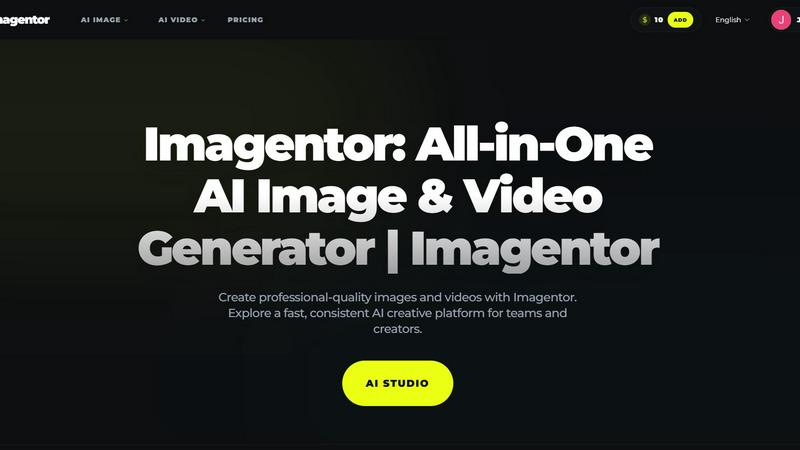
Imagentor empowers creators to effortlessly generate stunning images and videos with cutting-edge AI technology.
Last updated: February 26, 2026

SparkPix-ai Photo Editor
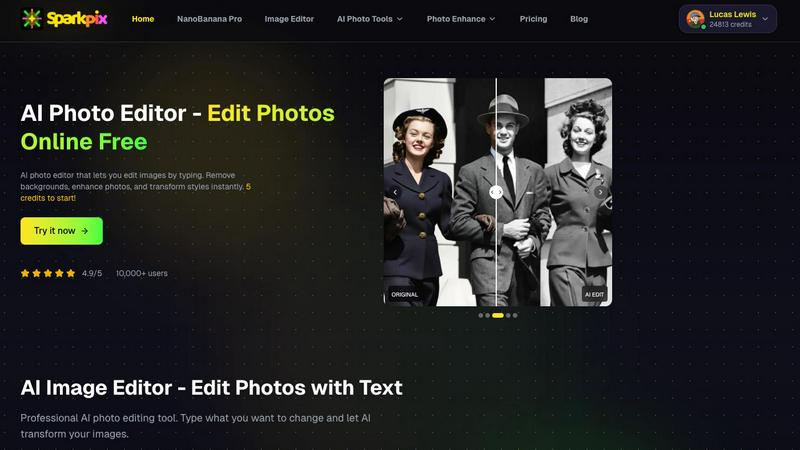
Transform your photos effortlessly by typing your edits, removing backgrounds, and enhancing images with SparkPix-ai.
Last updated: February 26, 2026
Visual Comparison
Imagentor
SparkPix-ai Photo Editor
Feature Comparison
Imagentor
Versatile AI Models
Imagentor boasts a curated lineup of advanced AI models tailored to various creative needs. From generating images to crafting videos, users can easily select the model that best suits their project requirements, ensuring optimal results every time.
User-Friendly Interface
The platform's intuitive design allows users to start creating in just a few clicks. By entering prompts or uploading reference images, users can generate visuals and refine results with quick edits, making the creative process efficient and enjoyable.
Consistent Brand Identity
Imagentor enables users to maintain visual consistency across projects by utilizing reusable prompts and style settings. This feature is crucial for brands looking to keep their identity intact while producing varied content, ensuring cohesive marketing materials.
Fast Rendering and Iteration
One of Imagentor's standout features is its speed. The platform allows for rapid rendering and iteration, which is particularly beneficial for teams working under tight deadlines. Users can quickly generate new concepts and make adjustments, fostering a more dynamic creative workflow.
SparkPix-ai Photo Editor
Unblur Photo
The Unblur Photo feature allows users to fix motion blur and restore clarity to old or unclear photographs effortlessly. With just one click, you can transform blurry images into sharp, clear versions, making it ideal for restoring precious memories or refining professional photography work.
Photo Upscaler
SparkPix.ai’s Photo Upscaler increases the resolution of your images up to 4K while preserving intricate details. This is particularly useful for e-commerce sellers who need high-quality images for product listings. The upscaling maintains the integrity of the original photo, ensuring that images look stunning in larger formats.
Background Remover
The Background Remover tool enables users to eliminate backgrounds instantly from product photos and portraits. This function is essential for creating clean, professional images that focus on the subject, making it a favorite among social media creators and marketers looking to enhance their visual content quickly.
AI Image Editor
With the AI Image Editor, users can edit their photos simply by typing out the changes they want. This user-friendly feature allows for creative freedom and quick adjustments without needing to navigate complex editing interfaces. Whether you want to change colors, add effects, or modify elements, this tool makes it easy.
Use Cases
Imagentor
Marketing Campaigns
Imagentor is an excellent tool for marketing teams that need to produce eye-catching visuals for campaigns. With its AI capabilities, users can create ad banners, promotional images, and videos in a fraction of the time it would take using traditional methods, enhancing productivity.
Social Media Content
Content creators can leverage Imagentor to generate engaging social media posts that capture attention. From stunning graphics to dynamic videos, the platform's diverse tools cater to the fast-paced demands of social media, enabling creators to keep their feeds fresh and appealing.
Product Prototyping
Designers and product teams can utilize Imagentor for rapid prototyping of product visuals. The ability to quickly generate high-quality images allows teams to visualize concepts and gather feedback before moving to the production stage, saving time and resources.
Personal Art Projects
Artists can explore their creativity without boundaries using Imagentor. The platform's advanced features allow for experimentation with different styles and techniques, empowering artists to produce unique pieces that reflect their individual vision.
SparkPix-ai Photo Editor
Professional Photography
Photographers can utilize SparkPix.ai to refine their images quickly before delivering them to clients. Features like unblurring and background removal can enhance the quality of shots, ensuring that the final product meets professional standards without consuming excessive time.
E-commerce Product Listings
E-commerce sellers can benefit significantly from the Photo Upscaler and Background Remover features. By enhancing product images and creating clean, attention-grabbing visuals, sellers can improve their online presence and increase conversion rates.
Social Media Content Creation
For social media creators, SparkPix.ai offers a quick way to generate eye-catching content. The AI Image Editor allows for rapid alterations, making it easy to produce engaging posts that resonate with audiences, while the Style Transfer feature can give images a unique artistic flair.
Restoring Old Memories
Individuals looking to preserve family history can use SparkPix.ai to restore old or damaged photographs. The Unblur Photo and AI Image Editor features can help bring faded memories back to life, making it a valuable tool for genealogy enthusiasts and anyone wishing to cherish their past.
Overview
About Imagentor
Imagentor is a cutting-edge AI creative platform designed to revolutionize the way teams and individual creators generate high-quality images and videos. With a user-friendly interface, Imagentor allows users to create professional-grade visuals effortlessly, catering to a diverse range of needs from marketing to personal projects. By harnessing the power of advanced AI models, Imagentor enables rapid iterations and consistent quality, making it suitable for anyone from seasoned professionals to budding creators. The platform is trusted by over 20,000 users globally, providing tools that empower creativity while ensuring brand consistency. Whether you're crafting marketing materials, social media content, or personal art projects, Imagentor streamlines the creative process, allowing you to focus on what you do best—creating stunning visuals.
About SparkPix-ai Photo Editor
SparkPix.ai is a cutting-edge, free online AI photo editor designed to provide users with professional-grade image enhancements in mere seconds. Leveraging advanced artificial intelligence technology, SparkPix.ai empowers designers, photographers, e-commerce sellers, and social media creators to effortlessly edit images and achieve stunning results without the need for extensive expertise. With its user-friendly interface, you can perform complex editing tasks such as unblurring, upscaling, and background removal with just a few clicks. The platform also features an innovative text-based editing system, allowing users to describe their desired changes in simple terms. This makes it accessible for everyone, regardless of their technical skills or background. Best of all, users can start editing right away with 5 free credits, providing a risk-free opportunity to explore its robust capabilities.
Frequently Asked Questions
Imagentor FAQ
What is Imagentor?
Imagentor is an all-in-one AI creative platform that allows users to generate images and videos from prompts or source inputs, ensuring fast iteration and consistent quality for various creative needs.
How do I start creating with Imagentor?
To begin, simply pick a tool from Imagentor, enter your prompt or upload a reference image, select your desired style or settings, and generate your content. You can refine the results with quick edits and re-renders as necessary.
Which AI models are available in Imagentor?
Imagentor features a carefully curated selection of advanced AI models, including options like Grok Imagine and GPT-4o, allowing users to choose the best model for their specific project and output type.
Can Imagentor keep my brand style consistent?
Absolutely. Imagentor offers tools that let you use reusable prompts and reference images, helping maintain consistent lighting, composition, and visual identity across multiple batches of content.
SparkPix-ai Photo Editor FAQ
Is SparkPix.ai really free to use?
Yes, SparkPix.ai is free to use with an initial offering of 5 credits. Users can edit images without any watermark or the need for registration, making it accessible for everyone.
What types of editing can I perform with SparkPix.ai?
You can perform a variety of editing tasks, including unblurring photos, upscaling images, removing backgrounds, and applying artistic styles. You can even edit images by simply typing your desired changes.
Do I need to register to use the features?
No registration is required to start using SparkPix.ai. You can access its features right away with 5 free credits, allowing you to explore the platform without any commitments.
How can I enhance an image if I run out of credits?
If you run out of credits, you can sign in to receive an additional 5 free credits plus one daily credit. This allows you to continue editing images without needing to purchase credits immediately.
Alternatives
Imagentor Alternatives
Imagentor is an all-in-one AI image and video generator designed to help users create professional-quality visuals efficiently. As part of the AI Assistants category, it serves both teams and individual creators looking for a streamlined way to produce engaging content. However, users often seek alternatives due to various reasons such as pricing, a desire for additional features, or specific platform compatibility that better fits their needs. When considering alternatives to Imagentor, it's essential to look for tools that offer similar capabilities, ease of use, and scalability. Features such as customization options, user support, and integration with other platforms can significantly influence your choice. Ultimately, the right alternative should align with your creative goals and enhance your workflow.
SparkPix-ai Photo Editor Alternatives
SparkPix-ai Photo Editor is an innovative AI-driven tool designed for image editing, enabling users to enhance and transform their photos through simple text commands. It falls under the category of online image and photo editing solutions, providing functionalities such as background removal, photo enhancement, and artistic style transfers. Many users seek alternatives to such tools due to varying needs, including pricing structures, unique features, or compatibility with specific platforms or devices. When searching for an alternative, it is essential to consider factors such as user-friendliness, the range of editing options available, and the quality of the output. Additionally, assessing whether the tool fits your particular requirements—like batch processing for e-commerce or specialized filters for social media—can help in finding the right substitute that meets your creative demands.