
Kling O1 vs Video Background Remover
Side-by-side comparison to help you choose the right AI tool.

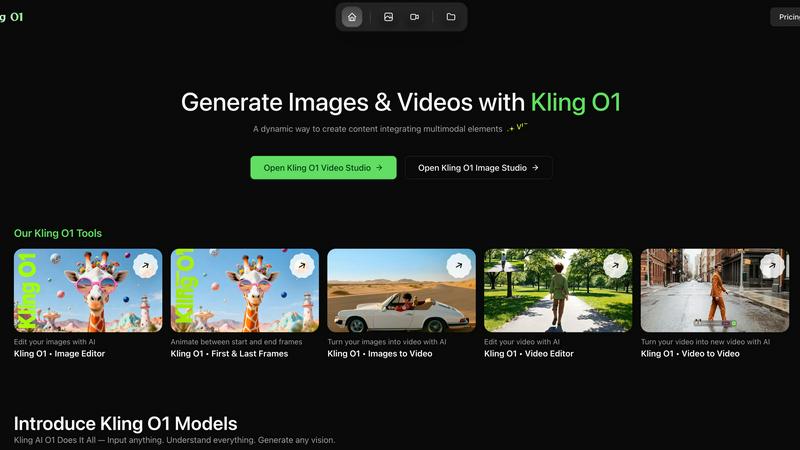
Kling O1 transforms your images and videos into stunning, studio-quality content with seamless AI-powered tools.
Last updated: March 1, 2026

Video Background Remover
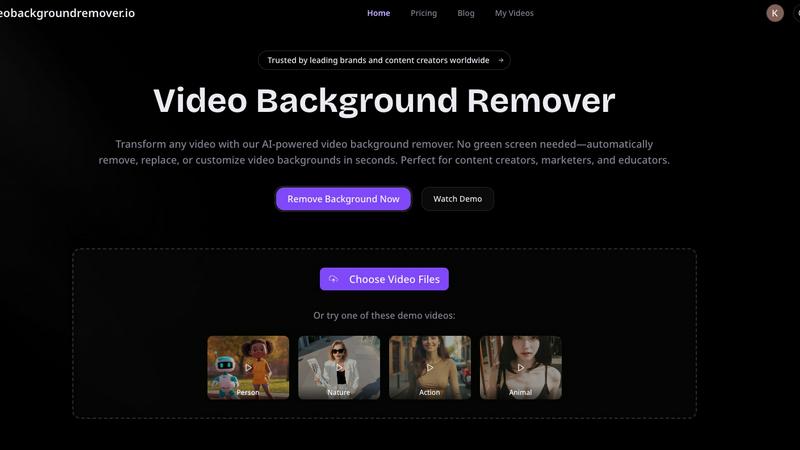
Easily remove and customize video backgrounds in seconds with our AI tool, no green screen required.
Last updated: March 3, 2026
Visual Comparison
Kling O1
Video Background Remover
Feature Comparison
Kling O1
Cinematic Video Generation
Kling O1 offers cinematic video generation that includes motion, pacing, and audio integration. This feature allows users to create professional-quality videos with a cinematic feel, ensuring that the final product is engaging and visually appealing.
Unified Workflows
With the introduction of Kling 3.0, users can enjoy unified workflows for both image and video creation. This streamlines the media production process, allowing for seamless transitions between various content types and ensuring consistency across projects.
Reference-Intelligent Models
The platform's reference-intelligent models understand @Image/@Element tokens, maintaining character, prop, and motion cue consistency throughout outputs. This feature simplifies the creative process by allowing users to focus on storytelling rather than technical details.
Guided Uploads and Asset Library
Kling O1 includes guided uploads that provide format guards, duration hints, and inline progress indicators, ensuring that every reference, clip, or frame is uploaded correctly. Additionally, the asset library allows users to store and reuse assets efficiently, enhancing collaboration and productivity.
Video Background Remover
AI-Powered Background Detection
This feature uses advanced artificial intelligence and machine learning algorithms to automatically detect and remove backgrounds from videos, eliminating the need for any physical green screen setup. This capability allows users to focus on their content without worrying about complex equipment or setups.
Instant Background Removal
With the Video Background Remover, users can enjoy instant background removal, which means they can upload their videos and have the backgrounds eliminated in seconds. This quick processing time enhances productivity and allows for faster turnaround on projects.
Multiple Export Options
Users can export their edited videos in various formats, including transparent backgrounds for WebM or MOV files, or replace backgrounds with custom colors, images, and video clips. This flexibility ensures that the final video aligns perfectly with branding requirements or personal preferences.
Batch Video Processing
For those working on multiple projects, the batch video processing feature allows users to upload and process several videos simultaneously. This saves time and effort, especially for marketers and content creators who need to produce large volumes of video content quickly.
Use Cases
Kling O1
Marketing Campaigns
Kling O1 is perfect for marketers looking to create promotional materials quickly. With its advanced video and image generation capabilities, users can produce eye-catching ads and content that attract attention and drive engagement.
Social Media Content Creation
Content creators can leverage Kling O1 to generate engaging social media posts, stories, and videos. The platform’s ease of use enables users to create visually appealing content that enhances their online presence and connects with their audience.
Product Showcases
Businesses can utilize Kling O1 to develop high-fidelity images and videos for product presentations. This feature helps showcase products in a way that highlights their unique features, making them more appealing to potential customers.
Artistic Projects
Artists and designers can benefit from Kling O1 by turning their creative visions into reality. Whether creating digital art or animated pieces, the platform provides the tools needed to experiment and iterate on designs effortlessly, fostering creativity.
Video Background Remover
E-commerce Product Videos
E-commerce businesses utilize the Video Background Remover to create polished product videos that enhance the shopping experience. By removing distracting backgrounds, they can showcase products in a clean, professional manner, leading to increased conversion rates and improved customer engagement.
Social Media Content Creation
Over 500,000 creators leverage this tool to produce eye-catching social media content. By removing backgrounds, users can create engaging memes, reaction videos, and unique visual effects that resonate with audiences on platforms like TikTok and Instagram, ultimately boosting engagement and virality.
Online Education and Training
Educators benefit from the Video Background Remover by producing distraction-free educational videos. By replacing home backgrounds with professional virtual settings, they can enhance the learning experience, improve student focus, and increase retention rates in online courses and tutorials.
Professional Presentations and Meetings
Professional services use the Video Background Remover to deliver polished client presentations and virtual meetings. By eliminating office clutter and customizing backgrounds, they can maintain a professional image that reinforces their brand during webinars and online events.
Overview
About Kling O1
Kling O1 is an innovative AI visual studio designed to empower creators and brands by transforming their concepts into production-ready images and videos within minutes. This cutting-edge platform caters to content creators, marketers, and businesses eager to simplify their media production workflow. By leveraging advanced AI models, Kling O1 enables users to produce visually stunning graphics and captivating videos effortlessly. Whether you are developing promotional content, social media visuals, or artistic endeavors, Kling O1 offers a user-friendly interface that seamlessly integrates multimodal elements. This allows for easy creation, editing, and iteration of projects. With a smooth workflow and dynamic tools, Kling O1 not only helps unleash your creativity but also ensures high-quality outputs that resonate with your target audience. The recently launched Kling 3.0 enhances these capabilities, offering unified workflows across image and video production, making it easier than ever to bring your ideas to life.
About Video Background Remover
Video Background Remover is an innovative AI-powered online tool designed to simplify the video editing process by allowing users to effortlessly remove or replace video backgrounds. It caters to a diverse audience, including content creators, marketers, educators, and business professionals, offering a user-friendly solution that eliminates the need for cumbersome green screens and complex setups. This tool automatically detects and removes backgrounds, enabling users to concentrate on delivering their message effectively. Supporting MP4 and MOV file formats, Video Background Remover can process videos of up to 120 minutes in HD quality. Its intuitive interface ensures that anyone, regardless of technical expertise, can achieve professional-quality results in just a few clicks. By streamlining the video production workflow, it saves time and resources while enhancing project quality and audience engagement, making it an essential tool for modern video creators.
Frequently Asked Questions
Kling O1 FAQ
What is Kling O1 Studio?
Kling O1 Studio is an advanced AI-powered platform that allows users to create, edit, and iterate on images and videos quickly and efficiently. It combines various AI models for a streamlined creative process.
Can I get a refund if the generation fails or looks bad?
Yes, Kling O1 has a refund policy in place for situations where the generation fails or does not meet quality standards. Users can reach out to customer support for assistance.
Which AI model do you use?
Kling O1 employs a combination of advanced AI models, including the Kling Video O1 and Kling Image O1 models, designed for seamless multimodal content creation.
How long does it take to generate a video?
The time taken to generate a video can vary based on the complexity of the project and the selected settings. However, Kling O1 aims to deliver results quickly, often within minutes.
Video Background Remover FAQ
How does the Video Background Remover work?
The Video Background Remover uses advanced AI technology to analyze each frame of the uploaded video. It automatically detects the subject and removes the background without the need for a green screen, streamlining the editing process.
What video formats are supported?
This tool supports popular video formats such as MP4, MOV, and WebM. Users can upload videos of up to 120 minutes in HD quality, ensuring versatility in handling various types of video content.
Can I replace the background with custom images or videos?
Yes, users can not only remove backgrounds but also replace them with custom colors, images, or video clips. This allows for creative flexibility and ensures that the final product aligns with branding and personal preferences.
Is there a limit to the number of videos I can process?
The Video Background Remover supports batch video processing, allowing users to upload and process multiple videos simultaneously. This feature is particularly useful for those who need to create large volumes of content efficiently.
Alternatives
Kling O1 Alternatives
Kling O1 is an innovative AI visual studio that empowers creators and brands to transform their concepts into high-quality images and videos within minutes. This platform is particularly popular among content creators, marketers, and brands aiming to enhance their media production processes effortlessly. As users explore the capabilities of Kling O1, they often seek alternatives due to factors like pricing, specific feature requirements, or the need for compatibility with different platforms. When searching for alternatives, it's important to consider key factors such as ease of use, the range of features offered, and the overall value for money. Users should also look for platforms that provide quality outputs, intuitive interfaces, and adequate support to ensure a seamless creative experience. Ultimately, the right alternative should align with the specific needs and goals of the user, enhancing their content creation journey.
Video Background Remover Alternatives
Video Background Remover is an advanced AI-powered tool that allows users to effortlessly remove and customize video backgrounds without the need for green screens. It caters to a wide range of users, including content creators, marketers, educators, and business professionals, making video production more accessible and efficient. Users often seek alternatives due to various reasons, such as pricing, specific feature sets, or platform compatibility. When considering an alternative, it's important to evaluate factors like processing speed, ease of use, and the quality of output. A good alternative should also support a variety of video formats and provide customizable background options to meet diverse creative needs.