
Mimo AI vs ProBatchResizer
Side-by-side comparison to help you choose the right AI tool.

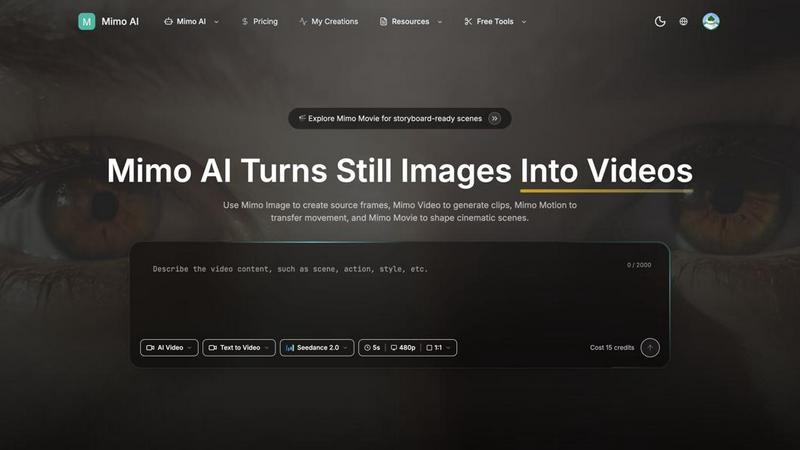
Mimo AI effortlessly transforms your images into stunning videos, enabling creators to produce professional-quality content in seconds.
Last updated: March 26, 2026

ProBatchResizer
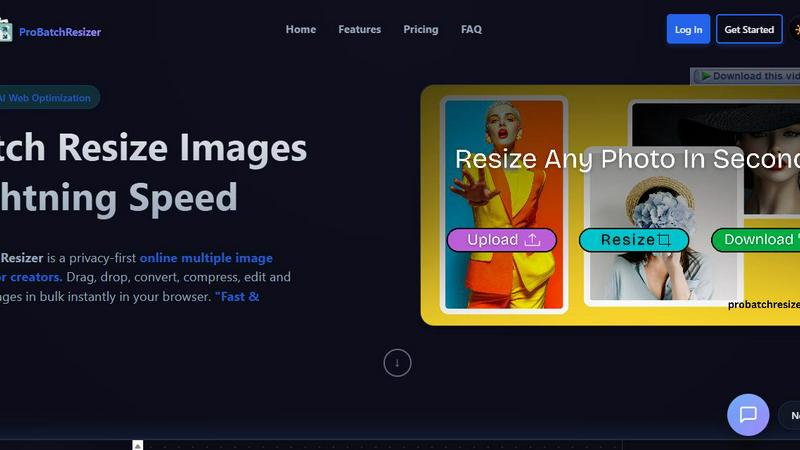
ProBatchResizer effortlessly resizes and edits hundreds of images in bulk with smart presets for all your creative.
Last updated: February 28, 2026
Visual Comparison
Mimo AI
ProBatchResizer
Feature Comparison
Mimo AI
Image to Video AI
Mimo AI's Image to Video feature allows users to transform static images into dynamic videos effortlessly. By applying natural motion and cinematic effects, creators can breathe life into their visuals, making them more engaging and appealing to audiences.
Text to Video
The Text to Video feature enables users to describe their vision in simple terms, allowing the AI to generate a perfect video based on text prompts. This functionality is perfect for those who want to create content without the need for extensive video editing skills.
Multiple AI Models
Mimo AI offers a selection of various AI models, such as Kling and Runway, tailored for different video styles and quality levels. This diversity allows users to choose the model that best fits their creative needs, enhancing the overall versatility of video production.
Fast Generation
With Mimo AI's optimized AI pipeline, users can generate videos in seconds. This speed is crucial for creators and marketers who need to produce content quickly to meet deadlines or engage their audience with timely updates.
ProBatchResizer
130+ Smart Pre-Built Presets
ProBatchResizer offers an extensive library of over 130 smart pre-built presets designed for various categories such as social media, eCommerce, and print. These presets allow users to quickly resize images to the exact dimensions they need, significantly reducing the time spent on manual adjustments.
Batch Processing Capability
With ProBatchResizer, users can resize hundreds of images simultaneously, saving valuable time and effort. This batch processing feature is perfect for those dealing with large volumes of images, allowing for quick adjustments without compromising quality or privacy.
Privacy-First Approach
One of the standout features of ProBatchResizer is its commitment to user privacy. All image processing occurs locally on the user's device, ensuring that images do not leave your control. This means users can focus on their creative tasks without worrying about data security or unauthorized sharing.
Versatile Editing Tools
Beyond resizing, ProBatchResizer includes a variety of editing tools such as cropping, flipping, and rotating images. These versatile options enable users to make comprehensive adjustments to their images in one place, enhancing efficiency and user satisfaction.
Use Cases
Mimo AI
Social Media Content Creation
Social media influencers and brands can leverage Mimo AI to produce eye-catching videos from their image libraries. By transforming still images into dynamic content, they can maintain a consistent posting schedule without the burden of time-consuming editing.
Marketing Campaigns
Marketers can utilize Mimo AI to create promotional videos that showcase products or services. The platform's ability to generate high-quality visuals quickly allows for rapid iteration and adjustment based on audience feedback, ensuring that marketing messages resonate effectively.
Educational Content Development
Educators and content creators can use Mimo AI to develop engaging instructional videos. By converting static diagrams or images into animated sequences, they can enhance learning experiences and improve information retention for students.
Art and Animation Projects
Artists and animators can explore their creativity using Mimo AI's tools. By generating unique visual narratives through image transformations and motion transfers, they can create compelling stories that captivate their audience.
ProBatchResizer
Social Media Management
Social media managers can leverage ProBatchResizer to prepare images in the correct dimensions for various platforms. By using the smart presets, they can quickly resize images for posts, stories, and profile pictures, ensuring a professional and cohesive visual presence.
eCommerce Product Listings
For eCommerce businesses, having the right image size for product listings is crucial. ProBatchResizer allows users to efficiently resize product images to meet the specifications of platforms like Amazon, Shopify, and Etsy, improving product visibility and appeal.
Graphic Design Projects
Graphic designers can utilize ProBatchResizer to streamline their workflow by batch resizing images for different print formats. Whether it’s flyers, business cards, or posters, the tool saves time and ensures that all images are the appropriate size for their intended use.
Event Promotions
Event coordinators can benefit from ProBatchResizer by quickly preparing promotional materials such as tickets, posters, and digital banners. The ability to resize and edit images in bulk aids in creating engaging and visually appealing content for marketing campaigns.
Overview
About Mimo AI
Mimo AI is an innovative creative platform that seamlessly integrates four powerful tools: Mimo Video, Mimo Image, Mimo Motion, and Mimo Movie. Designed for creators, marketers, and teams, Mimo AI allows users to easily generate high-quality videos from still images, transfer motion from reference clips, and build cinematic scenes—all within a single web application. This streamlined workflow accelerates visual production, enabling users to create engaging content quickly and efficiently. Mimo AI's versatile credit-based usage system ensures that users can manage their resources flexibly, making it an ideal solution for both individual creators and larger teams looking to enhance their visual storytelling capabilities. With its user-friendly interface and advanced AI technology, Mimo AI transforms the way visual content is produced, making professional-quality videos accessible to everyone.
About ProBatchResizer
ProBatchResizer is a robust, browser-based tool specifically engineered for creators who require efficient image resizing and conversion. It caters to a diverse audience, including graphic designers, photographers, eCommerce businesses, and social media managers. This innovative platform empowers users to batch process images quickly and effectively, all while maintaining privacy and image quality. With an impressive collection of over 130 ready-to-use presets, ProBatchResizer simplifies the task of resizing images for various purposes, whether it be for social media, print, or online stores. Thanks to its cutting-edge WebAssembly technology, all processing happens locally on your device, ensuring that your images remain secure and under your control. The combination of speed, security, and a user-friendly interface makes ProBatchResizer an essential tool for anyone seeking to streamline their image editing workflows.
Frequently Asked Questions
Mimo AI FAQ
What is Mimo AI and how do the tools fit together?
Mimo AI is a comprehensive creative platform that integrates Mimo Video, Mimo Image, Mimo Motion, and Mimo Movie. These tools work together to streamline video generation, image creation, motion transfer, and cinematic workflows, making it easier for users to produce professional-quality content.
What types of images work best with Mimo AI?
Mimo AI supports various image formats, including JPG, PNG, and WebP. To achieve the best results, images should be high-quality and relevant to the desired motion or theme, as this will enhance the final video output.
How long does it take to generate a video?
With Mimo AI's optimized AI pipeline, videos can be generated in a matter of seconds. This rapid production capability allows users to create and share content quickly, making it ideal for fast-paced environments like social media and marketing.
How does the credit system work?
Mimo AI operates on a flexible credit system, allowing users to pay as they go. Users start with free credits and can purchase additional credits as needed, ensuring that they can scale their usage according to their production requirements without financial strain.
ProBatchResizer FAQ
How does ProBatchResizer ensure image quality during resizing?
ProBatchResizer uses advanced algorithms to maintain high image quality even when resizing images. Users can trust that their images will retain clarity and detail.
Is ProBatchResizer suitable for professional photographers?
Absolutely! ProBatchResizer is designed with professionals in mind, allowing photographers to quickly resize and convert their images for multiple formats, making it ideal for both online portfolios and print.
Can I use ProBatchResizer on any device?
Yes, ProBatchResizer is a browser-based tool, meaning it can be accessed on any device with an internet connection. This makes it highly versatile for use at home, in the office, or on the go.
Are there any limits to the number of images I can process at once?
ProBatchResizer is designed to handle bulk processing, allowing users to resize hundreds of images simultaneously. However, performance may vary based on your device's capabilities and the size of the images being processed.
Alternatives
Mimo AI Alternatives
Mimo AI is an innovative platform that specializes in transforming the creative process for users involved in content creation, design, and video production. By integrating tools for image-to-video conversion, AI image generation, motion transfer, and storyboard-ready scenes, it provides a seamless workflow for creators, marketers, and teams looking to produce high-quality visuals quickly and efficiently. Users often seek alternatives to Mimo AI for various reasons, including pricing structures, specific feature sets, or compatibility with existing workflows and platforms. When choosing an alternative, it’s essential to consider factors such as the range of features offered, ease of use, customer support, and how well the platform aligns with your creative goals and budget.
ProBatchResizer Alternatives
ProBatchResizer is a robust browser-based tool designed to help users resize and convert images in bulk. It falls under the image and photo editing category, making it ideal for graphic designers, photographers, eCommerce businesses, and social media managers who frequently handle large volumes of images. Many users seek alternatives to ProBatchResizer due to factors like pricing, specific feature sets, compatibility with their preferred platforms, or personal workflow preferences. When choosing an alternative, it's essential to consider the tool's ease of use, the range of editing features offered, and the level of control you maintain over your images. --- [{"question": "What is ProBatchResizer?", "answer": "ProBatchResizer is a powerful, browser-based tool designed to quickly resize and convert images in bulk using smart presets."}, {"question": "Who is ProBatchResizer for?", "answer": "ProBatchResizer is ideal for graphic designers, photographers, eCommerce businesses, and social media managers who need to process large volumes of images efficiently."}, {"question": "Is ProBatchResizer free?", "answer": "The provided content does not specify if ProBatchResizer is free; users should check the website for pricing details."}, {"question": "What are the main features of ProBatchResizer?", "answer": "Main features include over 130 smart pre-built presets, bulk image resizing, and comprehensive editing tools like cropping and rotating."}]