
HTML to PNG Converter vs OnUml
Side-by-side comparison to help you choose the right AI tool.

HTML to PNG Converter
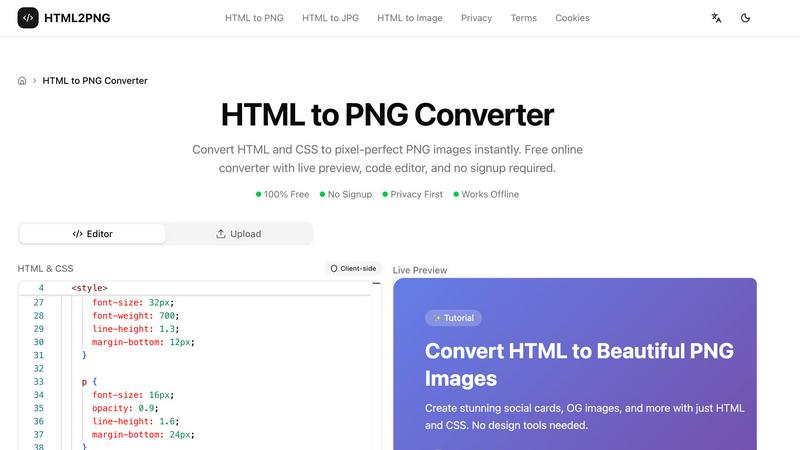
Transform your HTML and CSS into stunning PNG images instantly with our free, no-signup online converter featuring live preview and customization.
Last updated: March 11, 2026

OnUml
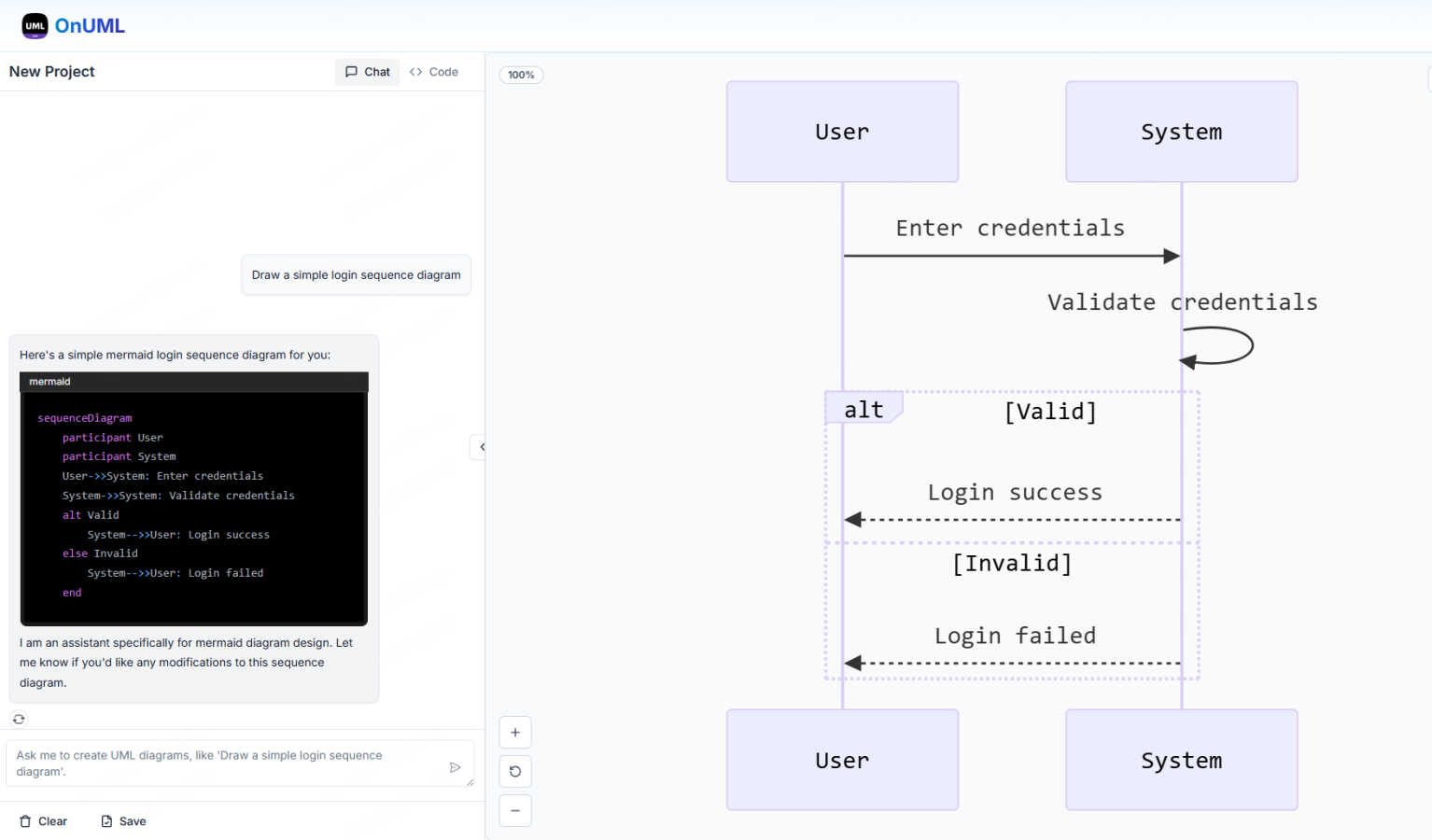
OnUML instantly creates professional UML diagrams from your natural language descriptions or Mermaid code with AI.
Last updated: March 1, 2026
Visual Comparison
HTML to PNG Converter
OnUml
Feature Comparison
HTML to PNG Converter
Live Code Editor
The HTML to PNG Converter includes a Monaco-based code editor that features syntax highlighting, making it easy to write and read your code. The live preview functionality lets you see how your changes affect the output in real-time, ensuring you can make adjustments quickly and efficiently.
Multiple Output Formats
You have the flexibility to export your images in various formats, including PNG, JPG, and WebP. This allows you to choose the best format for your needs, whether you require lossless images, smaller file sizes, or good compression, catering to different use cases and requirements.
Support for Modern CSS
The tool supports a wide range of modern CSS features, including Flexbox, Grid layouts, gradients, shadows, and transforms. This means you can create visually stunning images that leverage contemporary design techniques without any limitations.
Built-in Templates
HTML to PNG Converter offers pre-built templates that you can use as a starting point for your designs. Whether you need a social media card, Open Graph image, or a styled code snippet, these templates can be customized to fit your needs, saving you time and effort.
OnUml
AI Smart Chat
The AI Smart Chat feature allows users to describe their requirements in natural language, making it easy to generate professional UML diagrams instantly. This eliminates the need for technical jargon, enabling anyone to create diagrams regardless of their expertise level.
Smart Suggestions
OnUml offers smart suggestions through an intuitive interface, providing design recommendations that enhance the UML creation process. This feature helps users make informed decisions about diagram structures and elements, improving overall diagram quality.
Multi-diagram Support
With multi-diagram support, OnUml enables users to generate various types of UML diagrams, including flowcharts, sequence diagrams, and class diagrams. The intelligent type recommendations ensure that users create the right diagram for their needs without confusion.
Real-time Rendering
The real-time rendering feature provides a WYSIWYG editing experience where diagrams update instantly as users type or chat. This allows for a dynamic and interactive diagram creation process, making it easy to visualize changes on the fly.
Use Cases
HTML to PNG Converter
Create Social Media Graphics
With HTML to PNG Converter, you can easily design and generate social media cards and banners. The tool allows you to create visually appealing images that can enhance your online presence and engage your audience.
Generate Open Graph Images
You can quickly create Open Graph images for your blog posts or web pages. These images are essential for optimizing your content for social sharing, increasing visibility, and driving traffic to your site.
Convert Code Snippets to Images
Turn your code snippets into beautifully styled images for documentation or social media posts. This feature is particularly useful for developers who want to showcase their work in an attractive format that stands out.
Design Professional Invoices
Use the tool to convert HTML invoices or certificates into PNG images that can be easily shared and archived. This feature is beneficial for businesses looking to maintain a professional appearance in their communications.
OnUml
Software Development
Developers can use OnUml to create UML diagrams that illustrate system architecture, workflows, and processes, facilitating better communication and understanding among team members. This is particularly useful in agile environments where quick iterations are essential.
Technical Documentation
Technical writers can leverage OnUml to produce accurate and visually appealing UML diagrams for user manuals, API documentation, and other technical content. The ease of use and real-time updates streamline the documentation process significantly.
Educational Purposes
Teachers and students can utilize OnUml for educational purposes, creating diagrams that help explain complex concepts in software engineering and systems design. The platform's accessibility makes it ideal for learners at all levels.
System Design Workshops
In workshops focused on system design, participants can use OnUml to collaboratively create and refine UML diagrams in real time. The AI-powered features facilitate discussions and help to quickly visualize ideas, enhancing the collaborative experience.
Overview
About HTML to PNG Converter
HTML to PNG Converter is a powerful and user-friendly online tool designed to transform your HTML and CSS code into high-quality PNG images instantly. Ideal for web developers, designers, marketers, and content creators, this converter allows you to create pixel-perfect images directly from your code without needing to sign up or upload any files. With its client-side processing, your HTML and CSS remain on your device, ensuring your work is private and secure. The tool offers a live preview feature, so you can see the changes in real-time as you edit your code. Whether you need to create social media graphics, styled code snippets, or professional invoices, HTML to PNG Converter provides all the necessary functionality to make your projects shine.
About OnUml
OnUml is a free, browser-based diagramming tool that empowers users to create professional UML diagrams and flowcharts effortlessly. It caters to developers, technical writers, software architects, and anyone looking to visualize complex processes or system designs. Utilizing the robust capabilities of Mermaid.js, a popular text-to-diagram library, OnUml enhances the diagram creation experience with an intelligent AI assistant. Users can either write Mermaid code directly in a user-friendly editor or describe their diagram ideas in plain English, with the AI instantly generating the appropriate code. This unique combination of AI and an intuitive interface eliminates the steep learning curve typical of diagramming tools, allowing for a seamless workflow. With real-time WYSIWYG (What You See Is What You Get) previews, users can create, edit, and perfect their diagrams without the need for installations or complicated software, making OnUml a simple and fast solution for all your diagramming needs.
Frequently Asked Questions
HTML to PNG Converter FAQ
What types of images can I create with HTML to PNG Converter?
You can create PNG, JPG, and WebP images from your HTML and CSS code. This flexibility allows you to choose the format that best suits your needs.
Do I need to sign up to use the converter?
No, HTML to PNG Converter is completely free to use and does not require any signup. You can start converting your HTML to images right away.
Is my code secure when using this tool?
Yes, the tool operates client-side, meaning your HTML and CSS code never leaves your device. This ensures your work remains private and secure throughout the conversion process.
Can I use the tool offline?
Yes, HTML to PNG Converter works offline, allowing you to generate images without an internet connection. This feature is great for users who need to work in environments with limited connectivity.
OnUml FAQ
Will my chat content be used for AI training?
No, your chat content is not used for AI training. OnUml prioritizes user privacy and confidentiality, ensuring that your data remains secure and is not utilized for training purposes.
Are there any usage limits?
Currently, OnUml is free to use with no registration required, allowing users to create UML diagrams without any significant usage limits. This makes it accessible for everyone, whether for personal or professional projects.
What types of UML diagrams are supported?
OnUml supports a wide range of UML diagrams, including flowcharts, sequence diagrams, class diagrams, state diagrams, and more. The platform's flexibility enables users to create the diagrams they need for various applications.
How can I save my diagrams?
Users can save their diagrams by exporting them in various formats such as PNG and SVG. This feature allows for easy sharing and integration into other documents or presentations, making it convenient for different use cases.
Alternatives
HTML to PNG Converter Alternatives
HTML to PNG Converter is a specialized design tool that allows users to transform HTML and CSS code into high-quality PNG images, making it ideal for developers, designers, and marketers. This tool is especially useful for generating pixel-perfect images quickly, without the hassle of server uploads or complicated processes. Users often seek alternatives to HTML to PNG Converter due to factors like price, specific features they might need for their projects, or compatibility with different platforms. When looking for an alternative, it's essential to consider the tool's ease of use, performance, and whether it meets your specific requirements, such as support for modern CSS features or different image formats. Additionally, privacy and security should also be a priority, especially if you're working with sensitive data or proprietary designs.
OnUml Alternatives
OnUml is an innovative, browser-based diagramming tool that allows users to create UML diagrams and flowcharts effortlessly. By leveraging the power of AI and Mermaid.js, it simplifies the diagramming process, making it accessible for developers, technical writers, and software architects alike. Its unique features, such as AI Smart Chat and live diagram rendering, cater to users looking for a smooth and intuitive design experience. Users often seek alternatives to OnUml for various reasons, including pricing, feature sets, or specific platform compatibility needs. When exploring alternatives, it’s essential to consider the ease of use, the range of diagramming options available, and whether the tool can handle your specific requirements effectively. Finding a solution that balances functionality with user-friendly design will ensure a more productive diagramming experience.