
Orno — AI Image Editor & Prompt Library vs ThumbnailMaker
Side-by-side comparison to help you choose the right AI tool.

Orno — AI Image Editor & Prompt Library
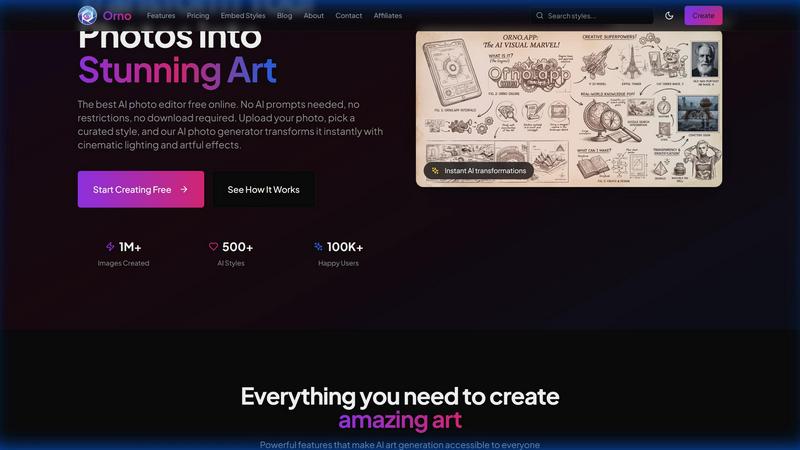
Orno instantly transforms your photos into stunning AI art using a library of ready-to-use styles, no prompts needed.
Last updated: February 28, 2026

ThumbnailMaker
Easily create eye-catching thumbnails with AI for your videos, boosting clicks and engagement in just seconds, no design skills required.
Last updated: April 4, 2026
Visual Comparison
Orno — AI Image Editor & Prompt Library
ThumbnailMaker

Feature Comparison
Orno — AI Image Editor & Prompt Library
500+ Ready-to-Use Prompt Library
Orno eliminates the guesswork of AI image generation with a hand-picked collection of over 500 visual styles and effects. This library is constantly curated, offering everything from artistic filters and cinematic looks to product photography enhancements and portrait retouching styles. You don't need to craft a single prompt; just visually browse and select the aesthetic you want to apply to your image, making the creative process intuitive and immediate.
Zero Prompt Writing Required
This feature is at the core of Orno's simplicity. The platform is built for users with zero AI prompting experience. The complex technical instructions are handled entirely in the background by the advanced Nano Banana 2 AI engine. Your only job is to choose a style and upload your photo. This opens up powerful AI editing to a much wider audience, from complete beginners to professionals who value efficiency.
High-Resolution, Privacy-First Output
Orno is committed to delivering professional-quality results you can actually use. Every transformed image is available for download in high resolution, suitable for print, client delivery, or social media. Importantly, Orno operates with a strict privacy-first policy. Your original uploaded photos are never stored long-term or used to train AI models, so your work and intellectual property remain completely yours.
Instant Browser-Based Platform
There's no software to download or install. Orno works entirely in your web browser, making it accessible on any device—be it a laptop, tablet, or phone—at any time. The transformations happen in mere seconds, providing a seamless and fast experience. This cloud-based approach ensures you always have access to the latest features and the full prompt library without any updates or compatibility issues.
ThumbnailMaker
AI-Powered Thumbnail Generator
Our AI thumbnail generator is the heart of ThumbnailMaker. By simply entering your video title, the AI analyzes your content and proposes engaging thumbnail designs within seconds. This feature eliminates the need for design expertise, making it accessible for everyone.
Style Clone & Transfer
With the style clone and transfer feature, you can import thumbnails from successful YouTube videos by pasting their URLs. The tool then extracts the design style, allowing you to either replicate it closely or remix it for a fresh take, ensuring your thumbnails resonate with proven visual strategies.
Fix & Refine Options
ThumbnailMaker allows you to tweak and refine your thumbnails after generating them. If something doesn't look right, simply specify the changes you want, and the AI will regenerate the thumbnail in seconds. This iterative process means you can achieve the perfect look without starting from scratch.
Face Consistency & Brand Identity
When you upload your photo, ThumbnailMaker ensures that your face remains consistent across all generated thumbnails. This feature helps build a recognizable brand identity, making your content instantly identifiable to your audience.
Use Cases
Orno — AI Image Editor & Prompt Library
Social Media Content Creation
Content creators, influencers, and small businesses can use Orno to rapidly generate a consistent and engaging visual feed. Transform ordinary selfies into artistic portraits, enhance product photos with professional lighting styles, or give travel pictures a unique thematic look—all without needing a designer or spending hours on complex editing software, perfect for maintaining an active and attractive social media presence.
Marketing & Advertising Material
Marketing teams and agencies can leverage Orno to produce high-quality visual assets for campaigns, ads, and websites. Quickly apply branded aesthetic styles to stock photography, create multiple themed variations of a product shot for A/B testing, or generate eye-catching graphics for email newsletters and digital brochures, significantly speeding up the design iteration process while maintaining a professional standard.
Creative Exploration & Concepting
Artists, designers, and illustrators can use Orno as a powerful brainstorming tool. Upload a sketch or a basic photo and rapidly cycle through dozens of artistic styles—from oil painting and charcoal sketch to cyberpunk and fantasy—to explore new directions for a project. It's an excellent way to overcome creative block and visualize concepts before committing to a final, detailed piece of work.
Personal Photo Enhancement
Anyone with a camera phone can use Orno to elevate their personal photos. Turn a simple portrait into a classic film-style snapshot, give a landscape photo a dramatic Ansel Adams-style black and white treatment, or apply a fun, vibrant pop-art filter to a picture of a pet. It makes advanced photo editing accessible for creating beautiful memories, gifts, or personalized artwork for the home.
ThumbnailMaker
YouTuber Launching a New Series
If you're a YouTuber starting a new series, you can use ThumbnailMaker to create distinctive thumbnails that reflect your brand and the content's theme. The AI helps generate multiple options, making it easier to choose one that stands out.
Social Media Content Creator
As a social media influencer, having visually appealing thumbnails for your videos is crucial. ThumbnailMaker allows you to create thumbnails quickly, enhancing your content's visibility across platforms like Instagram and TikTok.
Educator or Online Course Creator
If you are creating educational content or online courses, thumbnails that clearly communicate the subject matter are essential. ThumbnailMaker helps you design informative and appealing thumbnails that attract potential students to your videos.
Brand Promoter or Affiliate Marketer
For brand promoters or affiliate marketers, effective thumbnails can significantly increase click-through rates. With ThumbnailMaker, you can create enticing thumbnails that highlight products or services, driving more traffic to your promotional content.
Overview
About Orno — AI Image Editor & Prompt Library
Orno is a revolutionary AI image editor designed to make professional-grade image transformation accessible to everyone. It solves a common frustration in the world of AI art: the need for complex and time-consuming prompt engineering. Instead of asking you to become an expert in writing AI instructions, Orno provides a vast, hand-curated library of over 500 ready-to-use prompts and styles. Whether you're a marketer needing eye-catching social media graphics, a designer seeking quick inspiration, an artist exploring new styles, or a small business owner creating product shots, Orno streamlines your workflow. You simply browse the visual styles, pick the one you love, upload your photo, and receive a stunning, high-resolution transformation in seconds. Built on the powerful Nano Banana 2 AI, Orno prioritizes simplicity, speed, and privacy, ensuring your uploaded images are never used to train other models. It's the perfect tool for anyone who wants to harness the power of AI for visual creation without the technical hassle, empowering over 10,000 creators to bring their visions to life faster and easier than ever before.
About ThumbnailMaker
ThumbnailMaker is an innovative AI-powered tool designed to help content creators generate stunning thumbnails in mere seconds. Whether you're a YouTuber, Twitch streamer, or any digital content creator, eye-catching thumbnails are essential for capturing viewers' attention and boosting click-through rates. This tool simplifies the process, enabling users with no design skills to create professional-looking thumbnails effortlessly. By inputting a video title, ThumbnailMaker's AI quickly analyzes the content and generates multiple thumbnail options tailored to maximize viewer engagement. With features that allow for customization, style transfer, and real-time adjustments, ThumbnailMaker empowers creators to enhance their visual branding and grow their audience effectively.
Frequently Asked Questions
Orno — AI Image Editor & Prompt Library FAQ
How does Orno work without writing prompts?
Orno works by having a vast library of pre-written, optimized AI prompts already built into each visual style you see. When you pick a style like "Cinematic Portrait" or "Watercolor Sketch," you are actually selecting a complex, expert-crafted prompt that our AI engine, Nano Banana 2, understands. You simply provide the image, and Orno provides the perfect instruction set to transform it, handling all the technical complexity for you.
What is a credit and how many do I need?
A credit is used each time you generate a new AI-transformed image. The number you need depends on your usage. The Starter plan offers 200 credits per month, which is great for casual users or small projects. The Pro plan offers 500 credits for more regular creators, and the Creator plan offers unlimited generations. One credit equals one transformed image download.
Is there a free trial or a free plan?
Yes, you can start editing for free! Orno offers a free tier that allows you to test the platform and experience the AI transformation with a limited number of generations. This is a great way to browse the prompt library, upload a photo, and see the instant results for yourself before committing to a paid subscription plan.
Can I use images created with Orno for commercial purposes?
Commercial usage rights are included with the Creator subscription plan. This license allows you to use the AI-generated images in client work, advertising, products for sale, and other commercial ventures. The Starter and Pro plans are intended for personal or internal business use. Always review the Terms of Service for the most detailed and up-to-date licensing information.
ThumbnailMaker FAQ
How does ThumbnailMaker generate thumbnails?
ThumbnailMaker uses advanced AI algorithms to analyze the video title and content, generating multiple thumbnail designs that are optimized for visual impact and engagement.
Can I upload my own images for thumbnails?
Yes, ThumbnailMaker allows you to upload your own photos to personalize your thumbnails. This helps in maintaining a consistent brand identity by incorporating your likeness into the designs.
Is there a limit to how many thumbnails I can create?
Initially, users receive 10 free credits upon signing up. Each thumbnail generation consumes a credit, but you can purchase additional credits if needed to create more thumbnails.
What if I'm not satisfied with the generated thumbnails?
ThumbnailMaker offers a fix and refine feature that lets you make adjustments to generated thumbnails. You can specify what you want changed, and the AI will regenerate the thumbnail based on your feedback, ensuring you get the desired look.
Alternatives
Orno — AI Image Editor & Prompt Library Alternatives
Orno — AI Image Editor & Prompt Library is a user-friendly tool in the AI image generation and photo editing category. It's designed to simplify the creative process by offering a vast library of pre-made styles, allowing users to transform their photos into art without needing to write complex AI prompts. People often explore alternatives to find a tool that better fits their specific needs. This could be due to budget considerations, a desire for different features like more manual control or specific artistic filters, or the need for compatibility with a particular device or operating system. It's a common step in finding the perfect creative assistant. When evaluating other options, it's helpful to consider what matters most for your projects. Key factors include the ease of use, the quality and resolution of the output images, the variety of available styles, and how the tool handles your privacy and data. Finding a balance between powerful features and a straightforward workflow is essential.
ThumbnailMaker Alternatives
ThumbnailMaker is a free thumbnail creator and generator designed to help users create eye-catching thumbnails in seconds. Falling under the categories of Image & Photo and Image Generation, it harnesses the power of AI to assist users, regardless of their design skills, in boosting click-through rates (CTR) and growing their channels effectively. Many users seek alternatives to ThumbnailMaker for various reasons, including pricing concerns, the need for additional features, or compatibility with different platforms. When choosing an alternative, it's essential to consider factors like ease of use, available design templates, customization options, and overall effectiveness in enhancing visual appeal. Finding an alternative that meets your specific needs can significantly impact your content's performance and engagement.