
Picture to Drawing vs VideoFlux
Side-by-side comparison to help you choose the right AI tool.

Picture to Drawing
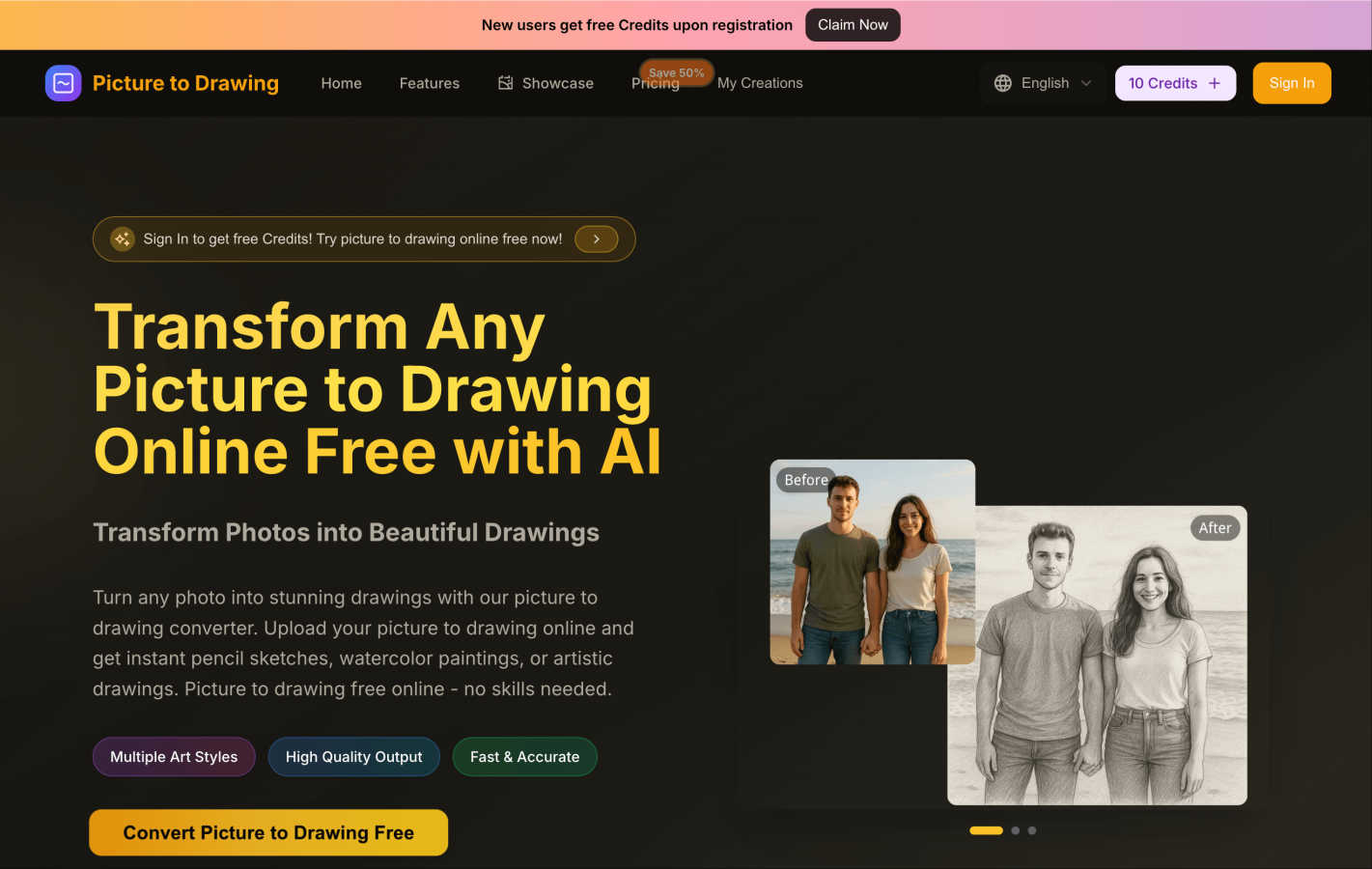
Easily transform your photos into stunning drawings or sketches with our free AI art tool in just seconds.
Last updated: March 1, 2026

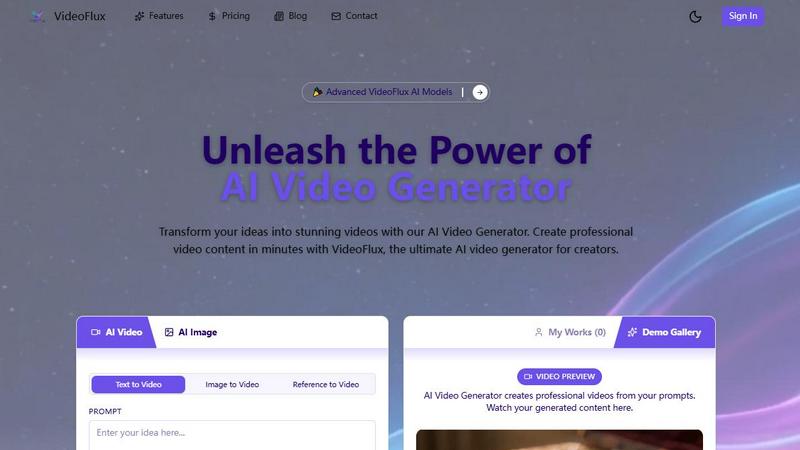
VideoFlux transforms your text and images into professional videos instantly with advanced AI.
Last updated: April 4, 2026
Visual Comparison
Picture to Drawing
VideoFlux
Feature Comparison
Picture to Drawing
Multiple Art Styles
Picture to Drawing offers a diverse range of artistic styles, allowing users to choose from pencil sketches, watercolor paintings, ink art, and more. This variety ensures that every user can find a style that resonates with their vision and artistic intent.
High Quality Output
The tool guarantees high-quality output, transforming your photos into professional-grade artwork. Each generated drawing is crafted with meticulous attention to detail, ensuring that the essence of the original image is preserved while giving it an artistic flair.
Fast & Accurate
Speed is one of the standout features of Picture to Drawing. The AI technology processes your images rapidly, delivering stunning artwork in seconds. This efficiency makes it ideal for users who want quick results without sacrificing quality.
User-Friendly Interface
The platform's interface is designed with simplicity in mind, making it accessible for users of all skill levels. The drag-and-drop functionality and straightforward navigation ensure that anyone can easily upload images, select styles, and download their creations without hassle.
VideoFlux
Multiple AI Creation Modes
VideoFlux doesn't limit you to one starting point. It offers a versatile suite of tools including Text-to-Video, Image-to-Video, Text-to-Image, and Image-to-Image generation. This means you can type a prompt, upload a photo, or use a generated image as the foundation for your video. It’s designed to fit seamlessly into any creative workflow, allowing you to build upon your ideas step-by-step until you have the perfect visual narrative.
Advanced AI Model & Customization
The platform is powered by state-of-the-art AI models, like the upcoming Seedance 2.0, engineered to deliver professional-grade results with enhanced details. You have full control over the creative process with adjustable settings. Before generating, you can customize the aspect ratio (like 16:9 for widescreen), set the video duration, and apply different styles to ensure the final video perfectly matches your brand identity and creative vision.
Fast & High-Quality Generation
Say goodbye to waiting hours for renders. VideoFlux is built for speed, typically generating your videos in just 1 to 10 minutes. Despite the quick turnaround, the quality never suffers. The AI is fine-tuned to produce videos with smooth motion, cinematic qualities, and high-resolution details, making your content look polished and professional, ready for any platform.
Intuitive Project Management
VideoFlux provides a clean, user-friendly dashboard to streamline your entire creation process. Your "My Works" section keeps all your generated videos organized in one place. The platform also includes a Demo Gallery for inspiration, showing what’s possible with the AI. From sign-up to download, the workflow is straightforward, letting you focus on creativity rather than navigating a complicated interface.
Use Cases
Picture to Drawing
Personal Memories
Picture to Drawing is perfect for turning cherished personal photos into unique art pieces. Whether it’s a family portrait or a snapshot from a memorable vacation, users can create beautiful drawings that capture the essence of their experiences.
Gifts and Keepsakes
Looking for a thoughtful gift? Transforming a loved one's photo into a stunning piece of art makes for a memorable present. These custom drawings can serve as keepsakes for special occasions like birthdays, anniversaries, or holidays.
Social Media Content
Artists and influencers can use Picture to Drawing to enhance their social media presence. By converting everyday photos into eye-catching artwork, users can create engaging content that stands out in crowded feeds.
Creative Projects
For those involved in creative projects, such as graphic design, marketing, or education, Picture to Drawing offers a quick way to generate artistic resources. Whether you need illustrations for presentations or creative assets for campaigns, this tool simplifies the process.
VideoFlux
Social Media Content Creation
Content creators and influencers can use VideoFlux to consistently produce eye-catching clips for platforms like TikTok, Instagram Reels, and YouTube Shorts. Quickly generate trending visuals, animated stories, or promotional clips from simple text ideas or existing photos, keeping your feed fresh and engaging without a full production crew.
Marketing & Advertising Videos
Marketing teams and small businesses can create cost-effective ads, product demos, and brand story videos. Transform a product photo into a dynamic showcase video or write a prompt for a targeted ad scene. VideoFlux enables the rapid prototyping and creation of professional marketing assets that capture audience attention and drive conversions.
Creative Storytelling & Art
Artists, writers, and filmmakers can use VideoFlux as a brainstorming and visualization tool. Bring storyboard concepts to life, visualize scenes from a script, or create abstract art videos. The image-to-image and text-to-image features are perfect for experimenting with styles and compositions before committing to a final video concept.
Educational & Explainer Content
Educators, trainers, and course creators can develop compelling explainer videos and educational animations. Simply describe a complex concept (like "the water cycle" or "how a engine works"), and VideoFlux can generate a visual representation, making learning materials more engaging and easier to understand for students and trainees.
Overview
About Picture to Drawing
Picture to Drawing is a groundbreaking AI-powered online tool that transforms your everyday photos into stunning artwork, all for free. This innovative platform is designed for anyone who wants to express their creativity without needing extensive artistic skills or expensive software. Whether you are a complete beginner or a seasoned artist, Picture to Drawing offers a seamless way to convert your images into beautiful sketches, paintings, or drawings with just a few clicks. The core value proposition is to democratize art creation, enabling users to transform their personal memories into unique pieces of art effortlessly. Just upload your chosen image, select one of the various artistic styles, and watch as the advanced AI technology generates high-quality, downloadable artwork in seconds. Additionally, new users receive free credits upon registration, allowing them to explore the platform without any financial commitment.
About VideoFlux
VideoFlux is your creative partner for turning ideas into professional-quality videos in minutes. It's an advanced AI-powered platform designed to simplify video creation for everyone, from social media creators and marketers to business owners and artists. At its core, VideoFlux transforms simple text descriptions or static images into dynamic, engaging video content. Whether you need a short ad, a social media clip, or a creative visual story, VideoFlux handles it. The platform offers multiple creation paths: describe a scene with words using Text-to-Video, bring a photo to life with Image-to-Video, generate images from text, or transform existing images into new styles. This flexibility means you can start your project from any point of inspiration. Built with cutting-edge AI models, VideoFlux prioritizes high-quality output, fast processing times (typically 1-10 minutes), and an intuitive workflow. It’s the perfect solution for anyone looking to produce stunning video content quickly, cost-effectively, and without needing complex editing skills or expensive production teams.
Frequently Asked Questions
Picture to Drawing FAQ
Is Picture to Drawing completely free to use?
Yes, Picture to Drawing is free to use. New users receive free credits upon registration, allowing them to convert their photos into drawings without any cost.
What file formats does Picture to Drawing support?
The platform supports various file formats, including JPG, PNG, WEBP, and HEIC. This versatility ensures that users can upload their images without worrying about compatibility issues.
How long does it take to convert a picture to drawing?
The conversion process is extremely fast, typically taking just seconds to transform your uploaded photo into a stunning piece of artwork.
Do I need any artistic skills to use Picture to Drawing?
No, you do not need any artistic skills to use Picture to Drawing. The tool is designed for everyone, and its one-click transformation process makes it easy for anyone to create beautiful artwork.
VideoFlux FAQ
What types of videos can I create with VideoFlux?
You can create a wide variety of videos, including marketing clips, social media content, advertisements, creative art pieces, product showcases, and educational explainers. The AI is versatile and can interpret many different prompts and styles, from realistic scenes to more abstract and artistic visuals.
How long does it take to generate a video?
Generation time is typically between 1 to 10 minutes, depending on the complexity of your prompt, the selected settings, and the current server load. VideoFlux is optimized for speed to help you create content quickly without sacrificing the high-quality output you expect.
Do I need video editing experience to use VideoFlux?
Not at all! VideoFlux is designed to be user-friendly for everyone. The process is as simple as typing a description or uploading an image, adjusting a few basic settings like aspect ratio and duration, and clicking generate. The AI handles the complex creation process, delivering a ready-to-use video file.
What support is available if I need help?
VideoFlux offers dedicated support to all users. You can reach out to their team directly via email at [email protected] for technical assistance or guidance. They also encourage users to join their creator community to connect with other users, share tips, and find inspiration.
Alternatives
Picture to Drawing Alternatives
Picture to Drawing is an innovative online tool that allows users to transform their photos into beautiful hand-drawn artworks using advanced AI technology. It falls under the category of design tools, specifically for art creation, making it accessible for anyone from casual users to professional artists. Users often seek alternatives to Picture to Drawing for various reasons, including pricing, specific features that may better suit their needs, or compatibility with different platforms. When searching for an alternative, consider factors such as the range of artistic styles offered, the quality of the output, ease of use, and whether the service meets your specific artistic vision. By choosing the right alternative, you can enhance your creative process, find unique artistic styles, or even discover additional features that suit your preferences better. It's essential to evaluate tools based on their conversion speed, the quality of the final artwork, and any costs involved, ensuring that you find the best fit for your artistic endeavors.
VideoFlux Alternatives
VideoFlux is an AI-powered tool in the content creation and design space, specifically focused on generating videos from text prompts and images. It helps users quickly produce marketing materials, social media clips, and ads by converting simple inputs into professional-looking video content. People often explore other options for various reasons. This could be due to budget constraints, a need for different video styles or formats, or a requirement to integrate with other platforms in their workflow. Sometimes, a project just demands a specific feature that their current tool doesn't offer. When evaluating different platforms, it's wise to consider your primary use case, desired output quality, and how much creative control you need. Also, look at factors like generation speed, ease of use, and the overall cost relative to the value you expect to get from the tool.