
MakeAIVideo vs Picture to Line Drawing
Side-by-side comparison to help you choose the right AI tool.

MakeAIVideo
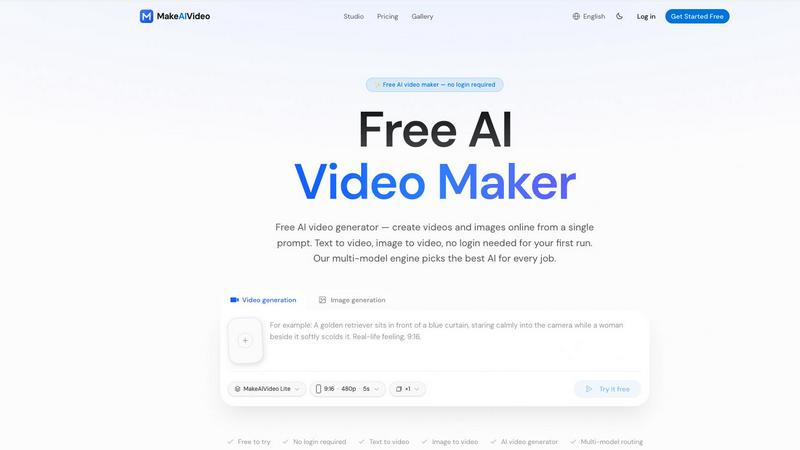
MakeAIVideo is an innovative AI video generator that creates stunning videos from text or images using advanced multi-model routing technology.
Last updated: March 18, 2026

Picture to Line Drawing
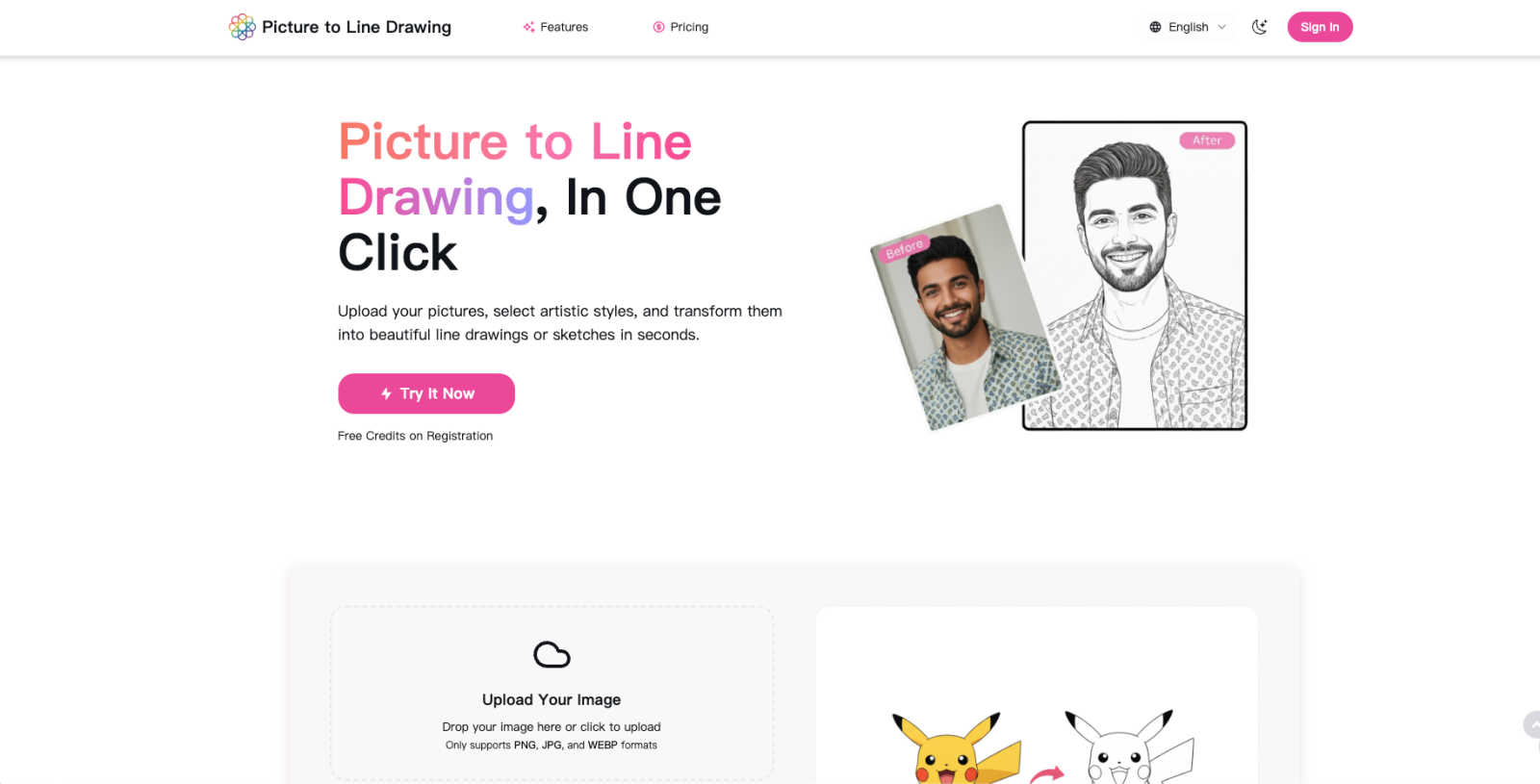
Turn your photos into beautiful line drawings and sketches instantly with our free, easy AI tool.
Last updated: February 28, 2026
Visual Comparison
MakeAIVideo
Picture to Line Drawing
Feature Comparison
MakeAIVideo
Multi-Model Routing
MakeAIVideo employs a sophisticated multi-model routing engine that automatically selects the best AI model suited to your prompt. This means that depending on the task, you benefit from the most effective capabilities of models like Seedance, Veo, and more, ensuring high-quality video output tailored to your needs.
Zero Login Required
One of the standout features of MakeAIVideo is that you can begin creating videos without needing to create an account. This hassle-free access allows you to dive directly into video generation, making it perfect for those who want to quickly test the platform or generate content on the fly.
High-Quality Output
The platform generates cinematic-quality videos in under a minute, with options for up to 4K resolution. This ensures that whether you are creating content for social media, advertisements, or presentations, the visuals will be sharp and professional, meeting industry standards.
Dual-Channel Sound Design
Enhance your videos with dual-channel sound design, where audio is generated in sync with the visuals. This feature removes the need for post-production editing, allowing for a seamless audio-visual experience that elevates the overall quality of your videos.
Picture to Line Drawing
Diverse Artistic Style Library
Choose from a rich and ever-growing collection of artistic styles to find the perfect look for your photo. Whether you want the classic feel of a Pencil Sketch, the bold lines of a Line Drawing, the vibrant textures of a Color Pencil Drawing, or the soft, dreamy washes of a Watercolor Painting, there’s a style to match your vision. Each style is carefully crafted by AI to deliver a unique and authentic hand-drawn interpretation, giving you endless creative possibilities right at your fingertips.
High-Resolution, Print-Ready Output
Your creations aren't just for screen viewing. Picture to Line Drawing processes your images and delivers them in crisp, high-resolution quality. This means you can download your artwork and use it for professional purposes, like printing and framing for your home decor, or sharing on social media where details matter. The tool preserves fine lines and textures beautifully, ensuring your digital art looks just as impressive in physical form.
Secure and Private Processing
We believe your memories are yours alone. That’s why every image you upload is processed with a strong commitment to privacy. Your photos are handled securely, and they are automatically deleted from the servers after the conversion is complete. The platform does not store or share your personal images, so you can create with complete peace of mind, knowing your content is protected.
User-Friendly and Fast Workflow
The entire process is designed to be effortless and quick. The clean, intuitive interface lets you drag-and-drop or upload your image in common formats like JPG or PNG. With just a few clicks to select your desired style and ratio, the advanced AI gets to work, delivering your transformed artwork in mere seconds. This lightning-fast processing means you can experiment with different styles and perfect your project without any wait or hassle.
Use Cases
MakeAIVideo
Social Media Content Creation
MakeAIVideo is ideal for social media managers looking to create engaging videos for platforms like Instagram and TikTok. The ease of use and rapid generation enables them to keep their content fresh and relevant without extensive resources or time.
Product Showcases
Businesses can utilize MakeAIVideo to create stunning product showcase videos quickly. By entering details about the product, users can generate high-quality promotional videos that highlight features and benefits, perfect for e-commerce and online marketing.
Educational Videos
Educators and content creators can leverage MakeAIVideo to produce informative videos that explain concepts clearly and creatively. The platform's ability to generate custom visuals based on text prompts allows for interactive and engaging learning materials.
Brand Storytelling
MakeAIVideo can help brands tell their stories through compelling narratives. By inputting key messages and themes, businesses can create videos that resonate with their audience, enhancing brand identity and customer engagement.
Picture to Line Drawing
Creating Personalized Gifts
Turn your most cherished photographs into one-of-a-kind, heartfelt gifts. Convert a favorite family portrait into an elegant pencil sketch or a vibrant color drawing to create a memorable keepsake for anniversaries, birthdays, or holidays. It’s a thoughtful and creative way to show you care, resulting in a personalized piece of art that can be treasured for years to come.
Enhancing Social Media Content
Make your Instagram, Facebook, or Pinterest feeds stand out from the crowd. By converting your photos into artistic sketches or paintings, you create unique, eye-catching content that boosts engagement and reflects your creative brand. It’s a simple yet powerful way to add an artistic flair to your travel photos, product shots, or personal moments.
Developing Unique Marketing Materials
Small businesses and creators can elevate their branding with distinctive visuals. Use the tool to convert product photos or team pictures into stylish line drawings or watercolor art for use in brochures, website graphics, advertisements, and packaging. This artistic touch can help your brand feel more personal, creative, and memorable to your customers.
Decorating Your Home with Personal Art
Transform your own photography into custom wall art. Create a cohesive gallery wall by converting your landscape photos, pet portraits, or family snapshots into a series of matching sketches or paintings. This allows you to decorate your living space with beautiful, personalized artwork that tells your unique story, all without the high cost of commissioning an artist.
Overview
About MakeAIVideo
MakeAIVideo is an innovative AI video generator that stands out as the first to utilize multi-model routing. This unique feature allows the platform to analyze your prompt dynamically and select the most suitable AI model for the task at hand, whether it be Seedance, Kling, Veo, Sora, Hailuo, or others. This flexibility ensures that users get the best possible results tailored to their specific needs. Designed for creators, marketers, and businesses alike, MakeAIVideo eliminates the typical barriers associated with video creation. You can generate videos effortlessly with no account required for your first video. Just visit the site, enter your prompt, and watch as your video comes to life. With its combination of automatic model selection and zero-friction access, MakeAIVideo offers an unparalleled experience for producing high-quality video content quickly and easily.
About Picture to Line Drawing
Picture to Line Drawing is your friendly, go-to online studio for transforming everyday photos into beautiful, hand-crafted artwork in seconds. At its heart, this tool uses sophisticated AI to understand the details, shadows, and textures of your image, then reimagines it as a stunning sketch, painting, or line drawing. It’s designed for absolutely everyone—whether you're a professional artist seeking quick inspiration, a teacher creating unique classroom materials, a small business owner designing eye-catching marketing content, or someone who just wants to give a personal touch to a family photo. The main magic lies in its simplicity and power: you get high-quality, customizable artistic results without needing any technical skills or expensive software. Just upload your picture, choose from a wide array of styles like Pencil Sketch or Watercolor Painting, and let the AI work its creative wonders. It’s all about making professional-grade art accessible, fun, and incredibly convenient for every project.
Frequently Asked Questions
MakeAIVideo FAQ
How does MakeAIVideo choose the AI model for my video?
MakeAIVideo's multi-model routing engine analyzes your prompt and automatically selects the AI model best suited for your specific needs. This ensures optimal results without requiring manual selection on your part.
Can I use MakeAIVideo for commercial purposes?
Yes, all plans offered by MakeAIVideo allow for commercial use of the generated videos. This makes it an excellent tool for businesses looking to produce marketing materials without worrying about licensing issues.
Is there a limit to how long my videos can be?
Free users can generate videos with a length of 5 to 10 seconds, while paid plans offer more flexibility with longer videos. The platform supports video lengths suitable for various formats and needs.
Do I need any video editing skills to use MakeAIVideo?
No, MakeAIVideo is designed to be user-friendly, allowing anyone to create videos without prior video editing experience. The intuitive interface and automated features simplify the entire process, making video creation accessible to everyone.
Picture to Line Drawing FAQ
What image formats can I upload?
You can upload most common image formats, including JPG, PNG, WEBP, and HEIC files. The platform is designed to be flexible and accommodate the pictures you already have on your phone, camera, or computer, making the upload process smooth and straightforward.
How does the AI create the drawings?
The AI technology analyzes your uploaded photo, identifying key elements like edges, contours, shadows, and textures. It then applies complex algorithms trained on various artistic styles to reinterpret these elements into strokes, shades, and effects that mimic real hand-drawn art, preserving the photo's essence while giving it a completely new, artistic life.
Is there a limit to how many images I can convert?
Yes, there is a free tier that offers daily usage, allowing you to try the tool and create several drawings at no cost. For users who need more, there are additional credits and plans available that provide greater capacity for unlimited creative projects.
Can I use the generated drawings for commercial purposes?
Absolutely! The artwork you create using Picture to Line Drawing belongs to you. You are free to use the high-resolution output files for both personal and commercial projects, such as in your marketing materials, on products, or in client work, giving you full creative and commercial rights to your creations.
Alternatives
MakeAIVideo Alternatives
MakeAIVideo is an innovative AI video generator that falls into the category of video creation tools. It stands out by offering multi-model routing, which means it intelligently selects the best AI model for your specific needs without requiring you to commit to just one option. This unique feature, along with the effortless access to video creation without the need for an account, makes it an attractive tool for users seeking to create videos quickly and efficiently. However, users often seek alternatives for various reasons, such as pricing structures, specific feature sets, or compatibility with different platforms. When choosing an alternative, consider factors like ease of use, the range of features offered, and whether the tool can cater to your specific video creation needs. It's essential to weigh these aspects to find a solution that aligns with your goals and budget.
Picture to Line Drawing Alternatives
Picture to Line Drawing is a popular AI-powered tool that transforms your photos into beautiful line drawings and sketches in seconds. It falls under the category of AI art generators and assistants, making creative digital art accessible to everyone with its user-friendly interface. People often look for alternatives for various reasons. Some might need a tool that works on a different platform, like a mobile app or desktop software. Others may be comparing features, seeking a specific artistic style not offered, or evaluating different pricing models and subscription plans. When choosing an alternative, consider what matters most for your projects. Key factors include the quality and resolution of the output, the range of artistic styles available, how easy the tool is to use, and of course, the cost. It's also wise to check if the tool respects your privacy and how it handles your uploaded images.