
AI Photo Generator vs PoseUp
Side-by-side comparison to help you choose the right AI tool.

AI Photo Generator
Create stunning, photorealistic images from text or your photos effortlessly with our user-friendly AI Photo Generator.
Last updated: March 11, 2026

PoseUp
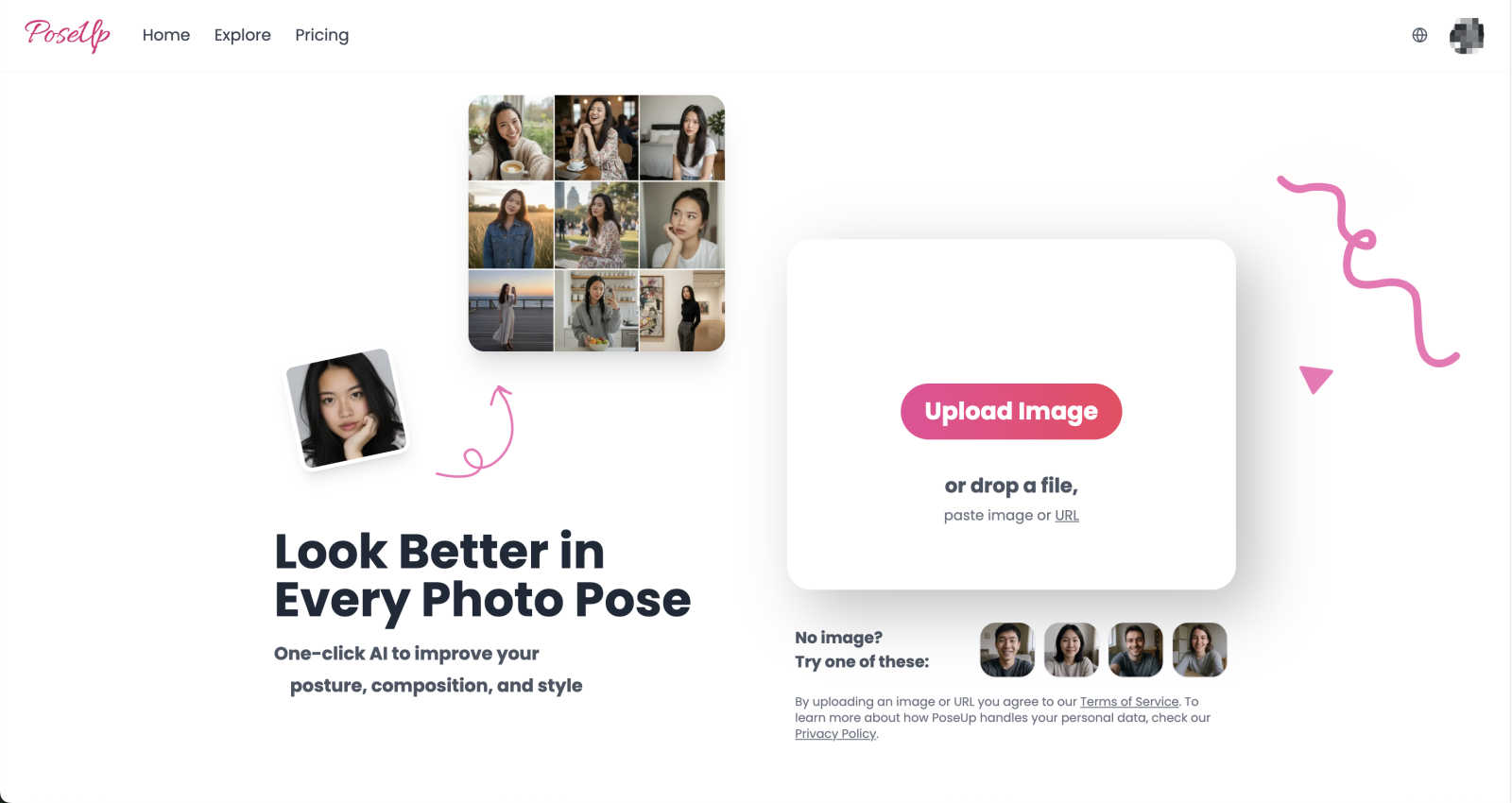
PoseUp uses AI to instantly fix your posture and composition in any photo.
Last updated: February 28, 2026
Visual Comparison
AI Photo Generator

PoseUp
Feature Comparison
AI Photo Generator
Prompt-to-Masterpiece
Our AI models are expertly fine-tuned to translate natural language prompts into captivating images. This feature allows users to specify every detail, including lighting, composition, and intricate elements, ensuring that the final output aligns perfectly with your creative vision.
Infinite Style Library
AI Photo Generator boasts an extensive library of artistic styles, ranging from ultra-realistic photography to vibrant anime and classic oil paintings. This vast selection makes it easy for users to find the perfect aesthetic for their projects, be it for marketing, personal use, or artistic expression.
Seamless Photo Transformation
Users can effortlessly upload existing images to be restyled, allowing for a quick transformation. Whether you need to enhance a selfie into a professional headshot or create a dynamic character image, this feature simplifies the editing process while maintaining high quality.
Lightning-Fast Processing
Say goodbye to long render times. The platform's optimized cloud architecture ensures that images are generated in seconds, enabling rapid iterations and allowing users to focus on their creative endeavors without unnecessary delays.
PoseUp
One-Click AI Pose Enhancement
This is the core magic of PoseUp. Simply upload your photo, and with a single click, the AI gets to work. It automatically analyzes the subjects in the image to suggest and apply improvements to their posture and positioning. This means fixing slouches, adjusting angles for a more flattering look, and creating a more dynamic and engaging pose without you needing to know a single thing about photography principles.
Intelligent Composition & Lighting Optimization
Great photos aren't just about the pose; they're about the whole frame. PoseUp's AI doesn't stop at posture. It also evaluates the overall composition of your image, suggesting crops or adjustments to follow rules like the rule of thirds for a more balanced look. Simultaneously, it can intelligently tweak lighting conditions, brightening shadows or softening harsh highlights to ensure the subject looks their best in any environment.
Multi-Format Support & User-Friendly Interface
PoseUp is built for ease of use. The platform supports a wide range of image formats including JPG, PNG, WEBP, and HEIC, making it compatible with photos from almost any device. The interface is clean and intuitive—you can upload by dragging and dropping a file, pasting an image URL, or selecting from your device. This hassle-free process ensures anyone can start enhancing their photos in seconds.
Specialized Scene Recognition
Whether it's a casual coffee shop shot, a professional headshot, an outdoor adventure, or a fitness photo, PoseUp's AI is trained to recognize different scenes. This allows it to apply context-aware enhancements. For instance, it might suggest a more relaxed, open posture for a lifestyle shot versus a confident, upright stance for a professional profile picture, ensuring the results are always appropriate and stunning.
Use Cases
AI Photo Generator
Content Creation
Content creators can leverage AI Photo Generator to produce unique, eye-catching thumbnails and social media graphics that grab attention and drive engagement. The tool provides the artistic flexibility to align visuals with brand identity and campaign goals.
Marketing & Advertising
Marketers can utilize the AI Photo Generator to create stunning visuals for advertisements, websites, and presentations without breaking the bank. This cost-effective solution allows for the generation of professional-grade images that enhance marketing materials.
Personal Branding
Individuals looking to enhance their professional appearance can use the tool to generate polished profile pictures and branding visuals. This feature is particularly useful for entrepreneurs and freelancers aiming to establish a strong online presence.
E-commerce Visuals
Retailers can generate high-quality product images that showcase items in various settings and styles. The ability to create realistic visuals helps drive consumer interest and can significantly improve conversion rates on e-commerce platforms.
PoseUp
Social Media Content Creation
For influencers, bloggers, and everyday social media users, maintaining a visually appealing feed is key. PoseUp helps create consistently high-quality content by instantly improving selfies and photos. Fix awkward arm placement, correct slouching, and ensure every photo posted looks intentional and professional, saving hours on editing and retakes.
Professional Profile Photos
First impressions matter, especially on LinkedIn, company websites, or professional portfolios. Use PoseUp to take your headshot from good to great. The AI can correct posture to convey confidence, optimize lighting to look polished, and refine composition, ensuring you present your most professional self to the world.
Enhancing Family and Event Photos
Capture the joy of special moments without worrying about perfect poses. Whether it's a family reunion, a wedding, or a vacation, you can use PoseUp to enhance group photos and candid shots. Improve the overall composition and correct the posture of individuals in group settings, so everyone looks their best in memories you'll cherish forever.
Photography Practice and Portfolio Building
Aspiring photographers can use PoseUp as a learning tool and an assistant. Upload your shots to see how AI suggests improving pose and composition, providing insights into professional techniques. It's also a powerful tool to quickly polish portfolio pieces, ensuring your work stands out to potential clients or on photography platforms.
Overview
About AI Photo Generator
AI Photo Generator (aiphotogenerator.dev) is a groundbreaking creative platform that enables users to transform their ideas into stunning visual art. Utilizing advanced neural networks, this tool converts simple text descriptions and existing images into professional-quality digital artworks. Its mission is to democratize creativity, making high-end design accessible to everyone, regardless of their technical skills. Whether you're a content creator, marketer, or entrepreneur, AI Photo Generator provides an intuitive interface and powerful features to help you generate eye-catching visuals quickly and efficiently. With its diverse style library and fast processing capabilities, users can create unique, copyright-free images tailored to their specific needs in just seconds.
About PoseUp
Ever taken a photo where the lighting was just a bit off, your posture wasn't quite right, or the overall composition felt awkward? We've all been there. PoseUp is here to change that. It's an innovative, AI-powered photo enhancement tool designed to take the hassle out of achieving perfect photo poses. With just one click, PoseUp intelligently analyzes your images to optimize posture, composition, lighting, and style, transforming ordinary snapshots into professional-looking masterpieces. Whether you're an aspiring photographer looking to refine your portfolio, a social media influencer needing consistently great content, or simply someone who wants to capture and share special moments with confidence, PoseUp is your go-to solution. The platform democratizes professional photo editing by eliminating the need for extensive technical skills or expensive software. Just upload your photo, and let the advanced AI do the heavy lifting, making it easier than ever for anyone to look their absolute best in every picture.
Frequently Asked Questions
AI Photo Generator FAQ
What kind of images can I generate with AI Photo Generator?
You can generate a wide variety of images, including photorealistic photos, stylized illustrations, and artistic renditions. The tool supports both text-to-image and image-to-image generation, allowing for versatile creative outputs.
Do I need design skills to use AI Photo Generator?
No, you do not need any design skills to use the AI Photo Generator. The platform is designed to be user-friendly, making high-quality image generation accessible to everyone, regardless of their background in design.
Can I use the generated images for commercial purposes?
Yes, the images generated by AI Photo Generator can be used for commercial purposes. This feature allows marketers and businesses to utilize high-quality visuals in their campaigns without worrying about copyright issues.
Is there a free version of AI Photo Generator?
Yes, AI Photo Generator offers a free plan that allows users to start creating stunning images without any initial investment. This makes it easy to experiment with the tool and explore its capabilities before committing to a paid plan.
PoseUp FAQ
How does PoseUp's AI work?
PoseUp uses advanced machine learning models trained on millions of professional photographs. When you upload an image, the AI analyzes key elements like body landmarks, facial features, lighting direction, and background composition. It then compares this to its database of ideal poses and compositions for similar scenes and applies subtle, realistic adjustments to enhance your photo automatically.
What image formats and sizes does PoseUp support?
PoseUp supports popular image formats including JPG, PNG, WEBP, and HEIC. Currently, the maximum file size for upload is 5MB per image. This ensures quick processing and enhancement while accommodating most photos taken on smartphones and digital cameras.
Is PoseUp free to use?
Yes, you can start using PoseUp for free! New users receive 50 free credits to try out the platform and experience its photo-enhancing capabilities. This allows you to process several images and see the results firsthand before deciding on any further plans.
Can PoseUp be used for group photos?
Absolutely! PoseUp's AI is designed to handle photos with multiple subjects. It can analyze and suggest improvements for each individual's posture within a group setting, as well as optimize the overall composition of the shot to ensure a balanced and flattering result for everyone in the picture.
Alternatives
AI Photo Generator Alternatives
AI Photo Generator is an innovative creative platform that utilizes advanced neural networks to transform text and images into high-quality digital art. It falls under the category of image and photo generation tools, designed to make professional-grade design accessible to anyone, regardless of their technical skills. Users often seek alternatives to AI Photo Generator for various reasons, such as pricing concerns, feature sets, or specific platform needs. Choosing the right alternative involves considering factors like image quality, style variety, processing speed, and user-friendliness to ensure the best fit for creative projects.
PoseUp Alternatives
PoseUp is an AI-powered photo enhancement tool that makes it easy to improve posture, composition, and style in your images with a single click. It falls into the broader category of photo editing and AI image enhancement software, designed for anyone looking to quickly elevate their photos without professional skills. People often explore alternatives to tools like PoseUp for various reasons. This could be due to budget constraints, a need for different or more advanced features, compatibility with their specific device or workflow, or simply a desire to compare options before making a decision. It's a common and smart practice to shop around. When evaluating other options, consider what matters most for your photos. Key factors include the core AI capabilities, the ease of use, the supported file formats and sizes, the overall cost and pricing model, and the quality of the output. Finding the right balance of these elements will help you choose the best tool for your needs.