
Blur Image Online vs PUNKU.AI
Side-by-side comparison to help you choose the right AI tool.

Blur Image Online
Blur faces and text online for free with our fast, browser-based AI tools.
Last updated: February 28, 2026

PUNKU.AI
PUNKU.AI builds and runs custom AI automations for your business using simple English instructions.
Last updated: February 28, 2026
Visual Comparison
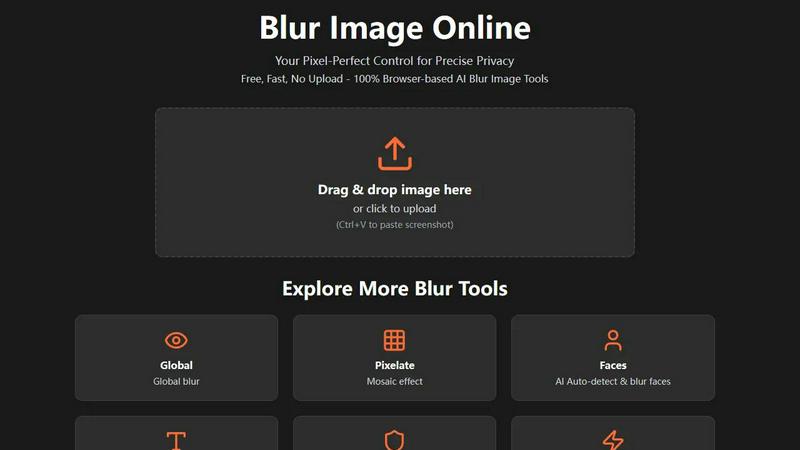
Blur Image Online
PUNKU.AI

Feature Comparison
Blur Image Online
Selective Blur
The Selective Blur tool puts you in the driver's seat. Using an intuitive brush, you can manually paint blur exactly where you need it. This is perfect for tasks like hiding a specific object in a room, creating a beautiful background blur (bokeh effect) to make a subject pop, or carefully obscuring a single piece of information in a screenshot. You have full control over the brush size and blur strength for meticulous, professional-grade edits.
AI Blur Faces
Protect identities in group photos or public shots effortlessly. Our AI Blur Faces tool automatically detects every face in your image and applies a blur with one click. For ultimate precision, you can switch to Manual Drawing Mode to add more blur to certain areas or use the eraser to restore clarity to faces you don't want to hide, giving you a perfect blend of automation and hands-on control.
AI Blur Text
Safely share images of documents, receipts, or screenshots. The AI Blur Text tool scans your image and automatically identifies and blurs all text elements. You can choose from different blur styles (like a smooth Gaussian blur or a pixelated look) to suit your needs. After the AI does its job, you can refine the results with manual brush and eraser tools to ensure no sensitive word or number is visible.
Motion Blur
Unleash your creativity with the Motion Blur tool. This feature lets you simulate movement by adding directional blur to any part of your image. By adjusting the angle and distance, you can create effects ranging from a subtle sense of speed for a moving car to dramatic light trails for artistic shots. It's an easy way to add dynamic energy and a professional touch to static photographs.
PUNKU.AI
Plain English Automation Builder
Simply tell PUNKU.AI what you need in everyday language, just like briefing a human assistant. There's no need to learn a complex interface or drag-and-drop blocks. The AI acts like a seasoned engineer, asking clarifying questions about your goals and edge cases to ensure it builds exactly what you need, resulting in a functional automation in minutes without any coding required.
Visual Node Graph for Transparency
Once your automation is built, PUNKU.AI doesn't leave you with a mysterious "black box." It provides a clear, visual node graph that maps out every step of your workflow. This transparency allows you to see exactly how data flows between apps, what triggers each action, and understand the logic behind your automation, giving you confidence and control over your business processes.
Vast Integration Library
Connect your new AI agent seamlessly to the tools you already use. PUNKU.AI offers access to over 3,000 application APIs, including popular services like Gmail, Slack, Zoom, and countless CRM, calendar, and productivity tools. This extensive connectivity means you can create unified workflows that bridge gaps between your software stack, eliminating manual data entry and silos.
Self-Improving AI & Proactive Monitoring
Your automation doesn't just run; it gets smarter. PUNKU.AI continuously monitors your workflows for errors or failures, alerting you to issues. More impressively, it analyzes key performance indicators (KPIs) and can proactively suggest optimizations and improvements to make your processes more efficient and effective over time, ensuring your automation evolves with your business.
Use Cases
Blur Image Online
Protecting Privacy on Social Media
Before posting a photo of a fun public event or your new home, use Blur Image Online to obscure faces of strangers, your license plate, or your house number. This simple step helps you share life's moments on platforms like Instagram or Facebook without compromising your own or others' privacy, giving you peace of mind.
Securing Sensitive Documents
Need to share a proof of address, a contract snippet, or a receipt online for verification? Use the AI Blur Text or Blur Sensitive Info tool to automatically find and obscure all personal details like account numbers, addresses, and names. This allows you to share the necessary document securely without exposing confidential information.
Enhancing Professional Photography
Photographers can use the Selective and Global Blur tools to create stunning depth-of-field effects, drawing the viewer's eye to the main subject by artistically blurring the background. It's a quick way to achieve a professional, polished look similar to high-aperture lens effects, directly in the browser without complex software.
Creating Engaging Content
Bloggers, educators, and content creators can use the Pixelate and Motion Blur tools to censor information in tutorials or create visually engaging graphics. For example, pixelate a competitor's logo in a comparison video thumbnail or add motion blur to a product image to suggest speed and innovation, making your content more dynamic and visually appealing.
PUNKU.AI
Customer Support & Service
Automate routine customer interactions to provide 24/7 support. Create intelligent chatbots that handle common inquiries, process refund requests, assist with bookings, and analyze customer feedback. This frees your human team to tackle complex issues while ensuring customers receive instant, accurate responses at any time of day.
Sales & Lead Nurturing
Streamline your sales pipeline from first contact to close. Use PUNKU.AI to build agents for LinkedIn outreach, lead generation, and qualification. Automatically send personalized follow-up emails, generate custom quotes for services, and manage booking confirmations and payment reminders, ensuring no lead falls through the cracks.
Marketing Campaign Management
Execute consistent marketing efforts on autopilot. Automate email campaign sequences, schedule social media posts across platforms, and use AI to capture and qualify new leads from your website. This ensures your marketing engine runs smoothly, allowing you to focus on strategy and creative direction.
Internal Operations & Coordination
Keep your team synchronized and efficient. Automate internal tasks like syncing calendars across different platforms, coordinating team tasks by notifying the right people on Slack, and managing meeting recordings. Reduce administrative overhead and improve communication so your team can concentrate on collaborative work.
Overview
About Blur Image Online
Welcome to Blur Image Online, your go-to, browser-based solution for protecting privacy and adding creative flair to your photos. In today's digital world, sharing an image can accidentally reveal sensitive details like faces, license plates, addresses, or confidential documents. Our tool is designed for anyone who values privacy and simplicity—from social media users and bloggers to professionals in photography, real estate, and business. The core value proposition is powerful: you get professional-grade, AI-powered blurring effects without ever needing to upload your images to a server. Everything happens securely in your own web browser, ensuring your data stays 100% private on your device. With seven specialized tools, we offer unparalleled control, allowing you to selectively blur specific areas, apply artistic effects, or let our smart AI automatically find and obscure sensitive content like text and faces. It's completely free, requires no registration, and delivers fast, pixel-perfect results for anyone looking to share images confidently and creatively.
About PUNKU.AI
PUNKU.AI is your friendly AI automation engineer, designed to take the complexity and technical headache out of creating powerful workflows. It's built for business owners, managers, and teams of all sizes who are tired of repetitive manual tasks but don't have the time or coding skills to build automations from scratch. The core magic of PUNKU.AI is its simplicity: you just describe what you want to achieve in plain English. Imagine saying, "Create a customer service chatbot that connects with my booking system and Gmail," and PUNKU.AI intelligently interviews you for details before building the entire automation for you. It then presents this as a clear visual map so you always understand how your process works. Beyond setup, it actively manages your automations, connecting to over 3,000 apps like Slack, Zoom, and Google Calendar, monitoring for errors, and suggesting improvements to keep everything running smoothly. This unique blend of no-code accessibility, intelligent agent-like interaction, and powerful backend management helps over 200 businesses worldwide save time, reduce errors, and focus on growth.
Frequently Asked Questions
Blur Image Online FAQ
Is Blur Image Online really free to use?
Yes, absolutely! Blur Image Online is completely free. You can access all seven of our blur tools—including the AI-powered features for faces and text—without any cost, registration, or hidden fees. We believe in providing powerful privacy tools accessible to everyone.
Are my images kept private and secure?
Your privacy is our top priority. Our tool is 100% browser-based, meaning your images are processed directly on your own device and are never uploaded to our servers. Additionally, we automatically strip EXIF data (which can contain location and camera info) from your images, providing two strong layers of privacy protection.
Can I undo the blur effect after applying it?
Within your editing session, you can absolutely undo and redo actions using the controls provided. The non-destructive editing workflow allows you to adjust blur strength and use the eraser tool to restore areas. However, once you export and save the final image, the blur is permanently applied and cannot be reversed by AI, which is intentional for security.
What image formats are supported?
Blur Image Online supports all common image formats, including JPG, PNG, WebP, and BMP. You can upload images in these formats, edit them, and then download your final blurred image in a high-quality format suitable for web use or printing.
PUNKU.AI FAQ
Do I need technical knowledge to use PUNKU.AI?
No technical knowledge is required at all! That's the whole point of PUNKU.AI. You simply describe what you want to automate in plain English. For example, you could say, "When someone submits a contact form, send a confirmation email and add them to our calendar." The PUNKU.AI agent handles all the technical setup, so there's no coding or complex workflow building needed.
How long does it take to get started?
You can get started almost instantly. By using one of the 100+ expert-designed templates for common tasks like customer service or lead generation, you can have a working automation in minutes. Even building a custom agent from scratch by describing your needs is a quick, conversational process, allowing you to see results in a single sitting.
How secure is my data on PUNKU.AI?
PUNKU.AI takes data security seriously. The platform uses secure, encrypted connections (via APIs) to interact with the apps you connect, such as Gmail or Slack. It acts as a conduit for approved actions without storing your sensitive login data. You can review their Privacy Policy for detailed information on their data handling and security practices.
What happens if something goes wrong with my automation?
PUNKU.AI includes proactive monitoring to watch for errors in your workflows. If something goes wrong, the system can alert you to the issue. Furthermore, because your automation is built as a clear visual graph, it's easier to pinpoint where a failure occurred, making troubleshooting much simpler than with opaque, code-heavy systems.
Alternatives
Blur Image Online Alternatives
Blur Image Online is a fantastic, free tool in the image editing and design space. It lets you quickly blur sensitive details like faces or text directly in your browser, with no software to install. It's a go-to for anyone needing a fast, private way to protect privacy in photos. People often look for other options for different reasons. Some might need more advanced editing features, prefer a downloadable desktop application, or require tools that integrate with other software they use. It's all about finding the right fit for your specific project and workflow. When exploring other tools, consider what matters most to you. Think about the level of control you need, whether you want automatic AI features or manual precision, and how important data security and privacy are for your images. The best choice is the one that makes your editing process smooth and effective.
PUNKU.AI Alternatives
PUNKU.AI is a user-friendly no-code automation platform that lets you build and manage AI-powered workflows simply by describing what you need in plain English. It's designed to make complex automation accessible to everyone, from business users to non-technical teams, by acting like an engineer that interviews you to build a clear, visual workflow. People often explore alternatives for various reasons. You might be looking for a different pricing model, a specific integration that's crucial for your stack, or a platform with a different focus, like deeper data analysis or more advanced robotic process automation features. It's a common step in finding the perfect tool for your unique business needs. When evaluating other options, consider what matters most for your team. Key factors include the ease of use and learning curve, the breadth and depth of available app integrations, the level of transparency and control over your automations, and the platform's ability to help you maintain and improve workflows over time through monitoring and insights.