
Grok Imagine vs Unblur Image
Side-by-side comparison to help you choose the right AI tool.

Grok Imagine
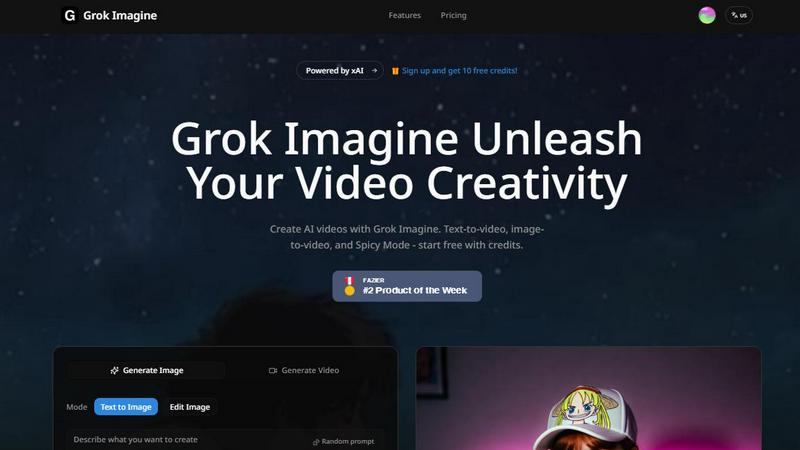
Grok Imagine turns your text and images into creative AI videos for free, starting with easy-to-use credits.
Last updated: April 13, 2026

Unblur Image
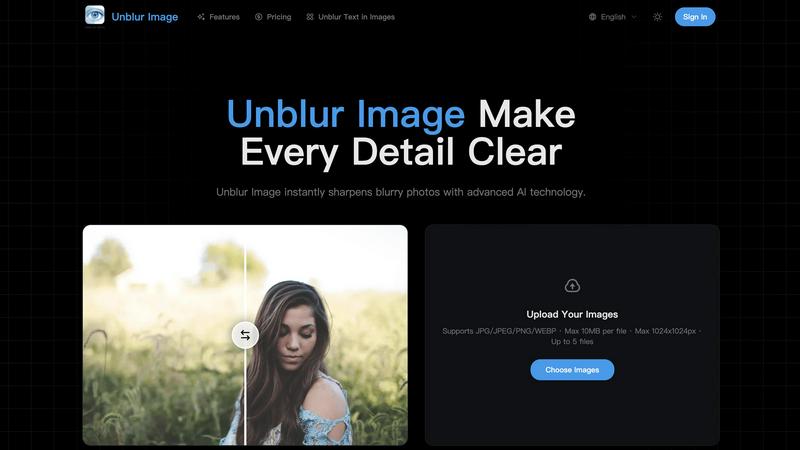
Unblur Image uses AI to instantly fix blurry photos and restore sharp, clear details with just a click.
Last updated: March 26, 2026
Visual Comparison
Grok Imagine
Unblur Image
Feature Comparison
Grok Imagine
Text-to-Video & Image-to-Video
Simply type a description of what you want to see, and Grok Imagine will generate a 6 to 30-second video for you. Alternatively, upload any image, and the AI will animate it, bringing it to life with motion. This dual-input method gives you maximum flexibility, whether you're starting from scratch or building upon an existing visual.
Synced Audio Generation
Every video created with Grok Imagine comes with automatically generated background music and sound effects that are perfectly synced to the visual content. This eliminates the need to source or edit audio separately, making professional-grade video production accessible and incredibly fast for everyone.
Three Creative Modes (Normal, Fun, Spicy)
Tailor the style of your output by choosing between three distinct modes. Use "Normal" for realistic and balanced content, "Fun" for more playful and animated styles, or "Spicy" for dynamic and high-energy creations. This allows you to match the video's tone perfectly to your project's needs, from professional ads to whimsical social posts.
Multiple Aspect Ratio Support
Grok Imagine supports a wide range of formats to fit any platform. You can generate images and videos in five different ratios, including 1:1 (for Instagram), 9:16 (for TikTok/Stories), and 16:9 (for YouTube). This ensures your content looks perfect everywhere without requiring manual cropping or resizing.
Unblur Image
AI-Powered Unblurring Engine
Our core technology uses advanced artificial intelligence to analyze every pixel in your image. It doesn't just apply a simple filter; it intelligently reconstructs lost edge information and fine gradients to reverse common issues like motion blur, out-of-focus areas, and general softness from low resolution. This process breathes new life into photos you thought were beyond saving, recovering details to make them usable and sharp.
Precision Detail Sharpening
Go beyond basic sharpening tools that often create harsh, unnatural halos around edges. Our precision sharpening model is trained to enhance textures, facial features, and micro-details with a balanced, natural touch. It carefully distinguishes between areas that need clarity and those that should remain smooth, resulting in crisper photos that maintain realistic color transitions and avoid an over-processed look.
Intelligent Image Upscaling
Need a larger version of your photo without the blocky pixelation? Our super-resolution model allows you to increase your image's resolution by 2x, 4x, or more. While it scales up the dimensions, it simultaneously reconstructs missing textures and details, resulting in a clean, high-resolution output perfect for printing, design projects, or any use where size and quality matter.
Smart Noise & Artifact Reduction
Low-light grain, digital noise, and compression artifacts can ruin a photo's clarity. Our AI noise reduction technology smartly identifies the difference between unwanted "noise" and important textural details. It cleans up these distracting imperfections while preserving the essential character and detail of your image, giving you a cleaner, more professional result without a loss of quality.
Use Cases
Grok Imagine
Social Media Content Creation
Ideal for influencers and brands looking to stand out. Quickly generate eye-catching, short-form videos for platforms like TikTok, Instagram Reels, and YouTube Shorts. The trending templates and fast generation help you produce relevant, high-volume content to keep your audience engaged.
Marketing and Advertising
Marketers can use Grok Imagine to rapidly prototype ad concepts, create product demo videos, or produce promotional content. The ability to go from a text idea to a polished video with audio in seconds allows for agile testing of different creative angles and faster campaign launches.
Creative Storytelling and Animation
Artists and storytellers can bring their narratives to life. Transform a character illustration into an animated scene or visualize a storyboard directly from a written prompt. The "Spicy" mode is particularly useful for creating dynamic, cinematic sequences with dramatic effects.
Personal Projects and Entertainment
Perfect for personal fun and learning. Create unique music visualizers, animate your favorite photos for a digital album, or generate imaginative artwork and videos just for the joy of creation. It's a playground for experimenting with AI's creative potential.
Unblur Image
Reviving Personal Memories
Old family photos, childhood pictures, or memorable vacation snaps often degrade in quality over time or were simply taken on older, lower-quality cameras. Unblur Image allows you to restore these priceless memories, sharpening faces, backgrounds, and details to bring them back to their former clarity, ensuring your personal history stays vivid for years to come.
Enhancing E-commerce Product Photos
For online sellers, clear product images are crucial for sales. Blurry shots can deter customers. Use Unblur Image to sharpen product photos, allowing potential buyers to zoom in and see every texture, stitch, color variation, and material detail with crystal clarity. This builds trust and can directly improve conversion rates by providing a better visual shopping experience.
Preparing Images for Print and Design
Whether you're creating a poster, a photo album, or incorporating an image into a digital design, upscaling a small photo typically leads to pixelation. Unblur Image solves this by intelligently upscaling your images while adding detail, resulting in high-resolution files that remain sharp and clean even at large print sizes, saving your design projects.
Polishing Social Media Content
In the fast-scrolling world of social media, sharp, clear images grab attention. Unblur Image is perfect for fixing slightly blurry selfies, improving low-light dinner photos, or cleaning up user-generated content before posting. It helps you create more professional, engaging, and scroll-stopping visuals for your Instagram, Facebook, or blog with minimal effort.
Overview
About Grok Imagine
Grok Imagine is a powerful and user-friendly AI video and image generation tool that turns your creative ideas into stunning visual content in seconds. Designed for creators of all levels, from social media enthusiasts to professional marketers, it simplifies the video creation process. At its core, Grok Imagine allows you to generate videos from simple text descriptions or transform your existing images into dynamic clips. One of its standout features is the automatic syncing of background music and sound effects, adding a professional touch to your creations without any extra effort. The tool is powered by xAI's proprietary Aurora engine, which is responsible for its fast, photorealistic, and high-quality outputs. Whether you're looking to create engaging content for TikTok, YouTube, or presentations, Grok Imagine provides a seamless start with free credits, letting you experiment and unleash your creativity immediately.
About Unblur Image
Ever taken a photo that was just a little too blurry to use? Whether it's a slightly out-of-focus portrait, a shaky travel snapshot, or an old family photo that's lost its sharpness, Unblur Image is here to help. This AI-powered tool is designed to transform blurry, low-quality photos into sharp, clear images in a matter of seconds. It's built for anyone who values their photos, from casual smartphone photographers looking to save a precious memory to professionals needing crisp visuals for their work. The main value proposition is simplicity and power combined: you just upload your photo, choose your level of enhancement, and let the advanced AI do the heavy lifting. It intelligently reverses motion blur, corrects soft focus, and upscales resolution to bring back lost details, making previously unusable photos vibrant and clear again. With support for batch processing and a user-friendly interface, Unblur Image makes professional-grade photo restoration accessible to everyone.
Frequently Asked Questions
Grok Imagine FAQ
How do I start using Grok Imagine?
Getting started is easy and free! Simply sign up for an account on the Grok Imagine platform. New users receive free credits to try out the generation features immediately. You can begin by typing a text prompt or uploading an image to see the AI in action.
What are credits and how do they work?
Credits are the currency used to generate videos and images on Grok Imagine. Each generation task consumes a certain number of credits. You receive a set amount of free credits upon signing up, and you can purchase more as needed to continue creating.
What is the difference between the Normal, Fun, and Spicy modes?
These modes control the creative style of the output. "Normal" aims for realistic and balanced visuals. "Fun" introduces more playful, cartoonish, or exaggerated elements. "Spicy" creates high-energy, dynamic, and often more dramatic or intense videos. Experiment to see which fits your vision.
Can I use the videos I create for commercial purposes?
Yes, you own the content you create with Grok Imagine. This means you can use the generated videos and images for commercial projects, such as in advertisements, social media campaigns, or on your website, giving you full creative and commercial freedom.
Unblur Image FAQ
How does Unblur Image restore blurry photos?
Unblur Image uses advanced deep learning algorithms trained on millions of images. When you upload a photo, the AI analyzes it to understand the type and pattern of blurriness. It then reconstructs the image by predicting and restoring lost details, sharpening edges, and enhancing overall clarity, all while maintaining a natural look. This process happens in seconds, delivering a significantly improved version of your original photo.
Is Unblur Image free to use?
Yes, you can start using Unblur Image completely free! The basic tool allows you to upload and enhance your photos instantly. For users who require more advanced features, higher resolution outputs, or batch processing of multiple files, we offer premium plans that provide additional capabilities and higher usage limits to fit your needs.
Can Unblur Image handle high-resolution images?
Absolutely. Our AI is optimized to process high-resolution photos efficiently. It works to enhance detail and clarity while meticulously preserving the existing quality and integrity of your original image file, so you can improve even your best shots without worrying about downgrading their quality.
Are there any limits on file size or format?
Yes, to ensure fast and smooth processing for all users, there are some guidelines. The free tool supports common formats like JPG, JPEG, PNG, and WEBP. Each file should be a maximum of 10MB in size and have dimensions up to 1024x1024 pixels. You can upload up to 5 files at once for processing. Premium plans may offer increased limits.
Alternatives
Grok Imagine Alternatives
Grok Imagine is an AI-powered video generator that lets you create videos from text or images, complete with synced audio. It falls into the exciting categories of AI video and image generation tools, making it easy for anyone to produce dynamic visual content without needing complex editing software. People often explore alternatives for a variety of reasons. You might be looking for a different pricing model, need a specific feature that Grok Imagine doesn't offer, or require a tool that integrates with your existing workflow. It's a common and smart step to compare options and find the perfect fit for your creative projects. When searching for a different tool, consider what matters most to you. Think about your budget, the types of videos you want to create, the quality and style of the output, and how easy the platform is to use. A good fit will align with both your creative goals and practical needs.
Unblur Image Alternatives
Unblur Image is an AI-powered tool in the Image & Photo category designed to restore blurry, low-quality pictures. It transforms unclear photos into sharp, detailed images quickly, offering options for 2x or 4x enhancement and batch processing for multiple files at once. Users often explore alternatives for various reasons. Some might need a different pricing model, like a one-time purchase instead of a subscription. Others may require specific features not offered, such as more granular control over the sharpening process or integration with certain platforms. The need for a free tier, offline functionality, or different output formats can also lead people to look at other options. When choosing an alternative, consider what matters most for your workflow. Key factors include the quality of the AI enhancement, the speed of processing, and whether it handles the volume of images you need. Also, evaluate the cost structure, ease of use, and the security of your uploaded photos to find a tool that fits your specific requirements.