
Seedance 3.0 AI vs VEDAI
Side-by-side comparison to help you choose the right AI tool.

Seedance 3.0 AI
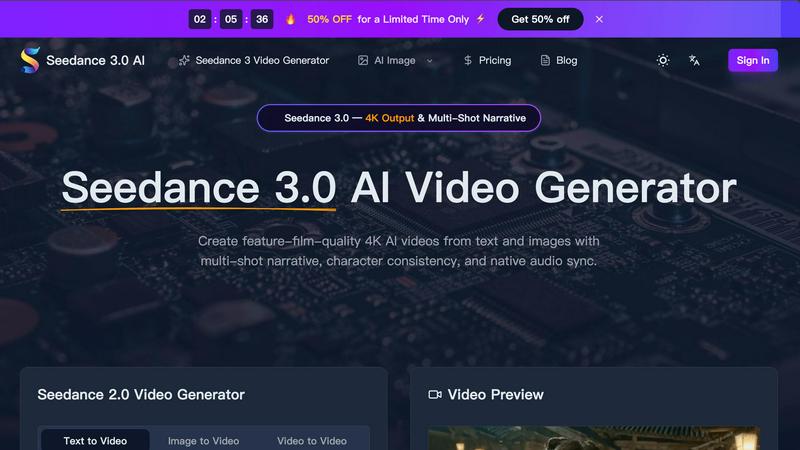
Seedance 3.0 AI creates stunning 4K videos from text or images, featuring multi-shot narratives and seamless character consistency.
Last updated: March 11, 2026
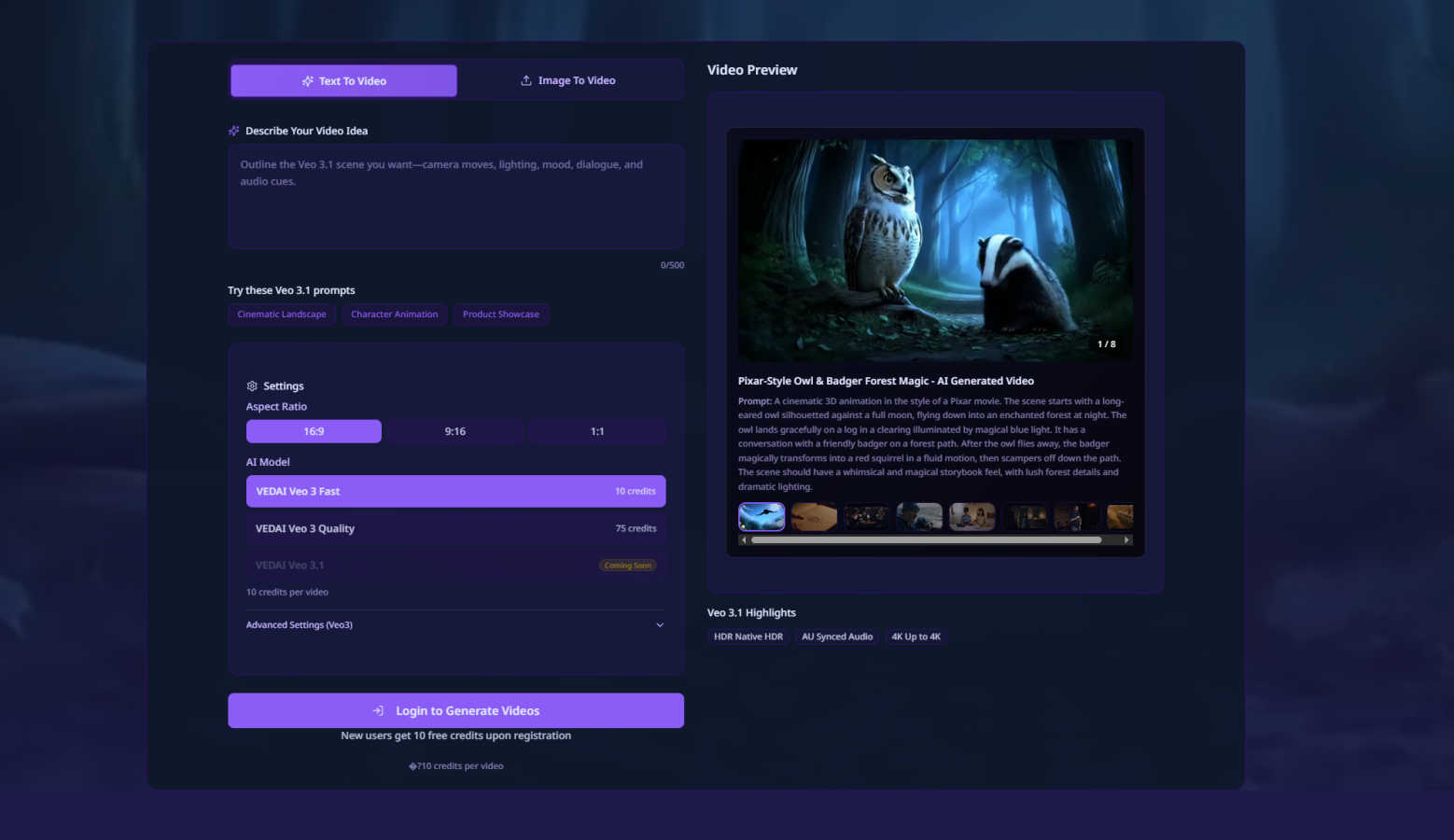
Create stunning AI-generated videos from text or images in just 60 seconds with VEDAI's Veo 3.1 platform.
Last updated: February 28, 2026
Visual Comparison
Seedance 3.0 AI
VEDAI
Feature Comparison
Seedance 3.0 AI
4K Cinematic Output
Seedance 3.0 produces high-quality videos at 4K resolution, ensuring every frame is rich in detail and visually captivating. This professional-grade output is perfect for filmmakers and content creators aiming for broadcast-quality visuals.
Multi-Shot Narrative Consistency
This feature allows you to maintain character consistency across various scenes. Seedance 3.0 locks in character faces, outfits, and proportions, making it ideal for creating series or campaigns where continuity is crucial.
Native Audio Sync & Lip Matching
Seedance 3.0 generates stereo audio alongside the video, including dialogue, sound effects, and music. Its advanced lip-sync technology ensures that character movements match their spoken lines, enhancing realism and viewer engagement.
Cinematic Camera Control
Users can direct their videos with precision through text prompts, allowing for zooms, pans, and tracking shots. This feature elevates the quality of AI-generated videos, making them appear professionally directed and visually dynamic.
VEDAI
High-Fidelity Video Generation
VEDAI allows users to create high-fidelity videos quickly, using the advanced Veo 3.1 AI model. This feature ensures that the output is not only fast but also of exceptional quality, comparable to traditional cinematic productions.
Multi-Input Video Creation
With VEDAI, users can start video projects from various input types, such as text prompts, single images, or even two defined images to specify the start and end frames. This flexibility accommodates different creative processes and preferences.
Native Audio Generation
The platform includes a built-in native audio generation feature, which enhances the overall video experience. Users can expect seamless audio integration that complements the visuals, making it easier to create a cohesive storytelling environment.
Backup Generation Mode
To prevent project delays, VEDAI features a backup generation mode powered by the Veo 3 model. If there are issues with the primary generation, users can rely on this backup option to ensure their videos are completed without interruption.
Use Cases
Seedance 3.0 AI
Marketing and Promotional Videos
Businesses can create stunning promotional videos that engage their audience and showcase products effectively. Seedance 3.0's high-quality output ensures that marketing materials stand out in a crowded digital landscape.
Short Films and Series
Filmmakers can utilize Seedance 3.0 to produce short films or episodic content with a coherent narrative. The multi-shot narrative consistency feature ensures characters remain recognizable and relatable throughout the project.
Educational Content Creation
Educators can leverage Seedance 3.0 to create informative and engaging video lessons. The ability to translate complex ideas into visual narratives makes learning more accessible and enjoyable for students.
Social Media Content Generation
Content creators and influencers can quickly produce eye-catching videos tailored for platforms like Instagram and TikTok. With fast rendering times and high-quality output, Seedance 3.0 helps creators maintain a consistent posting schedule without sacrificing quality.
VEDAI
Marketing Campaigns
Businesses can use VEDAI to create engaging promotional videos for their products or services. By quickly generating high-quality content, they can keep their marketing efforts fresh and dynamic, appealing to their target audience effectively.
Social Media Content Creation
Content creators and influencers can leverage VEDAI to produce eye-catching videos for social media platforms. The ability to generate videos rapidly allows them to maintain a consistent posting schedule and engage their followers with new content regularly.
Educational Video Production
Educators can utilize VEDAI to create informative and engaging videos for their students. Whether it's for online courses or classroom presentations, the platform makes it easy to produce professional-quality educational content.
Storytelling and Animation
Writers and filmmakers can bring their narratives to life using VEDAI. The platform's capabilities for generating videos from text prompts or images enable creative storytelling through animated visuals, making it suitable for both personal projects and professional productions.
Overview
About Seedance 3.0 AI
Seedance 3.0 AI is a cutting-edge video generation tool designed to create feature-film-quality 4K videos from simple text prompts and images. Catering to content creators, marketers, and filmmakers, it allows users to produce visually stunning videos that maintain character consistency and authentic audio synchronization. The platform leverages advanced AI technology to transform natural language descriptions into dynamic cinematic clips, ensuring lifelike movements and realistic physics. Whether you are crafting a promotional video, a short film, or an engaging social media post, Seedance 3.0 empowers users to tell compelling stories with minimal effort and maximum impact. Its user-friendly interface and lightning-fast rendering capabilities make it accessible for everyone, regardless of technical expertise.
About VEDAI
VEDAI is an innovative platform that revolutionizes the way we create videos by harnessing the power of AI technology, specifically the advanced Veo 3.1 model developed by Google DeepMind. This tool is designed for a diverse range of users including content creators, marketers, storytellers, and businesses who aspire to produce high-quality, cinematic-grade videos without the challenges associated with traditional video production. VEDAI emphasizes speed and efficiency, allowing users to generate stunning videos in as little as 60 seconds. With a welcoming approach, new users can explore its features through a free trial credit system. VEDAI stands out with its unique capability to keep the Veo 3 model on standby for backup generation, ensuring projects are completed smoothly. Whether you're transforming a text prompt or a single image into a motion video, VEDAI effortlessly translates creative ideas into visual stories, complete with native audio generation for a polished finish. It truly democratizes professional video creation, making it accessible, fast, and enjoyable for everyone.
Frequently Asked Questions
Seedance 3.0 AI FAQ
How does Seedance 3.0 work?
Seedance 3.0 uses advanced AI to convert text prompts, images, or audio inputs into high-quality video outputs. Users simply describe their vision in natural language, and the software handles the rest.
Can I upload my own images?
Yes, Seedance 3.0 allows users to upload photos or mockups to guide the AI in creating videos. This feature enables more personalized and tailored video content.
What formats can I export my videos in?
Seedance 3.0 supports multiple output resolutions, including 480p, 720p, 1080p, and 4K. Users can choose the best format for their needs based on the intended platform or audience.
Is prior editing experience required to use Seedance 3.0?
No, Seedance 3.0 is designed to be user-friendly, allowing anyone to create high-quality videos without any prior editing knowledge. Its intuitive interface guides users through the video generation process seamlessly.
VEDAI FAQ
How long does it take to create a video with VEDAI?
Creating a video with VEDAI takes as little as 60 seconds, thanks to its advanced AI technology which streamlines the video production process.
Can I use my own images for video creation?
Yes, VEDAI allows users to upload images to generate videos. You can start with a single image or specify two images to define the start and end points of your video.
Is there a free trial available for new users?
Absolutely! New users are welcomed with free trial credits, enabling them to explore VEDAI's features and capabilities without any initial investment.
What types of audio can I use in my videos?
VEDAI includes native audio generation, which means it can create audio tracks specifically designed to fit your video content, ensuring a polished and professional output.
Alternatives
Seedance 3.0 AI Alternatives
Seedance 3.0 AI is a cutting-edge tool designed for creating feature-film-quality 4K videos using AI technology. It falls under the categories of AI Assistants and Video, offering users the ability to generate videos from text and images while maintaining multi-shot narratives and character consistency. This powerful software brings professional-grade video production to a wider audience, making it easier than ever to create visually stunning content. Users often seek alternatives to Seedance 3.0 AI for various reasons, including pricing considerations, specific feature requirements, or compatibility with different platforms. When looking for an alternative, it is essential to consider the features that best meet your creative needs, the user interface and ease of use, as well as the level of customer support offered. Evaluating these factors will help ensure you find a solution that matches your video production ambitions.
VEDAI Alternatives
VEDAI is a cutting-edge platform that leverages advanced AI technology to create high-quality videos from text or images. It falls into the category of AI video creation tools, designed to streamline the video production process for creators, marketers, and businesses looking for professional results without the complexities of traditional video editing. Users often seek alternatives to VEDAI for various reasons, including pricing structures, specific features, or compatibility with their existing platforms. When considering an alternative, it’s essential to evaluate the ease of use, the quality of output, and the range of functionalities offered, ensuring that the chosen platform aligns with your creative vision and workflow needs.