
Patrivox vs Veo 4 AI Video Generator
Side-by-side comparison to help you choose the right AI tool.

Patrivox
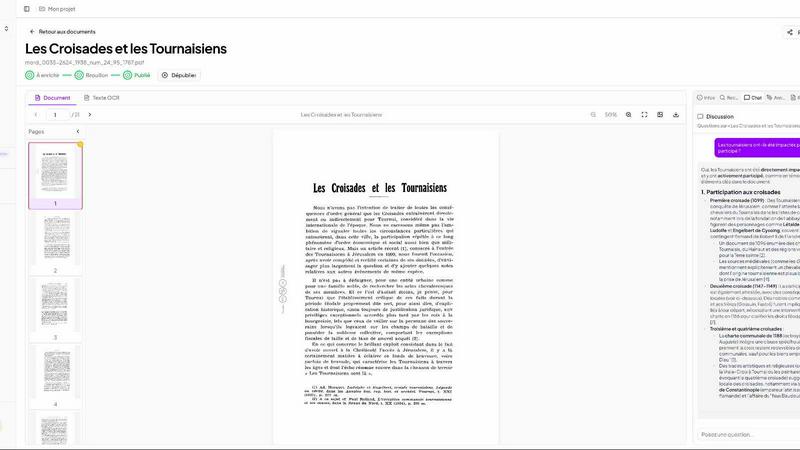
Patrivox uses AI to quickly digitize, classify, and make your documents fully searchable in just minutes.
Last updated: March 3, 2026

Veo 4 AI Video Generator
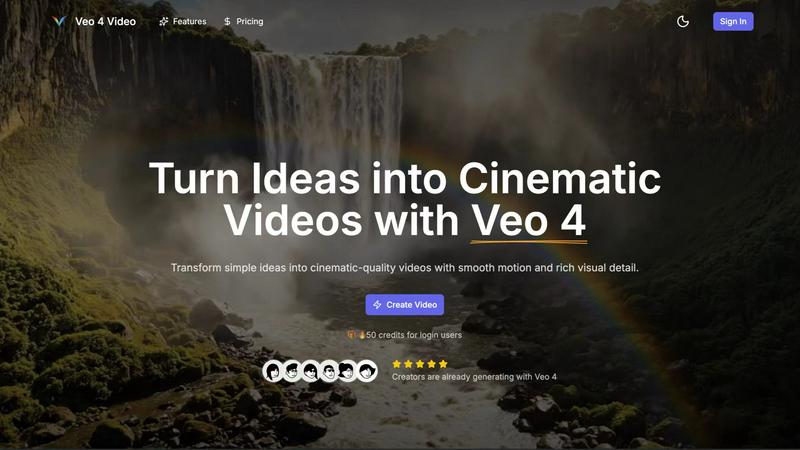
Create stunning cinematic videos from text or images in minutes with Veo 4's advanced AI video generator.
Last updated: February 28, 2026
Visual Comparison
Patrivox
Veo 4 AI Video Generator
Feature Comparison
Patrivox
Batch Import
With Patrivox, users can effortlessly upload hundreds of PDF documents at once. The platform's batch import feature saves invaluable time, allowing organizations to digitize and index large collections in just minutes, eliminating the need for manual entry.
Automatic Entity Extraction
Patrivox employs state-of-the-art Named Entity Recognition (NER) to automatically identify and classify entities such as names, locations, and organizations within documents. This feature enhances the searchability of archives, making it easier to locate relevant information.
Full-Text Search
The full-text search functionality allows users to quickly find any word or phrase within their entire collection of documents. With built-in typo tolerance, users can search with confidence, while advanced filtering options based on date, author, and type further refine results.
Interactive Knowledge Graph
Patrivox’s interactive knowledge graph visually represents the connections between identified entities within documents. Users can navigate through this graph to uncover relationships and insights that may have previously been hidden, enhancing their understanding of the material.
Veo 4 AI Video Generator
Text-to-Video Engine
Veo 4 allows users to create videos from descriptive text prompts. Simply write a scene description, and the AI engine generates a coherent cinematic clip that reflects your ideas. You can add details like the time of day and camera movements for more control over the final output.
Image-to-Video Motion
If you want to animate still images, Veo 4's Image-to-Video feature lets you upload one or two images to create motion. The tool generates smooth transitions between the images, providing a dynamic way to bring your visuals to life.
Fast & Quality Modes
Veo 4 offers two distinct modes for video generation: Fast and Quality. The Fast mode is perfect for quick drafts or testing ideas, while the Quality mode focuses on delivering clearer details and smoother movements, ensuring that you get the result that fits your needs.
Multiple Aspect Ratios and Clean Exports
With Veo 4, you can export your videos in various aspect ratios, including Auto, 16:9, and 9:16, making your content versatile for different platforms. Additionally, the tool produces clean 1080p videos without watermarks, allowing for immediate sharing on social media and other channels.
Use Cases
Patrivox
Municipal Archives
Municipal archives can utilize Patrivox to digitize and organize important records, such as deliberations and correspondence. This ensures that historical documents are preserved and made accessible for public research.
Historical Societies
Historical societies can leverage Patrivox to make their bulletins and documentary collections searchable. This functionality enhances the ability of researchers and enthusiasts to explore rich historical narratives within their collections.
Heritage Libraries
Heritage libraries can open their special collections to researchers and the public by using Patrivox to index and digitize rare documents. This accessibility fosters greater community engagement and promotes historical literacy.
Dioceses and Parishes
Dioceses and parishes can use Patrivox to preserve and index ecclesiastical records and parish registers. By making these documents searchable, they facilitate genealogical research and provide valuable resources for community members.
Veo 4 AI Video Generator
Product Ads
Veo 4 is an excellent tool for marketers looking to create engaging product ads. By turning concise pitches into punchy promo clips, users can enhance their landing pages and boost the effectiveness of paid campaigns.
Social Shorts
Content creators can generate loopable B-roll or short clips for social media platforms like TikTok and Instagram Reels. By using hooks, captions, or story beats, Veo 4 helps you capture audience attention quickly with captivating visuals.
Educational Content
Educators can leverage Veo 4 to create instructional videos that illustrate complex concepts in an engaging manner. By transforming lesson plans into cinematic clips, teachers can enhance learning experiences for their students.
Event Highlights
After hosting an event, users can utilize Veo 4 to compile highlights into a concise video. By summarizing key moments into an 8-second clip, event organizers can share memorable experiences on social media, fostering engagement and interest for future events.
Overview
About Patrivox
Patrivox is a cutting-edge European SaaS platform designed to empower organizations such as heritage institutions, municipal services, associations, and enterprises to transform their vast collections of scanned documents into a fully searchable knowledge base. With Patrivox, users can simply drag and drop their PDFs, and within minutes, Mistral AI utilizes advanced optical character recognition (OCR) technology to extract every word. This platform not only identifies key entities like people, places, and organizations but also connects them in an interactive knowledge graph. Patrivox caters to those who need quick access to information, allowing users to search instantly with typo tolerance or ask questions in natural language, with the AI providing sourced answers. Its main value proposition lies in making previously inaccessible knowledge easily searchable and shareable, opening doors for research and public access.
About Veo 4 AI Video Generator
Veo 4 AI Video Generator is an innovative tool designed to revolutionize the way creators produce video content. Powered by advanced artificial intelligence, Veo 4 transforms simple text prompts and images into stunning, cinematic-quality videos in just minutes. This platform is ideal for marketers, educators, and content creators who want to generate high-quality video content without the need for extensive technical skills. The main value proposition of Veo 4 lies in its ability to streamline the video production process, allowing users to effortlessly turn their ideas into visually dynamic content. With features like synchronized audio and advanced algorithms for realistic clips, Veo 4 enhances the viewing experience while making video creation accessible to everyone.
Frequently Asked Questions
Patrivox FAQ
What kind of documents can I upload to Patrivox?
Users can upload any PDF documents, including scanned images of paper documents, reports, and archives. The platform efficiently processes and indexes various types of content.
Is my data secure with Patrivox?
Absolutely! Patrivox is hosted entirely in Europe and adheres to GDPR regulations. This ensures that your data is handled securely and with respect for privacy, providing peace of mind.
Can I access Patrivox for free?
Yes, Patrivox offers a free tier that allows users to try the platform with 100 trial pages and limited AI queries. This enables organizations to experience the benefits of Patrivox without any upfront costs.
How does Patrivox support collaboration within my organization?
Patrivox allows for unlimited reader access and multiple administrators, making it easy for teams to collaborate on research projects. This feature encourages collective exploration of documents and shared insights.
Veo 4 AI Video Generator FAQ
How does Veo 4 generate videos?
Veo 4 uses advanced AI algorithms to convert text prompts and images into cinematic videos. Users input descriptions or upload images, and the tool automatically generates coherent video clips with synchronized audio.
Can I use my native language to create videos?
Yes, Veo 4 includes a built-in prompt translation feature that allows you to write your ideas in your own language. The tool can then translate your text to English for better understanding and accuracy in video generation.
What formats can I export my videos in?
Veo 4 allows users to export videos in several aspect ratios, including Auto, 16:9, and 9:16. The videos are exported in clean 1080p quality without any watermarks.
Is technical knowledge required to use Veo 4?
No, Veo 4 is designed to be user-friendly and accessible for everyone, regardless of technical expertise. Its intuitive interface enables users to create professional-looking videos quickly and easily.
Alternatives
Patrivox Alternatives
Patrivox is an innovative European SaaS platform designed to help organizations, including heritage institutions and enterprises, transform their vast collections of scanned documents into fully searchable databases. By leveraging advanced AI technology, Patrivox allows users to quickly digitize and navigate through large volumes of text, making document management more efficient and accessible. Users often seek alternatives to Patrivox for various reasons, such as differing pricing structures, unique feature sets, or specific platform requirements that better align with their needs. When evaluating alternatives, it’s essential to consider factors like ease of use, the robustness of search capabilities, integration options, and data security measures. Finding a solution that fits your organization’s specific workflow will ensure a seamless transition and improved productivity.
Veo 4 AI Video Generator Alternatives
Veo 4 AI Video Generator is an innovative tool that falls under the category of video content creation software, utilizing artificial intelligence to transform text and images into cinematic videos with ease. Its advanced features cater to various users, including marketers, content creators, and educators, who seek to produce high-quality visual content without requiring extensive editing skills. Users often look for alternatives due to various factors such as pricing, specific feature sets, or compatibility with different platforms. When exploring alternatives, it’s essential to consider aspects like user-friendliness, customization options, the quality of output, and any unique functionalities that may align better with your creative goals or project requirements.