
Sora 3 Video Generator vs Video Background Remover
Side-by-side comparison to help you choose the right AI tool.

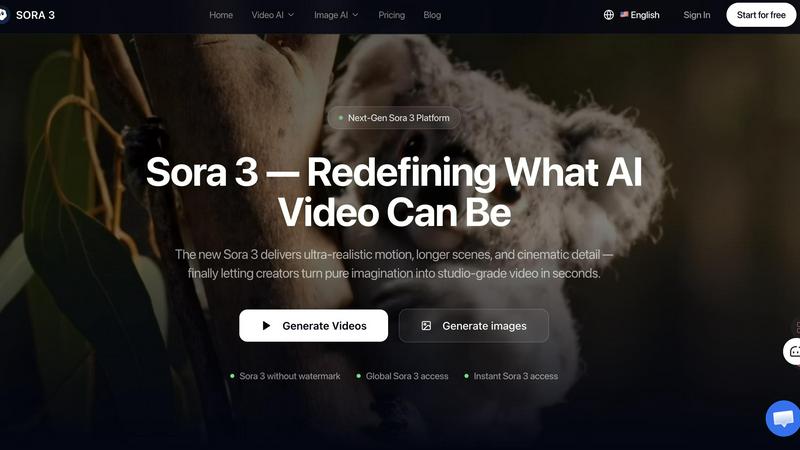
Sora 3 instantly transforms your ideas into stunning, studio-quality videos with realistic motion and cinematic detail.
Last updated: March 11, 2026

Video Background Remover
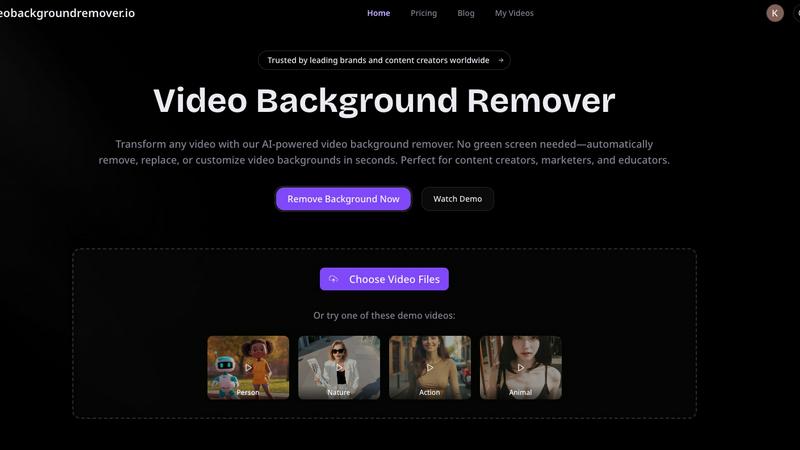
Easily remove and customize video backgrounds in seconds with our AI tool, no green screen required.
Last updated: March 3, 2026
Visual Comparison
Sora 3 Video Generator
Video Background Remover
Feature Comparison
Sora 3 Video Generator
Film-Grade Quality
Sora 3 is engineered to produce studio-level visuals that can elevate any brand's messaging. It generates videos with exceptional detail, realistic textures, and cinematic lighting, ensuring your content looks professionally produced. The AI is trained to minimize common artifacts, delivering consistent, high-fidelity output every time, whether you're creating a product showcase or an atmospheric brand story.
Smart Camera Control
Go beyond basic generation with dynamic, intelligent camera work. Sora 3 understands cinematic language, allowing it to simulate professional camera movements like smooth pans, dramatic zooms, and tracking shots. This feature adds a layer of polish and narrative depth to your videos, making them feel less like AI clips and more like scenes from a film, all directed by your text prompts.
Character Consistency
One of the biggest challenges in AI video is maintaining a character's appearance across different scenes and shots. Sora 3 tackles this head-on with advanced algorithms that ensure your subjects, whether people, mascots, or products, look recognizably the same throughout the video. This is crucial for creating coherent narratives, serialized ad content, or any project where continuity matters.
Extended Duration & Scene Understanding
Break free from short clips. Sora 3 supports the creation of longer, more complex video scenes, allowing for richer storytelling. Coupled with its deep scene understanding, the AI can generate videos where elements interact believably with their environment, respecting real-world physics and spatial relationships. This makes for more immersive and convincing final videos.
Video Background Remover
AI-Powered Background Detection
This feature uses advanced artificial intelligence and machine learning algorithms to automatically detect and remove backgrounds from videos, eliminating the need for any physical green screen setup. This capability allows users to focus on their content without worrying about complex equipment or setups.
Instant Background Removal
With the Video Background Remover, users can enjoy instant background removal, which means they can upload their videos and have the backgrounds eliminated in seconds. This quick processing time enhances productivity and allows for faster turnaround on projects.
Multiple Export Options
Users can export their edited videos in various formats, including transparent backgrounds for WebM or MOV files, or replace backgrounds with custom colors, images, and video clips. This flexibility ensures that the final video aligns perfectly with branding requirements or personal preferences.
Batch Video Processing
For those working on multiple projects, the batch video processing feature allows users to upload and process several videos simultaneously. This saves time and effort, especially for marketers and content creators who need to produce large volumes of video content quickly.
Use Cases
Sora 3 Video Generator
Advertising & Marketing Campaigns
Create eye-catching video ads for social media, websites, or TV commercials in minutes. Produce variations for A/B testing, showcase products in dynamic environments, or craft mini-brand films that tell your company's story without the need for actors, sets, or expensive filming crews.
Social Media Content Creation
Keep your feeds fresh and engaging with a constant stream of high-quality video content. From Instagram Reels and TikTok clips to YouTube shorts, Sora 3 helps influencers, educators, and businesses visualize concepts, create tutorials, or share captivating stories that stand out in a crowded digital landscape.
Brand Storytelling & Explainer Videos
Develop compelling narratives to explain your service, share your mission, or connect with your audience on an emotional level. Use the Storyboard feature to plan extended scenes and maintain character consistency, making it perfect for creating serialized content or detailed explainer videos.
Concept Visualization & Storyboarding
Bring ideas to life before committing to full production. Filmmakers, game developers, and designers can use Sora 3 to rapidly prototype scenes, visualize characters in action, or create dynamic mood boards and animatics. It's an invaluable tool for pitching ideas and refining creative vision quickly.
Video Background Remover
E-commerce Product Videos
E-commerce businesses utilize the Video Background Remover to create polished product videos that enhance the shopping experience. By removing distracting backgrounds, they can showcase products in a clean, professional manner, leading to increased conversion rates and improved customer engagement.
Social Media Content Creation
Over 500,000 creators leverage this tool to produce eye-catching social media content. By removing backgrounds, users can create engaging memes, reaction videos, and unique visual effects that resonate with audiences on platforms like TikTok and Instagram, ultimately boosting engagement and virality.
Online Education and Training
Educators benefit from the Video Background Remover by producing distraction-free educational videos. By replacing home backgrounds with professional virtual settings, they can enhance the learning experience, improve student focus, and increase retention rates in online courses and tutorials.
Professional Presentations and Meetings
Professional services use the Video Background Remover to deliver polished client presentations and virtual meetings. By eliminating office clutter and customizing backgrounds, they can maintain a professional image that reinforces their brand during webinars and online events.
Overview
About Sora 3 Video Generator
Welcome to the future of video creation! Sora 3 Video Generator is a next-generation AI tool designed to transform your imagination into stunning, studio-grade video content in seconds. It's built specifically for creators, marketing teams, brands, and advertisers who need high-quality video without the complexity and cost of traditional production. At its core, Sora 3 takes your simple text descriptions or uploaded images and brings them to life with ultra-realistic motion, cinematic detail, and advanced scene understanding. The main value proposition is clear: democratize professional video production. Whether you're crafting a compelling ad campaign, telling a brand story, or visualizing a creative concept, Sora 3 empowers you to produce longer, sharper, and more believable videos than ever before. It handles complex physics, maintains character consistency, and offers smart camera controls, all while ensuring your final output is free of watermarks and ready for commercial use. It's more than just a generator; it's your partner in visual storytelling.
About Video Background Remover
Video Background Remover is an innovative AI-powered online tool designed to simplify the video editing process by allowing users to effortlessly remove or replace video backgrounds. It caters to a diverse audience, including content creators, marketers, educators, and business professionals, offering a user-friendly solution that eliminates the need for cumbersome green screens and complex setups. This tool automatically detects and removes backgrounds, enabling users to concentrate on delivering their message effectively. Supporting MP4 and MOV file formats, Video Background Remover can process videos of up to 120 minutes in HD quality. Its intuitive interface ensures that anyone, regardless of technical expertise, can achieve professional-quality results in just a few clicks. By streamlining the video production workflow, it saves time and resources while enhancing project quality and audience engagement, making it an essential tool for modern video creators.
Frequently Asked Questions
Sora 3 Video Generator FAQ
What sets Sora 3 apart from other video generation platforms?
Sora 3 distinguishes itself with its focus on professional, campaign-ready quality. It combines longer video durations, superior scene and physics understanding, and features like smart camera control and character consistency that are essential for branded content. The output is designed to be watermark-free and commercially viable right out of the box.
Can Sora 3 generate videos longer than 10 seconds?
Yes, absolutely! Sora 3 supports extended durations, allowing for the creation of longer scenes essential for storytelling. The platform also offers a Storyboard feature, which lets you chain scenes together to build cohesive narratives that can extend well beyond basic clip length, perfect for ads or short films.
Are Sora 3 videos suitable for commercial advertising?
Yes, they are. Videos generated through the Sora 3 platform come with commercial usage rights, meaning you can legally use them in advertising campaigns, on social media, websites, and other marketing materials. This makes it a powerful and cost-effective tool for businesses of all sizes.
Do Sora 3 videos include watermarks?
No, they do not. One of the key benefits of using this platform is that your downloaded Sora 3 videos are completely free of watermarks. This ensures your brand remains the sole focus, and the content is immediately ready for professional deployment in any campaign.
Video Background Remover FAQ
How does the Video Background Remover work?
The Video Background Remover uses advanced AI technology to analyze each frame of the uploaded video. It automatically detects the subject and removes the background without the need for a green screen, streamlining the editing process.
What video formats are supported?
This tool supports popular video formats such as MP4, MOV, and WebM. Users can upload videos of up to 120 minutes in HD quality, ensuring versatility in handling various types of video content.
Can I replace the background with custom images or videos?
Yes, users can not only remove backgrounds but also replace them with custom colors, images, or video clips. This allows for creative flexibility and ensures that the final product aligns with branding and personal preferences.
Is there a limit to the number of videos I can process?
The Video Background Remover supports batch video processing, allowing users to upload and process multiple videos simultaneously. This feature is particularly useful for those who need to create large volumes of content efficiently.
Alternatives
Sora 3 Video Generator Alternatives
Sora 3 Video Generator is a cutting-edge AI tool in the video creation category, designed to produce ultra-realistic, cinematic-quality videos. It's known for its advanced motion, longer scene generation, and impressive detail, making it a powerful option for professional creators and marketers. Users often explore alternatives for various practical reasons. These can include budget constraints, as premium tools may have pricing tiers that don't fit every need. Others might seek different feature sets, simpler interfaces, or platforms that integrate better with their existing workflow. It's a common and smart step to compare options. When looking for a different tool, consider what matters most for your projects. Key factors often include the quality and style of the video output, the ease of use, the available control over the creative process, and of course, the overall cost and value. Finding the right balance for your specific goals is the ultimate aim.
Video Background Remover Alternatives
Video Background Remover is an advanced AI-powered tool that allows users to effortlessly remove and customize video backgrounds without the need for green screens. It caters to a wide range of users, including content creators, marketers, educators, and business professionals, making video production more accessible and efficient. Users often seek alternatives due to various reasons, such as pricing, specific feature sets, or platform compatibility. When considering an alternative, it's important to evaluate factors like processing speed, ease of use, and the quality of output. A good alternative should also support a variety of video formats and provide customizable background options to meet diverse creative needs.