
Alternatives to SkipBait
Explore the best alternatives and competitors to SkipBait.
Explore 20 alternatives to SkipBait. Compare features, pricing, and find the best fit for your needs.

@fuck.it - email with attitude
Private email. Pure. Secure. Exclusive. No ads, no tracking, no data selling. GDPR compliant, EU-hosted.
xfiles
Free PDF, image and audio tools that process your files locally in your browser. No account or added watermarks.

this+that
An AI agent that reads every email and chat message your team gets, turns requests into tasks, and does what they ask.

Toolbit.ai
Describe your task and Toolbit finds the right AI tool. Compare tools side by side, see top rankings, and follow daily AI news and guides.


RunMyWealth
Smart, private financial calculators for mortgage, FIRE, and debt. 100% free, runs locally in your browser, no signup required.
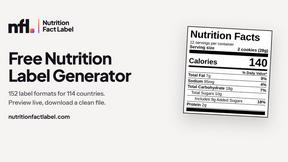
Nutrition Fact Label
Free FDA-compliant nutrition facts label generator with recipe-to-label nutrition, allergen checks and 152 label formats for 114 countries.
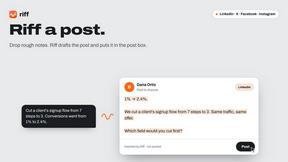
Riff
Free Chrome extension. Chrome's built-in AI turns your rough point into a fresh reply for posts on X, LinkedIn, Facebook or Instagram.
EmoScan
#1 Emotion Intelligence Analysis tool to understand better Texts, Email Letters, Videos, Photos and even Dating profiles
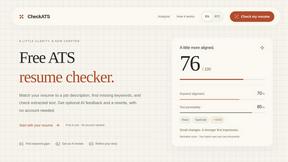

TokenSave
Free AI token counter and cost calculator for ChatGPT, Claude and Gemini, plus a private Claude Code usage analyzer.
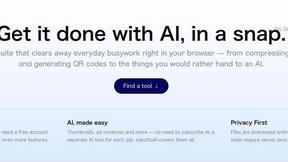
sakuttoAI
A free suite of online tools for everyday tasks like PDF compression, image conversion, text diff and CSV to Excel.
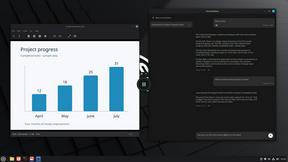
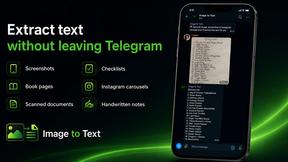
imgtxtapp.laviolab.com
imgtxtapp.laviolab.com is a Telegram-based image-to-text converter that turns photos, screenshots, scanned documents into editable text
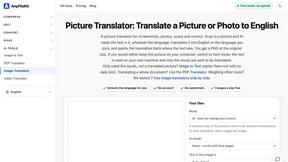
AnyFileKit Image Translator
Translate the text in screenshots, photos and manga, with the translation drawn back over the original image.
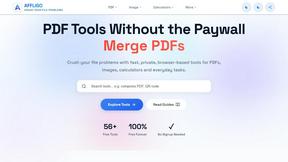
AFFLIGO
AFFLIGO is a free online toolkit for everyday file tasks. Easily edit PDFs, compress images, convert file formats, and get things done.
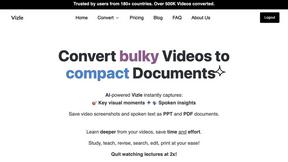
Vizle
Vizle transforms lengthy videos into convenient, accessible documents, as PDFs and PPTs. No more speeding through your videos at 2x!

SafePDF
Free online PDF tools to merge, split, compress, convert, sign, and edit PDFs privately in your browser. No signup required.
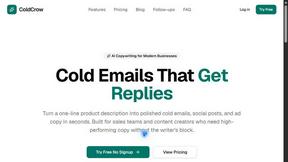
ColdCrow
AI cold email writer: turn one line about a prospect into personalized outreach with a deliverability score in seconds. Free trials, no credit card.

Ask Versa AI
AI verdicts for any two Amazon products, in seconds. Live specs plus real buyer reviews, scored 0-100, one clear winner. Free, no account.
About SkipBait Alternatives
SkipBait is a powerful Chrome extension and productivity tool designed to instantly summarize YouTube videos using AI, while also allowing you to ask questions that search the web for answers beyond just the video transcript. It fits squarely into the categories of Language & Translation, Personal Development, Productivity & Management, and Chrome Extensions, making it a versatile asset for students, researchers, and professionals who want to save time on video content. The tool stands out by offering honest titles, TLDRs, outlined summaries, and actionable insights anchored with timestamps, plus translation in over 20 languages, which helps users avoid constant context switching and focus on deep learning. Users often look for alternatives to SkipBait for several reasons, such as needing a different pricing model, seeking a tool that works on more platforms beyond Chrome, or wanting features like offline access or deeper integration with other note-taking apps. Others might find that their specific workflow requires a different balance between web-search capabilities and transcript-only analysis. When choosing an alternative, it is important to look for a tool that offers accurate summarization, support for multiple languages, the ability to export notes in formats like PDF, and a reliable AI chat that can pull in external information. You should also consider the tool’s ease of use, the speed of processing, and whether it integrates smoothly with your existing browser or device ecosystem to avoid adding friction to your learning process.
FAQs about SkipBait Alternatives
What is SkipBait?
SkipBait is a Chrome extension and AI-powered tool that instantly generates summaries of YouTube videos, including an honest title, TLDR, outlined summary, and actionable insights with navigable timestamps. It features a unique AI chat that searches the web to find answers to your questions, not just relying on the video transcript. This helps users save hours by reducing context switching and focusing on learning, with support for summary and transcript translation in over 20 languages.
Who is SkipBait for?
SkipBait is designed for a wide range of users, including students who want to turn video lectures into notes and PDF exports, researchers who need to screen many documentaries and videos at once, and professionals looking to keep up with industry podcasts efficiently. It is also ideal for lifelong learners who want answers that go beyond what a video covers, making it a versatile tool for anyone who consumes video content for education or work.
Is SkipBait free?
Based on the provided content, SkipBait likely offers a freemium model with basic features available for free, such as generating summaries and using the AI chat, while advanced features like PDF exports, higher usage limits, or priority support may require a paid subscription. Specific pricing details are not listed in the provided content, so users should check the official SkipBait website or Chrome Web Store page for the most accurate and current pricing information.
What are the main features of SkipBait?
The main features of SkipBait include instant AI-powered video summaries with an honest title, TLDR, outlined summary, and scannable actionable insights, all anchored with clickable timestamps. It also has an AI chat that searches the web to find answers beyond the transcript, and it supports translation of summaries and transcripts into over 20 languages. Users can also export notes as PDFs, making it a comprehensive tool for turning video content into study or work materials.