
Fix Pixelated Photos vs Grok Imagine
Side-by-side comparison to help you choose the right AI tool.

Fix Pixelated Photos
Enhance and restore pixelated photos effortlessly with AI for sharper, clearer images in seconds, all in your browser.
Last updated: February 26, 2026

Grok Imagine
Grok Imagine turns your text and images into creative AI videos for free, starting with easy-to-use credits.
Last updated: April 13, 2026
Visual Comparison
Fix Pixelated Photos
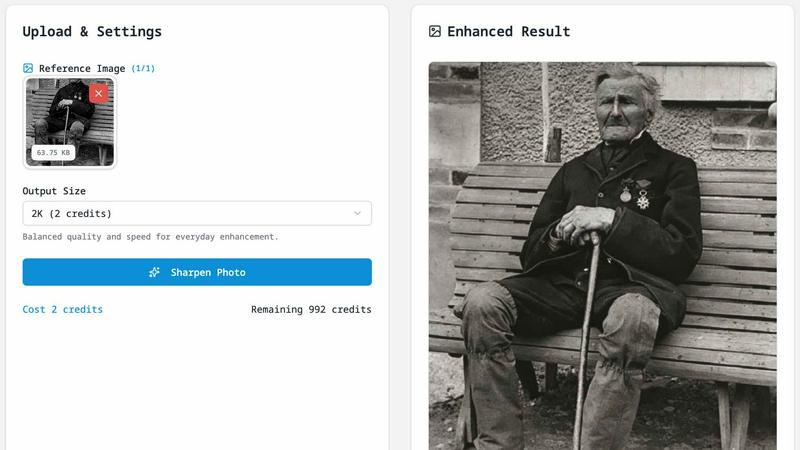
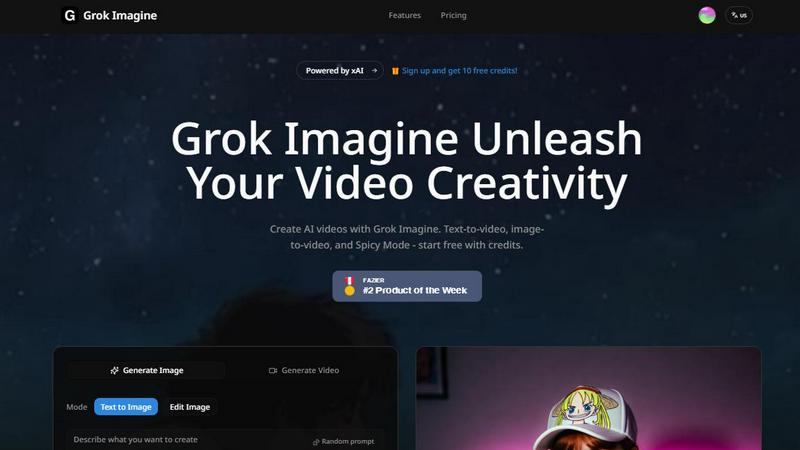
Grok Imagine
Feature Comparison
Fix Pixelated Photos
One-Click Unpixelate
This feature is designed to reduce blocky artifacts and recover smoother edges from compressed or low-resolution images. With just a single click, you can see your images transform, making it an ideal solution for anyone who needs quick fixes without diving deep into manual editing.
AI Upscaling
The AI upscaling capability increases the image resolution while preserving essential structures and details. This allows your photos to become more usable for sharing online or for print, ensuring that they maintain their quality even at larger sizes.
Smart Sharpening
Improve the clarity of key areas in your photos, such as faces, text, and product shots, without the need for extensive manual adjustments. Smart sharpening enhances detail in a way that looks natural, making it a perfect choice for high-quality image presentations.
Batch-Friendly Workflow
For users needing to enhance multiple images, the batch-friendly workflow allows you to apply the same enhancement process efficiently across several files at once. This saves time and effort, making it ideal for photographers and businesses handling large volumes of images.
Grok Imagine
Text-to-Video & Image-to-Video
Simply type a description of what you want to see, and Grok Imagine will generate a 6 to 30-second video for you. Alternatively, upload any image, and the AI will animate it, bringing it to life with motion. This dual-input method gives you maximum flexibility, whether you're starting from scratch or building upon an existing visual.
Synced Audio Generation
Every video created with Grok Imagine comes with automatically generated background music and sound effects that are perfectly synced to the visual content. This eliminates the need to source or edit audio separately, making professional-grade video production accessible and incredibly fast for everyone.
Three Creative Modes (Normal, Fun, Spicy)
Tailor the style of your output by choosing between three distinct modes. Use "Normal" for realistic and balanced content, "Fun" for more playful and animated styles, or "Spicy" for dynamic and high-energy creations. This allows you to match the video's tone perfectly to your project's needs, from professional ads to whimsical social posts.
Multiple Aspect Ratio Support
Grok Imagine supports a wide range of formats to fit any platform. You can generate images and videos in five different ratios, including 1:1 (for Instagram), 9:16 (for TikTok/Stories), and 16:9 (for YouTube). This ensures your content looks perfect everywhere without requiring manual cropping or resizing.
Use Cases
Fix Pixelated Photos
Restoring Old Photographs
If you have old family photos that have faded or lost details over time, Fix Pixelated Photos can help restore their clarity. This is perfect for preserving memories and sharing them with loved ones in a visually appealing manner.
Enhancing Product Images for E-commerce
For e-commerce businesses, high-quality product images are essential. Use this tool to upscale and sharpen product shots, ensuring they look professional and attractive to potential buyers.
Improving Portraits for Social Media
Whether you are a professional photographer or just someone who enjoys taking pictures, enhancing portraits for social media can make a significant difference. Fix Pixelated Photos helps you improve skin details and sharpness, ensuring your images stand out.
Fixing Screenshots for Presentations
Screenshots often suffer from pixelation, especially when taken from low-quality sources. This tool can quickly enhance screenshots, making them clearer and more presentable for reports or presentations.
Grok Imagine
Social Media Content Creation
Ideal for influencers and brands looking to stand out. Quickly generate eye-catching, short-form videos for platforms like TikTok, Instagram Reels, and YouTube Shorts. The trending templates and fast generation help you produce relevant, high-volume content to keep your audience engaged.
Marketing and Advertising
Marketers can use Grok Imagine to rapidly prototype ad concepts, create product demo videos, or produce promotional content. The ability to go from a text idea to a polished video with audio in seconds allows for agile testing of different creative angles and faster campaign launches.
Creative Storytelling and Animation
Artists and storytellers can bring their narratives to life. Transform a character illustration into an animated scene or visualize a storyboard directly from a written prompt. The "Spicy" mode is particularly useful for creating dynamic, cinematic sequences with dramatic effects.
Personal Projects and Entertainment
Perfect for personal fun and learning. Create unique music visualizers, animate your favorite photos for a digital album, or generate imaginative artwork and videos just for the joy of creation. It's a playground for experimenting with AI's creative potential.
Overview
About Fix Pixelated Photos
Fix Pixelated Photos is a powerful, browser-based AI image enhancement platform designed to tackle the common issues of pixelated and low-resolution images. Whether you are a professional photographer, a content creator, or simply someone looking to improve personal photos, this tool is tailored for you. Its main value proposition lies in its ability to unpixelate, sharpen, and upscale images with just a few clicks, making it easy for anyone to enhance their visuals without the need for complex software.
The platform operates entirely online, meaning no downloads or installations are required, and it works seamlessly on both desktop and mobile devices. By leveraging advanced AI technology, Fix Pixelated Photos allows users to restore detail, clarity, and vibrancy to their images quickly and efficiently. With features like one-click unpixelation and smart sharpening, you can achieve professional-quality results in moments, enhancing everything from portraits and product shots to old photographs and screenshots.
About Grok Imagine
Grok Imagine is a powerful and user-friendly AI video and image generation tool that turns your creative ideas into stunning visual content in seconds. Designed for creators of all levels, from social media enthusiasts to professional marketers, it simplifies the video creation process. At its core, Grok Imagine allows you to generate videos from simple text descriptions or transform your existing images into dynamic clips. One of its standout features is the automatic syncing of background music and sound effects, adding a professional touch to your creations without any extra effort. The tool is powered by xAI's proprietary Aurora engine, which is responsible for its fast, photorealistic, and high-quality outputs. Whether you're looking to create engaging content for TikTok, YouTube, or presentations, Grok Imagine provides a seamless start with free credits, letting you experiment and unleash your creativity immediately.
Frequently Asked Questions
Fix Pixelated Photos FAQ
What does this tool do?
Fix Pixelated Photos is an AI-powered platform that enhances the quality of low-resolution images by unpixelating, sharpening, and upscaling them quickly and efficiently.
What image types are supported?
The platform supports a wide range of image formats, including JPEG, PNG, and GIF, making it versatile for various types of images that users might need to enhance.
Do I need editing experience?
No editing experience is required to use Fix Pixelated Photos. Its user-friendly interface allows anyone, regardless of skill level, to enhance their images easily.
How do you handle uploaded images?
Uploaded images are processed solely for enhancement purposes and are not published or shared. Your privacy is important, and all files are deleted after processing to ensure security.
Grok Imagine FAQ
How do I start using Grok Imagine?
Getting started is easy and free! Simply sign up for an account on the Grok Imagine platform. New users receive free credits to try out the generation features immediately. You can begin by typing a text prompt or uploading an image to see the AI in action.
What are credits and how do they work?
Credits are the currency used to generate videos and images on Grok Imagine. Each generation task consumes a certain number of credits. You receive a set amount of free credits upon signing up, and you can purchase more as needed to continue creating.
What is the difference between the Normal, Fun, and Spicy modes?
These modes control the creative style of the output. "Normal" aims for realistic and balanced visuals. "Fun" introduces more playful, cartoonish, or exaggerated elements. "Spicy" creates high-energy, dynamic, and often more dramatic or intense videos. Experiment to see which fits your vision.
Can I use the videos I create for commercial purposes?
Yes, you own the content you create with Grok Imagine. This means you can use the generated videos and images for commercial projects, such as in advertisements, social media campaigns, or on your website, giving you full creative and commercial freedom.
Alternatives
Fix Pixelated Photos Alternatives
Fix Pixelated Photos is an innovative browser-based platform that utilizes AI technology to enhance images by unpixelating, sharpening, and upscaling low-quality photos. This tool falls under the category of image and photo enhancement, making it an invaluable resource for both individuals and teams looking to improve their visual content with ease and efficiency. Users often seek alternatives to Fix Pixelated Photos for various reasons, including pricing, specific features, or compatibility with different platforms. When choosing an alternative, it's essential to consider factors such as the technology used, ease of use, quality of output, and any additional features that may enhance the image enhancement experience. Identifying what matters most to you can help streamline your search for the perfect solution.
Grok Imagine Alternatives
Grok Imagine is an AI-powered video generator that lets you create videos from text or images, complete with synced audio. It falls into the exciting categories of AI video and image generation tools, making it easy for anyone to produce dynamic visual content without needing complex editing software. People often explore alternatives for a variety of reasons. You might be looking for a different pricing model, need a specific feature that Grok Imagine doesn't offer, or require a tool that integrates with your existing workflow. It's a common and smart step to compare options and find the perfect fit for your creative projects. When searching for a different tool, consider what matters most to you. Think about your budget, the types of videos you want to create, the quality and style of the output, and how easy the platform is to use. A good fit will align with both your creative goals and practical needs.